
TikTok Ask for Payment
Sell digital products by TikTok DM: the buyer pays in the DM, then the message with the product is sent automatically.
The Ask for Payment preset sells digital products by TikTok DM: the buyer sends the keyword, pays, then the message with the product is sent automatically as soon as the payment succeeds.
Interested in this product?
Yes, I'm interestedComplete the payment to get the link. Total Rp49,000
Buy nowChoose a payment method
QRISBefore you start
- A TikTok Business account that's connected, see Before you start.
- Identity verification, because your sales go to an account in your name. If you haven't verified yet, Verify your identity first appears. Click Start verification, then follow the verification form guide. You only do this once for all your agents. Team members need to ask the agent's owner to verify.
- The product you'll send after payment, such as an e-book download link or a class access code.
- Another TikTok account to test the flow.
Ask for Payment is only available for the Direct message trigger. To sell from video comments, use Reply to Comments to invite viewers to send the keyword by DM.
1. Create from the preset and set the trigger
- Open TikTok › Automation, click Create automation, then choose Ask for Payment.
- Fill in the Automation name, for example Sell the coffee recipe e-book.
- In the Trigger step, fill in the Keywords, for example EBOOK. The Automation target is set to Direct message automatically.
2. Fill in the Product
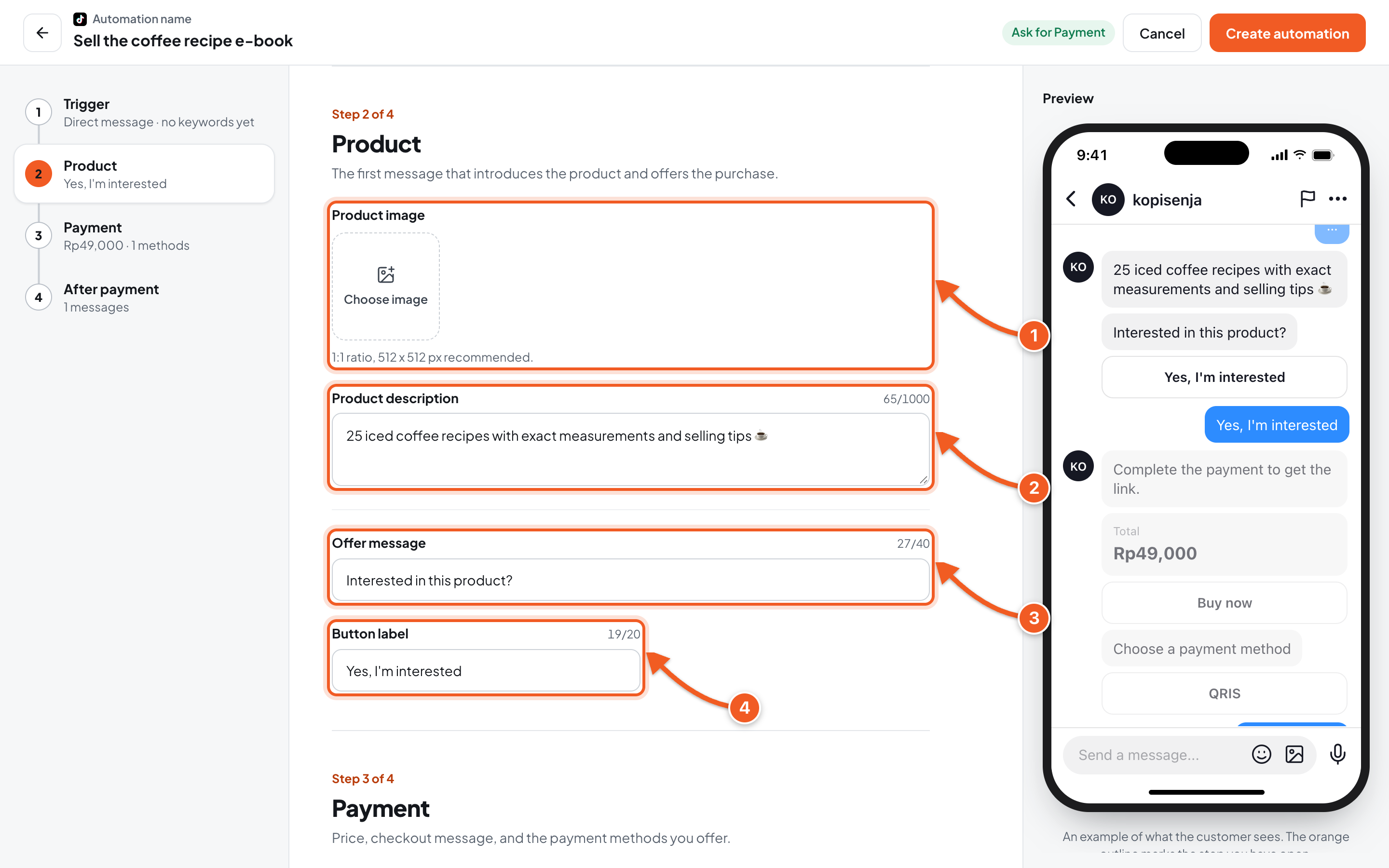
- Product image (optional): 1:1 ratio, 512 x 512 px recommended.
- Product description: a short description of your product.
- Offer message: for example Interested in this product?
- Button label: the button to go on to buying, for example Yes, I'm interested.
3. Set up the Payment
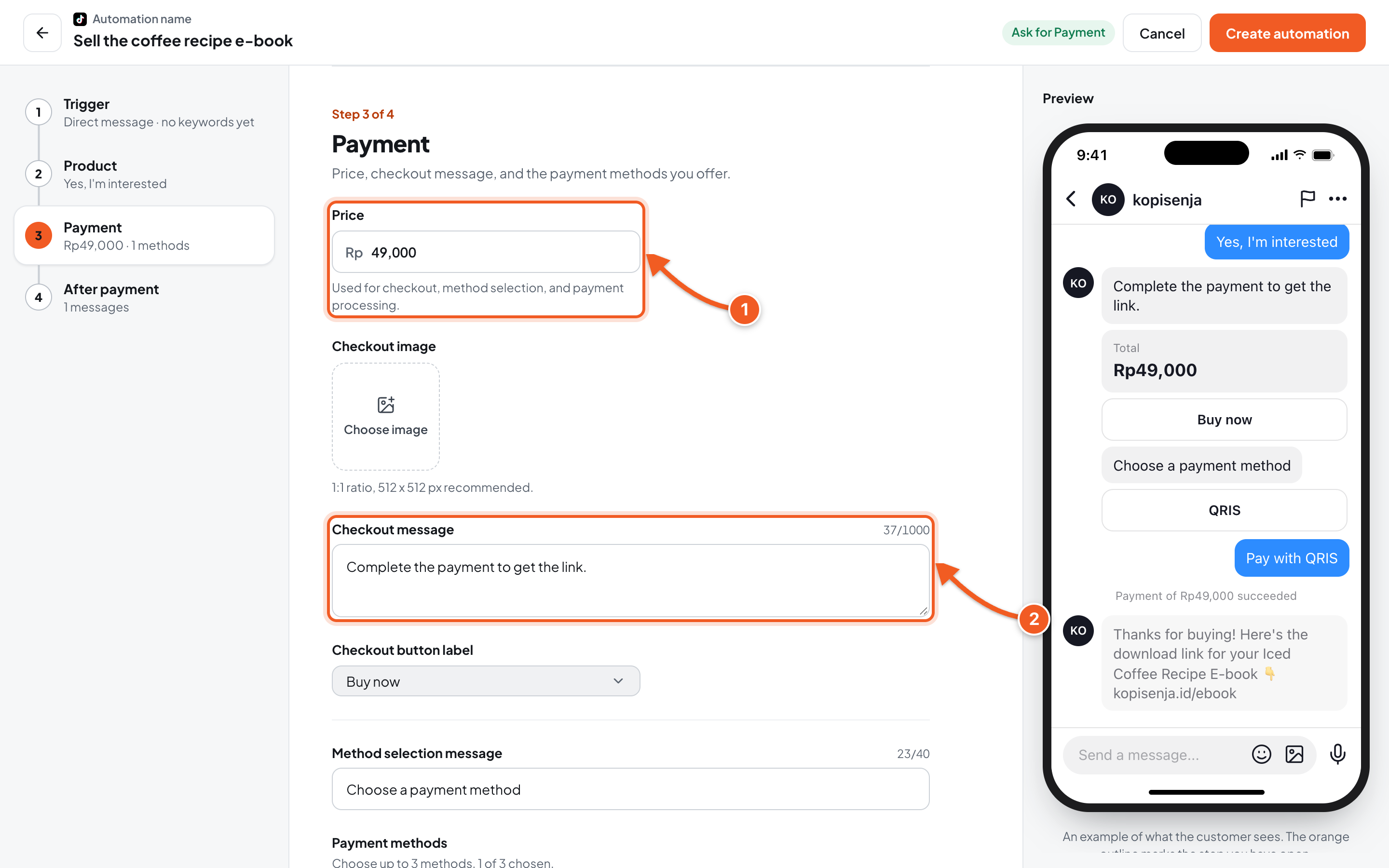
- Price: used for checkout, method selection, and payment processing. Minimum Rp100, maximum Rp999,999,999.
- Checkout message: the text above the checkout button. Pick the Checkout button label below it, for example Buy now, or choose Write your own.
Scroll down in the same step:
- Method selection message: the text shown with the method options, for example Choose a payment method.
- Payment methods: choose up to 3 methods, for example QRIS. Each method's fee is shown under its name, and methods that say Needs a minimum price of … need a higher price.
- Buyer pays the admin fee: when on, the admin fee is added to the amount the buyer pays.
Platform fee: 3% per transaction on the Plus plan and 1% on the Pro plan.
4. Write the after-payment message
Click the After payment step.
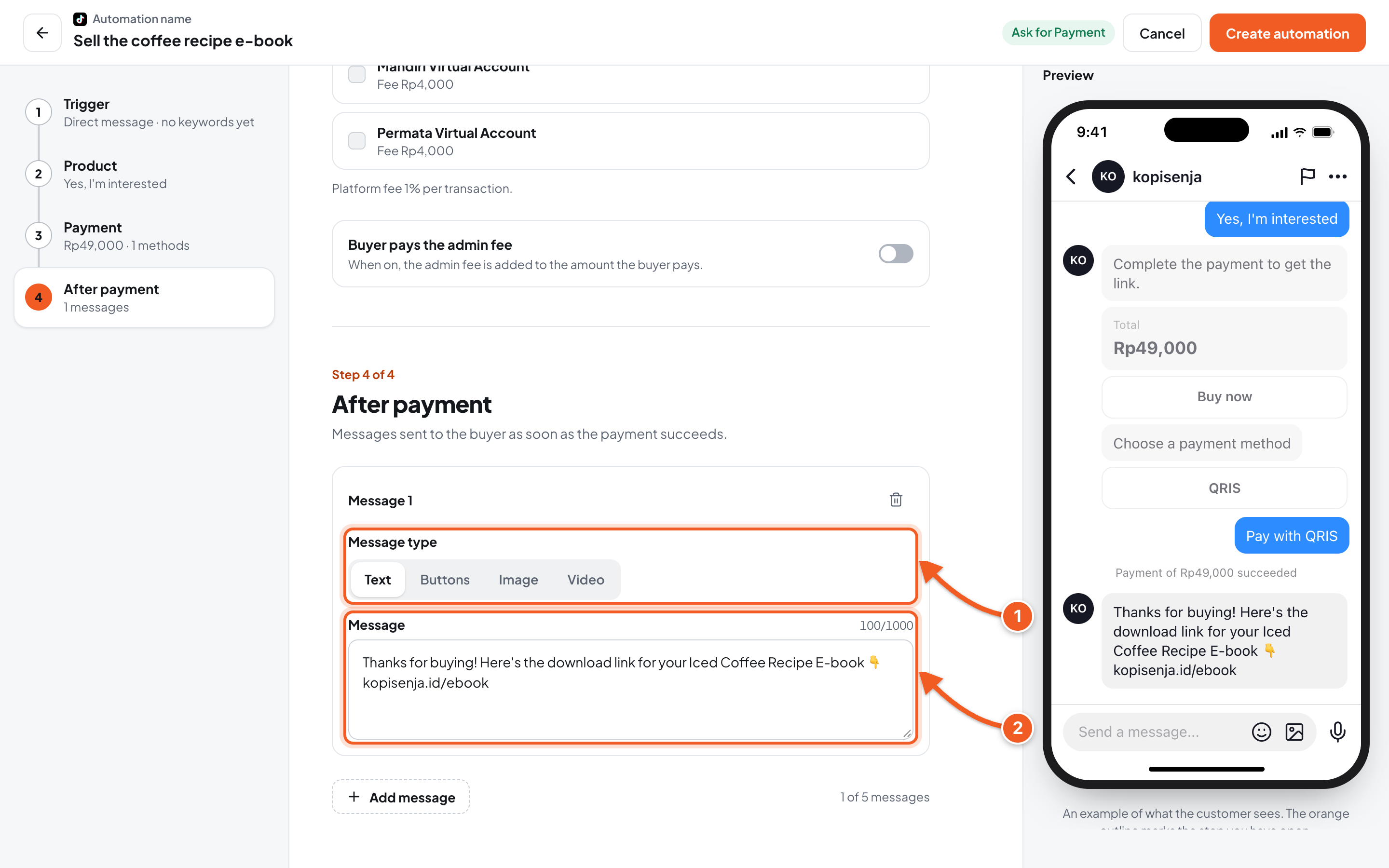
- Message type: Text, Buttons, Image, or Video.
- Message: the product that was bought, such as a download link or access code. This message is only sent after the payment succeeds.
Click Create automation to save.
5. Test it, then check the order
- From another TikTok account, send a DM with the keyword, for example EBOOK.
- Tap the offer button, then the checkout button, then choose a payment method. At this point the flow is proven to work.
- To test all the way until the product is delivered, finish the payment. A test payment is a real transaction, so fees still apply. You can temporarily set a low price, as long as it meets the minimum price of the method you choose.
- Once the payment succeeds, the message with the product arrives in that account's DMs.
- In the dashboard, open the automation's detail page, then the Orders tab to see the test order and its status.
If you lowered the price for the test, set it back through Edit.
Troubleshooting
| Problem | Fix |
|---|---|
| Verify your identity first or Identity verification required appears | Click Start verification, then follow the verification form guide. Team members need to ask the agent's owner. |
| Ask for Payment is only available for the direct message trigger. | Change the Automation target to Direct message. |
| Choose at least one payment method. or Up to 3 payment methods. | Choose 1 to 3 methods. |
| A method says Needs a minimum price of … | Raise the price, or choose another method. |
| Minimum price is Rp100. | Set a price of at least Rp100. |
Other questions about fees and withdrawals are answered in the Ask for Payment FAQ.