
Connect Your TikTok Account
Connect your TikTok Business account to dibales.ai so comments and DMs can be answered automatically.
TikTok automations only work once your TikTok account is connected to dibales.ai. You only need to do this once per agent.
Automations only work with a TikTok Business account. Still on a personal account? See how to switch to a Business account below.
Connecting your account
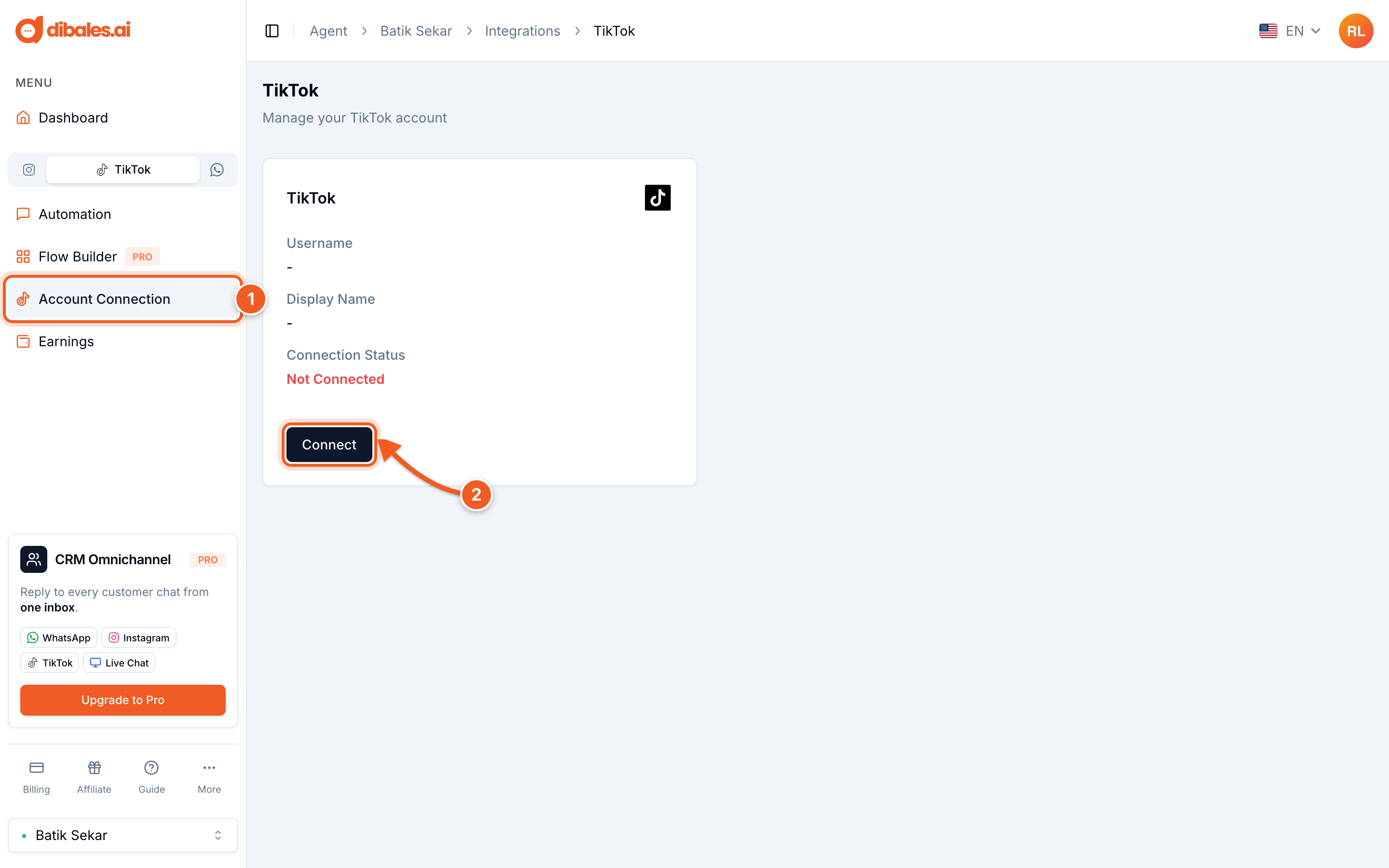
- In the sidebar, choose the TikTok tab above the menu, then click Account Connection. On a phone, open the menu first with the icon at the top left.
- Click Connect. A tiktok.com page opens. Log in with the TikTok account you want to connect.
- TikTok shows an access request from Pake AI - TikTok, dibales.ai's official app. Make sure the account name on the left is the account you want to connect. If it isn't, click Switch account.

Allow all access for Pake AI - TikTok
- (A) Leave all permissions on. Without permission to read comments and send messages, automations can't reply.
- (B) Click Continue.
- You're taken back to dibales.ai, and your TikTok account is connected.
After connecting
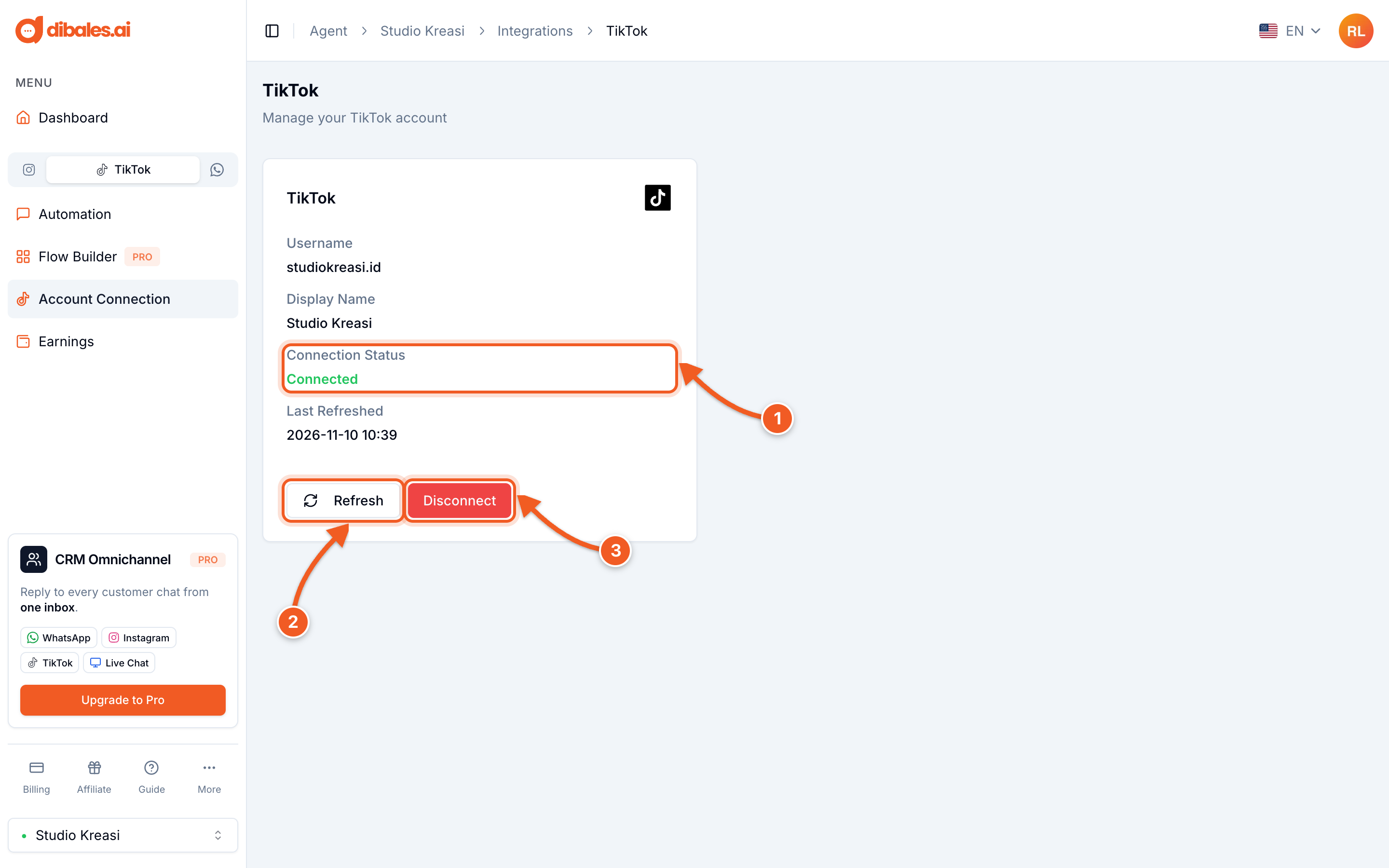
- The Connection Status changes to Connected, along with your account's username. If the status is Paused and a Personal Account warning appears, your account isn't a Business account yet.
- Refresh: refreshes the connection and checks the account type again. Click it after your account switches to a Business account, or if automations suddenly stop replying.
- Disconnect: removes the TikTok account from this agent. You'll be asked to confirm first.
How to switch to a Business account
You switch in the TikTok app, not in dibales.ai. Open your Profile, tap the ☰ menu at the top right, then choose Settings and privacy › Account › Business verification.

Then fill in your business details. The example below is for a business registered in Indonesia. The fields and accepted documents depend on your country.

- Country or region: the country where your business is registered, for example Indonesia
- Business phone number, then upload your business license document as a JPG or PNG
- Legal business name
- Business license ID, matching the document
💡 In Indonesia, a limited liability company (PT) only needs its business identification number (NIB) document. Other accepted documents are listed in the Overview.
Verification is handled directly by TikTok, so you need to wait for their approval. Learn more here. Once approved, open Account Connection in dibales.ai again and click Refresh.
Next, create your first automation: