
Connect Your Instagram Account
Connect your Instagram account to dibales.ai so comments, stories, and DMs can be answered automatically.
dibales.ai's Instagram features, such as Comment to DM, Story to DM, and Conversation Starters, only work once your Instagram account is connected. You only need to do this once per agent.
Before you start, make sure your Instagram account is a professional account (creator or business). Personal accounts can't be connected.
Connecting your account
- On the Dashboard, click Start connecting in the Start automating now section.
- If you've hidden that section, click Account Connection in the sidebar, then skip to step 4. On a phone, open the menu first with the icon at the top left.
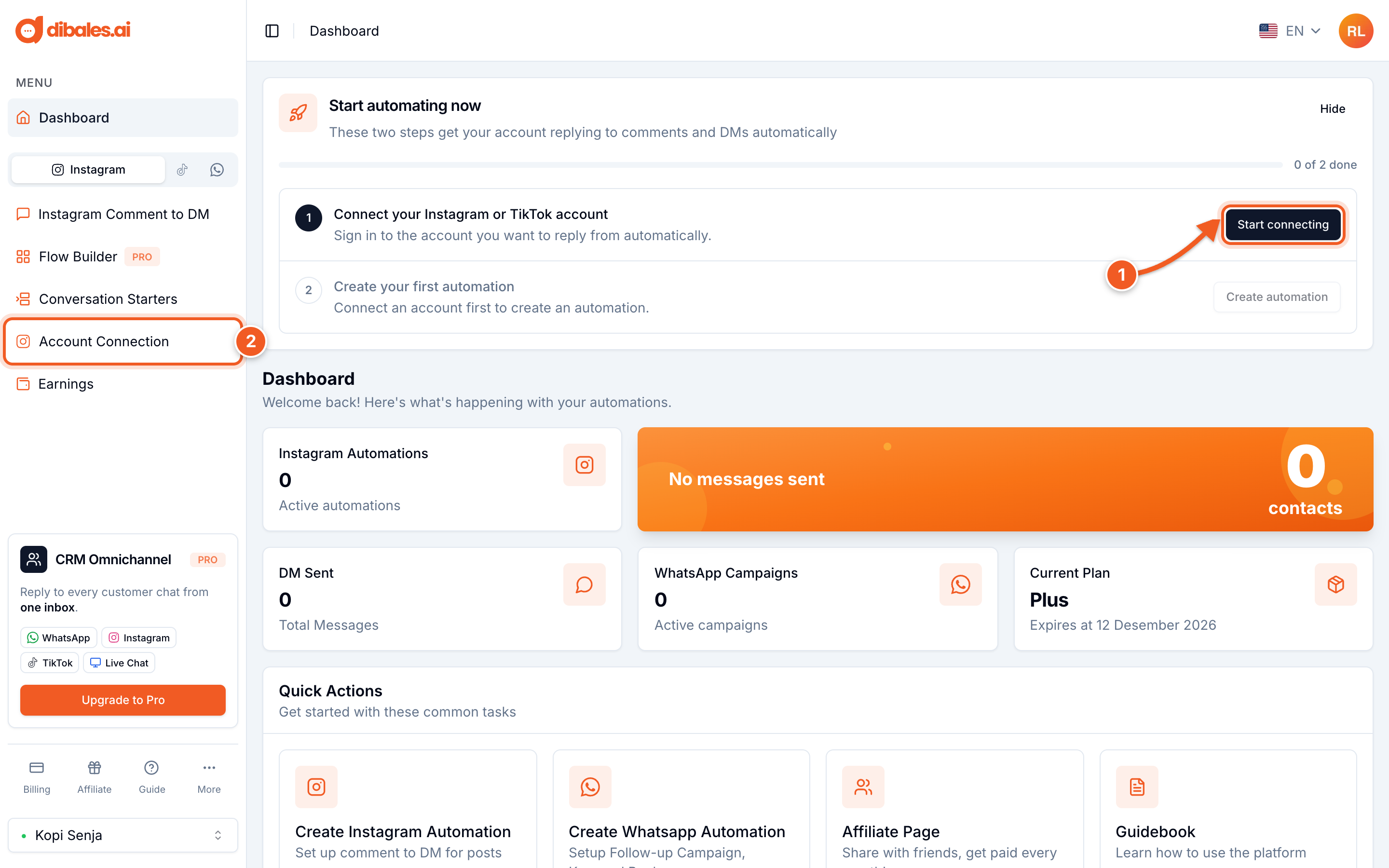
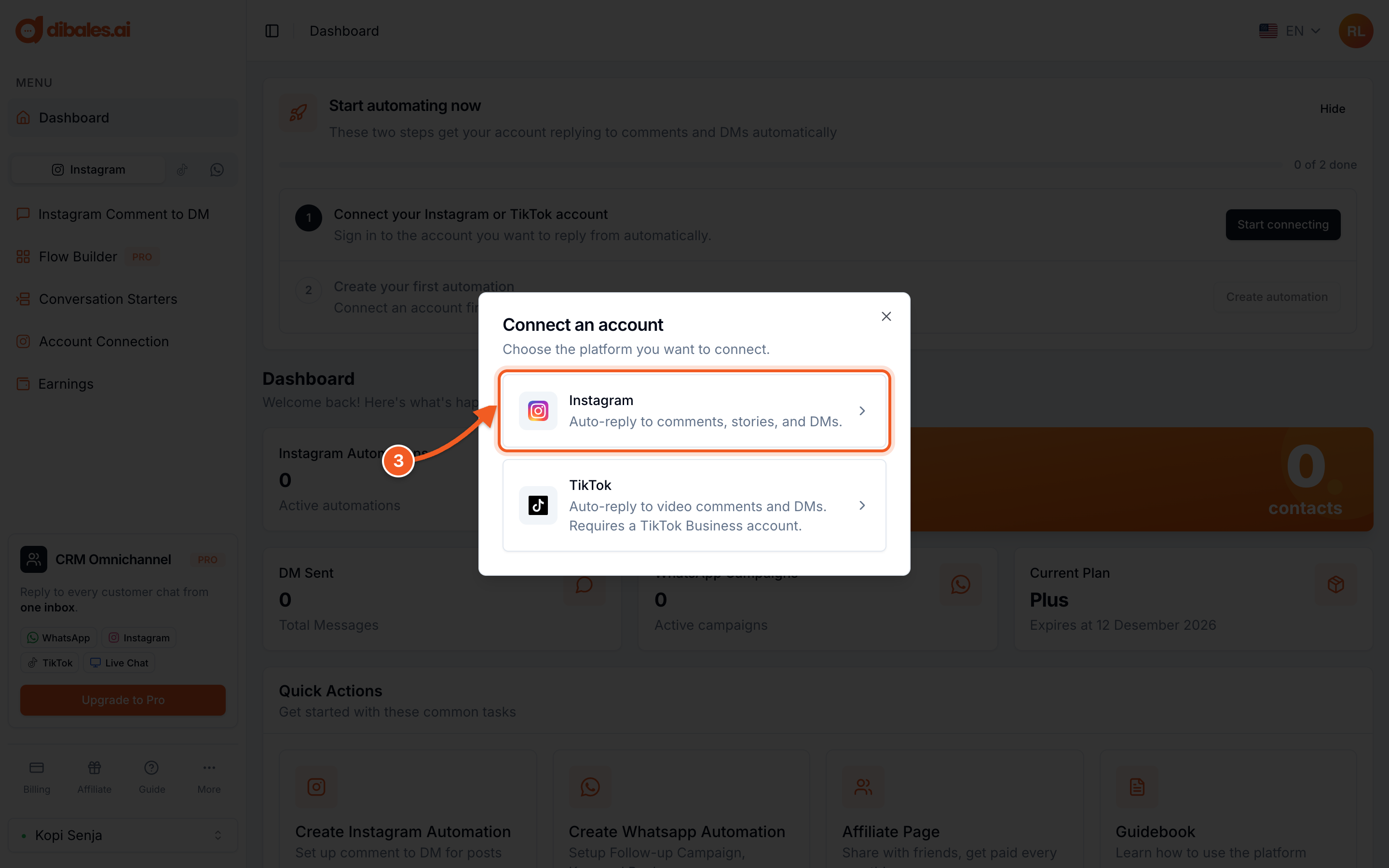
- Choose Instagram.
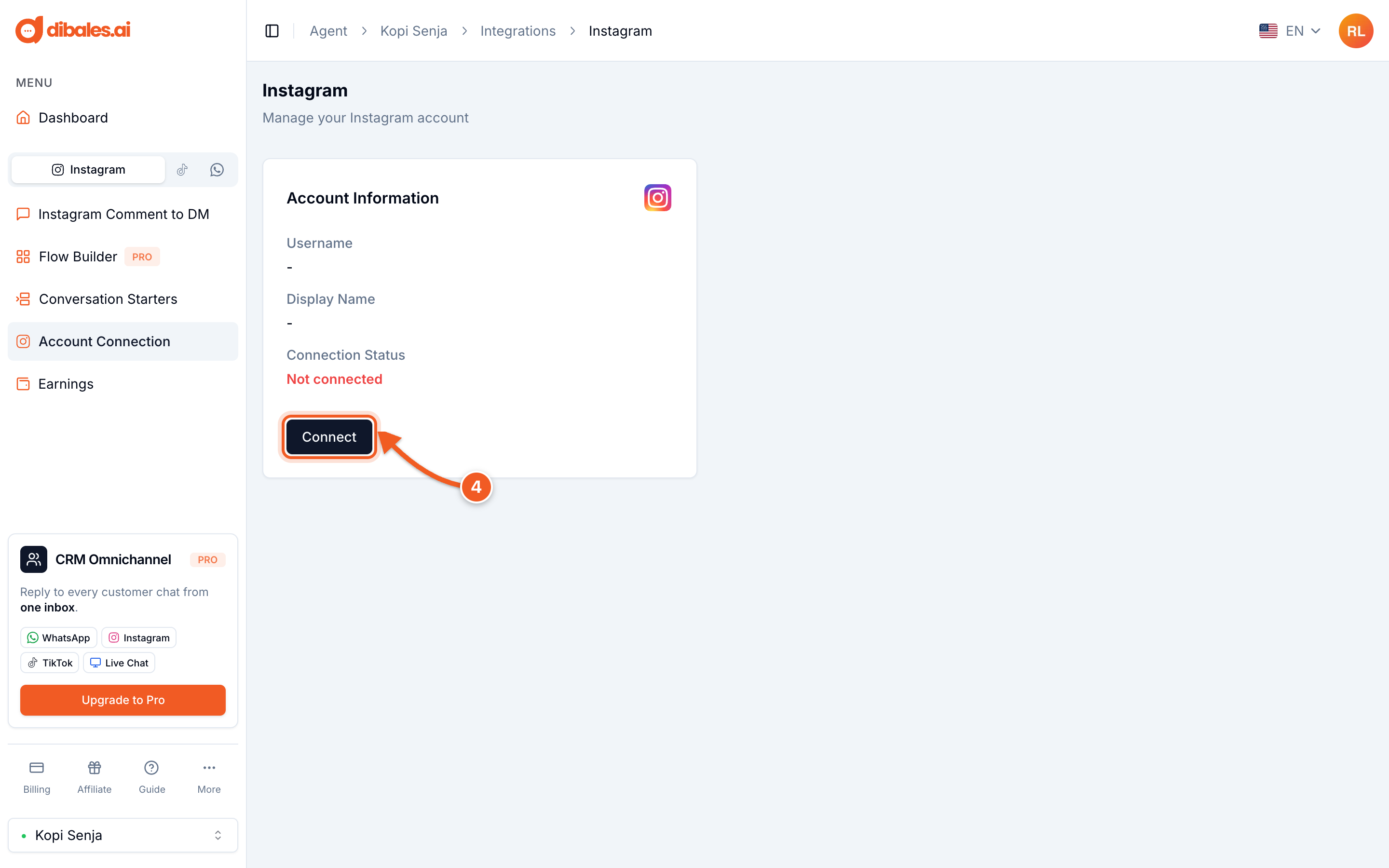
- On the Instagram page, click Connect. A new window to instagram.com opens.
In the Instagram window:
- Log in with the Instagram account you want to connect.
- Instagram shows an access request from Pake.AI-IG, dibales.ai's official app. Make sure all permissions are turned on (A): Access and manage comments and Access and manage messages. Without them, comments can't be read and DMs can't be sent.
- Click Allow (B).

Allow all access for Pake.AI-IG
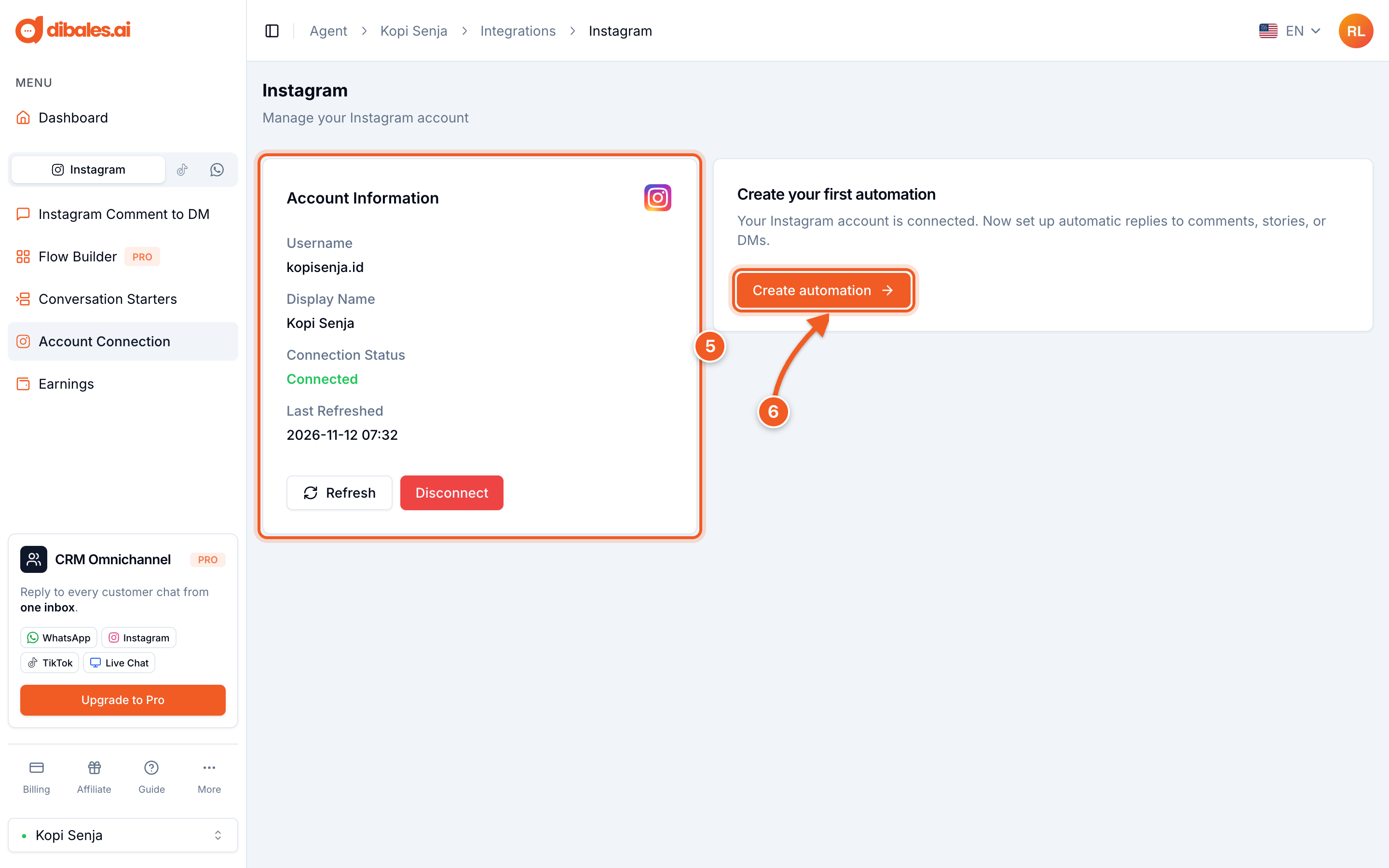
- Once you allow access, the Instagram window closes on its own and an Instagram connected successfully notification appears. The Connection Status changes to Connected, along with your account's username.
- Click Create automation to create your first automation right away.
On the Dashboard, the first step in the Start automating now section is also marked Done, together with the connected account.
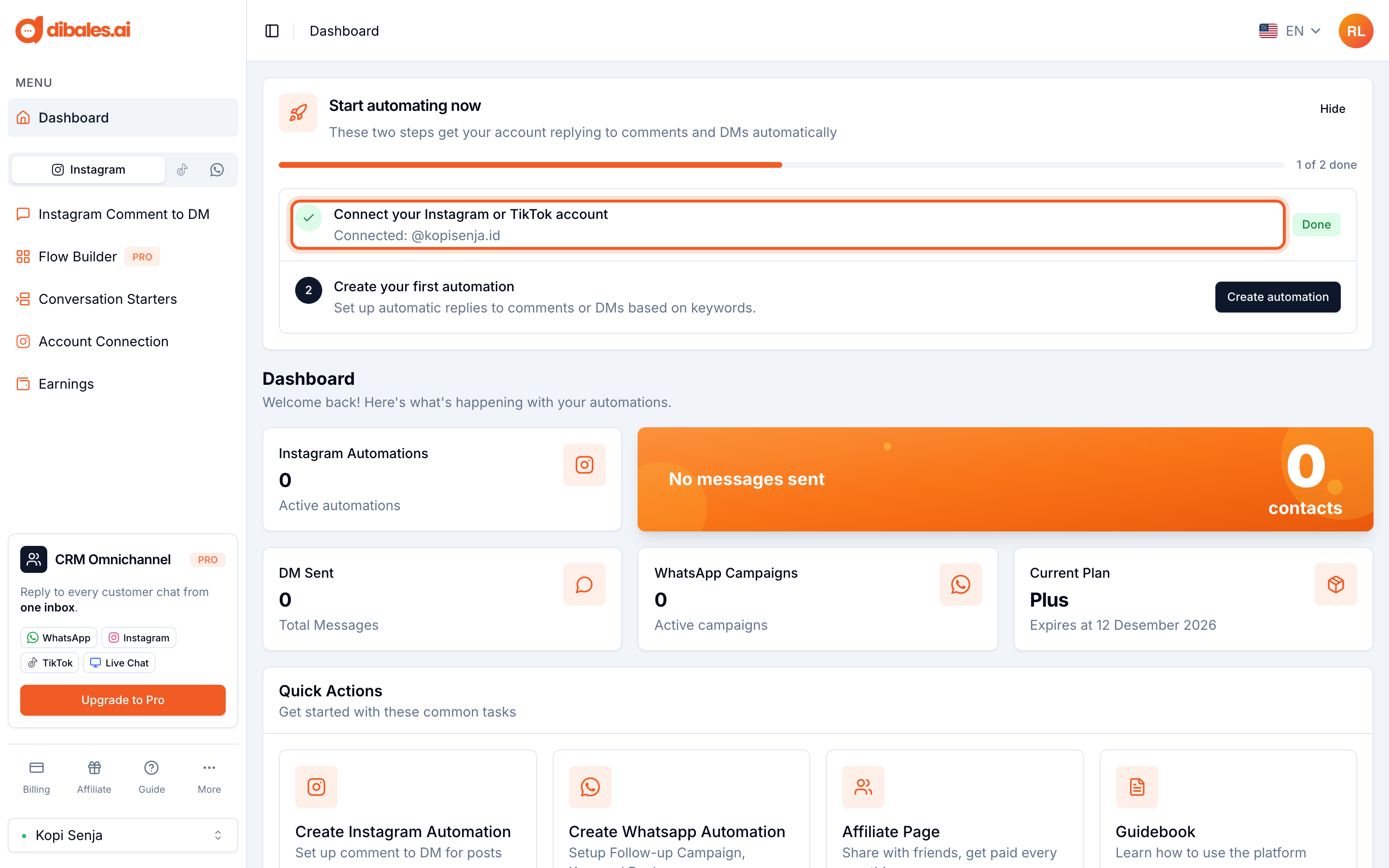
If the Instagram window doesn't appear, check whether your browser is blocking pop-ups for app.dibales.ai. To avoid connecting the wrong account, use a browser that isn't logged in to a different Instagram account.
Managing the connection
Once your account has automations, the Account Connection page shows the account information and connection settings.
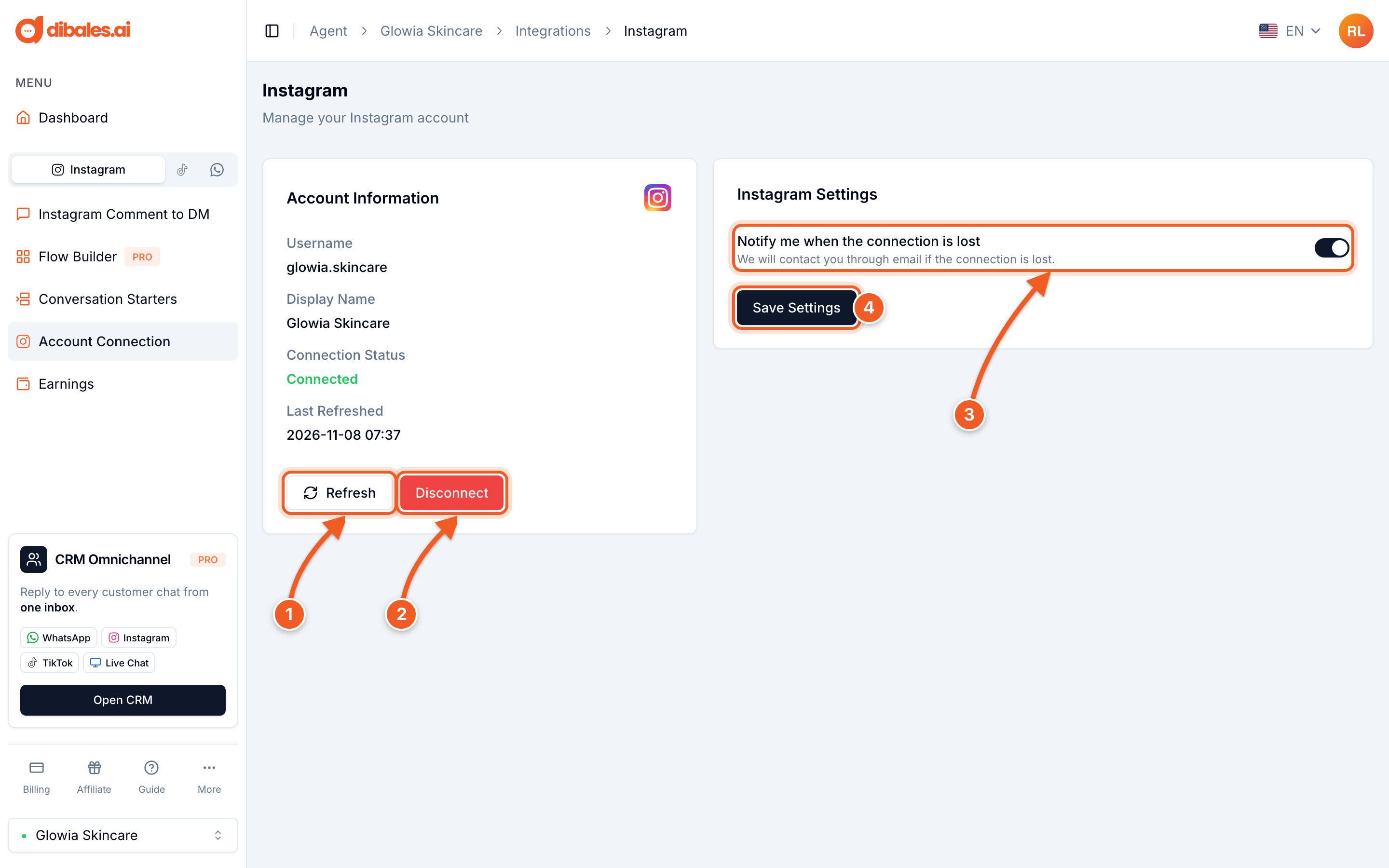
- Refresh: refreshes the connection between your Instagram account and dibales.ai. Use this button if automatic DMs suddenly stop being sent. The button only appears if the connection was last refreshed more than 1 hour ago.
- Disconnect: removes the Instagram account from this agent. You'll be asked to confirm first. Instagram automations need a connected account, so connect it again if you want to use them.
- Notify me when the connection is lost: when this is on, we email you if your Instagram account's connection drops. Connections usually drop because a setting on the Instagram account changed.
- Save Settings: save after changing the notification setting.
Troubleshooting
- “Session Invalid 400” when connecting an Instagram account
- Fixing Instagram login: “Future Activity” must be on
- Still stuck? Contact our support team on WhatsApp.
Next, create your first Comment to DM automation: