
Follow Up
Automatically send follow-up messages after the link is sent, for example if the message hasn't been seen.
Follow-up messages are sent automatically a while after the link is sent, so customers don't forget.
Hi! The Selling on Instagram ebook is ready to send 📘 Want the link now?
Yes, please!Hi! Thanks for your comment. Here's the link to the Selling on Instagram ebook you asked for, just tap the button below.
Click HereFollow Up is only available on the Pro plan, and can only be turned on when the Opening Message is on. How to set up the Opening Message is covered in Ask for Follow.
This guide builds on the automation from Set Up Comment to DM.
Setting up Follow Up
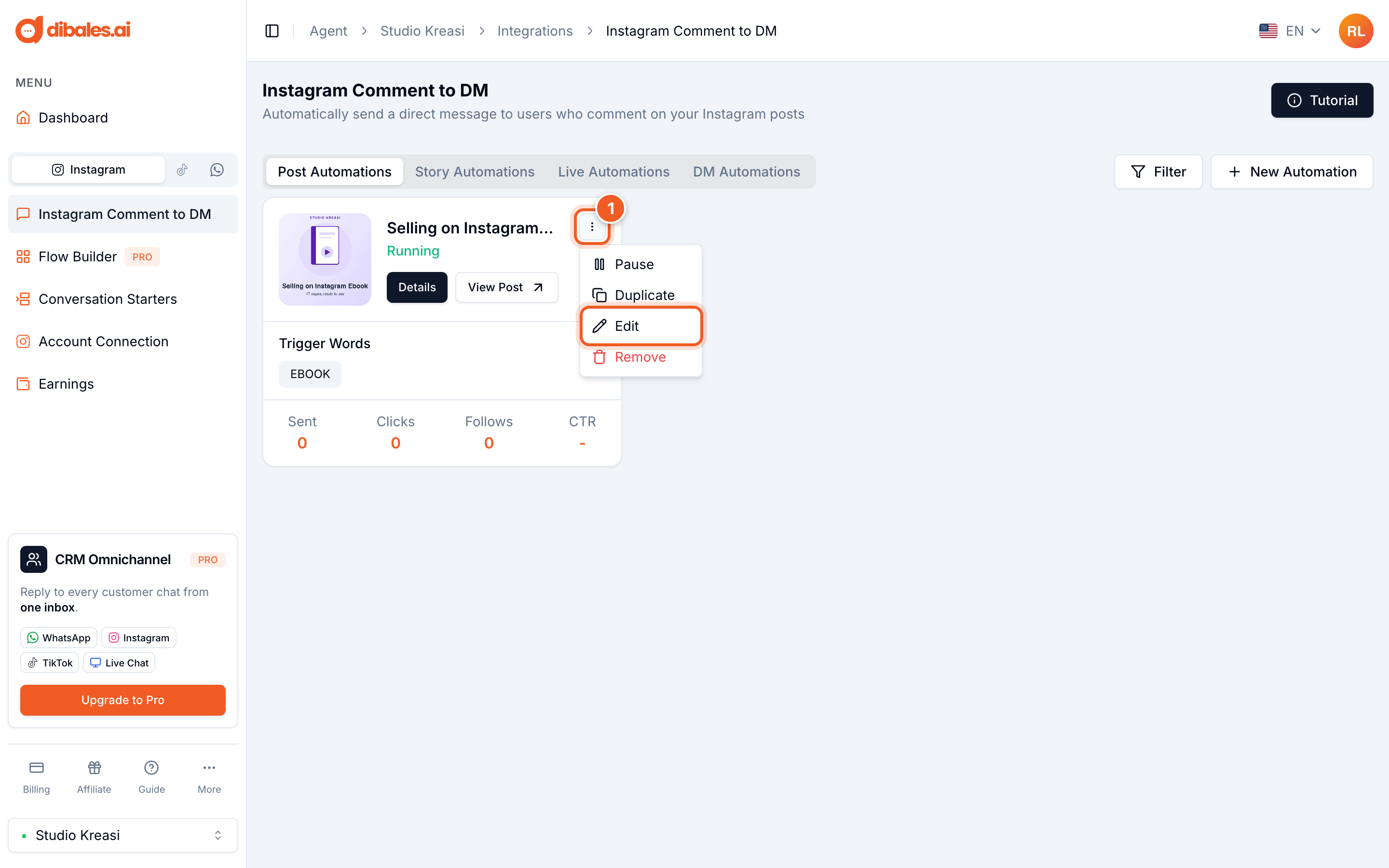
- On the Instagram Comment to DM page, click the ⋮ icon on the automation you want to change, then choose Edit.
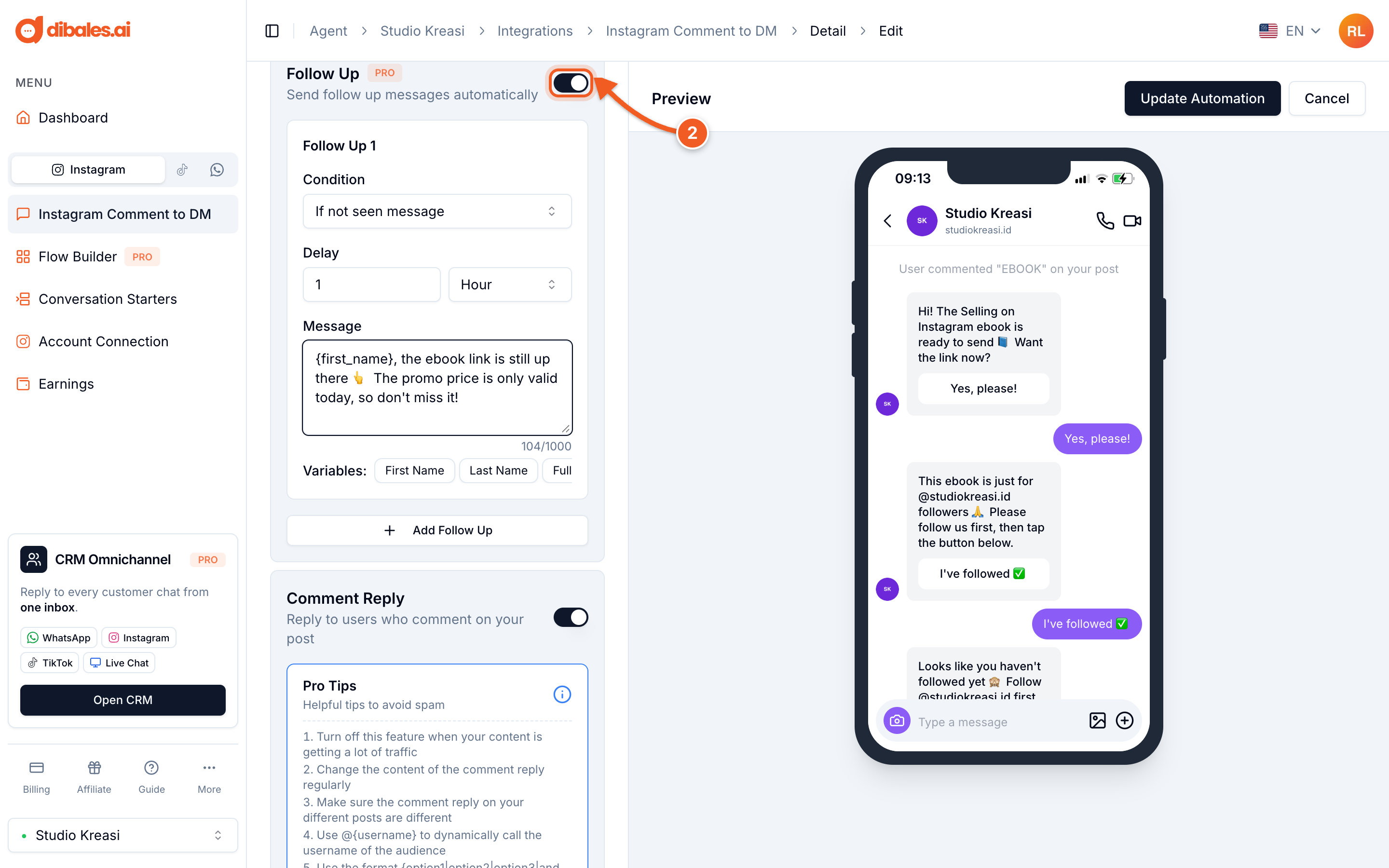
- Under Additional Features, turn on Follow Up. The Follow Up 1 section appears right away.
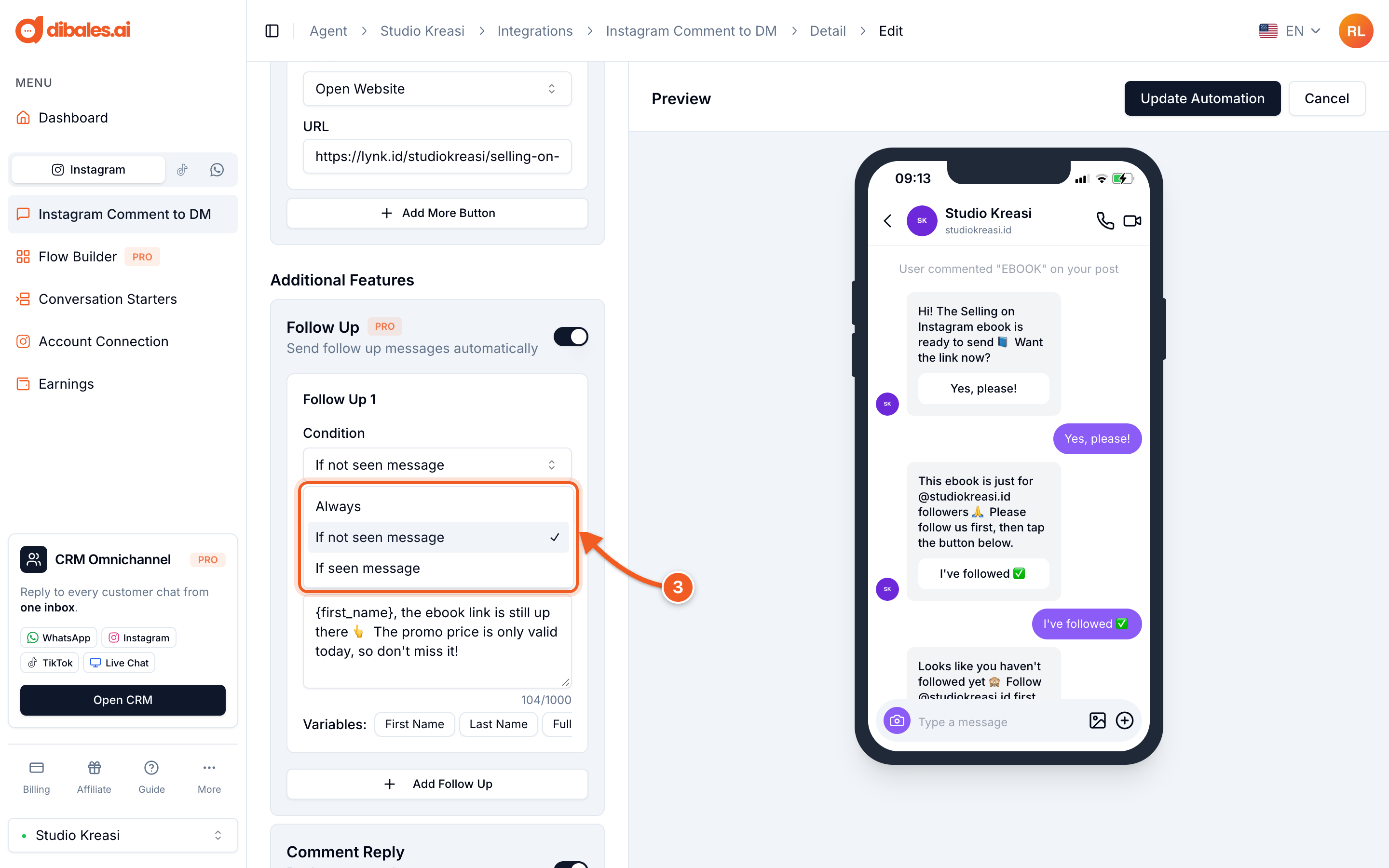
- Choose a Condition, which decides when this follow-up is sent. Each condition is explained in the table below.
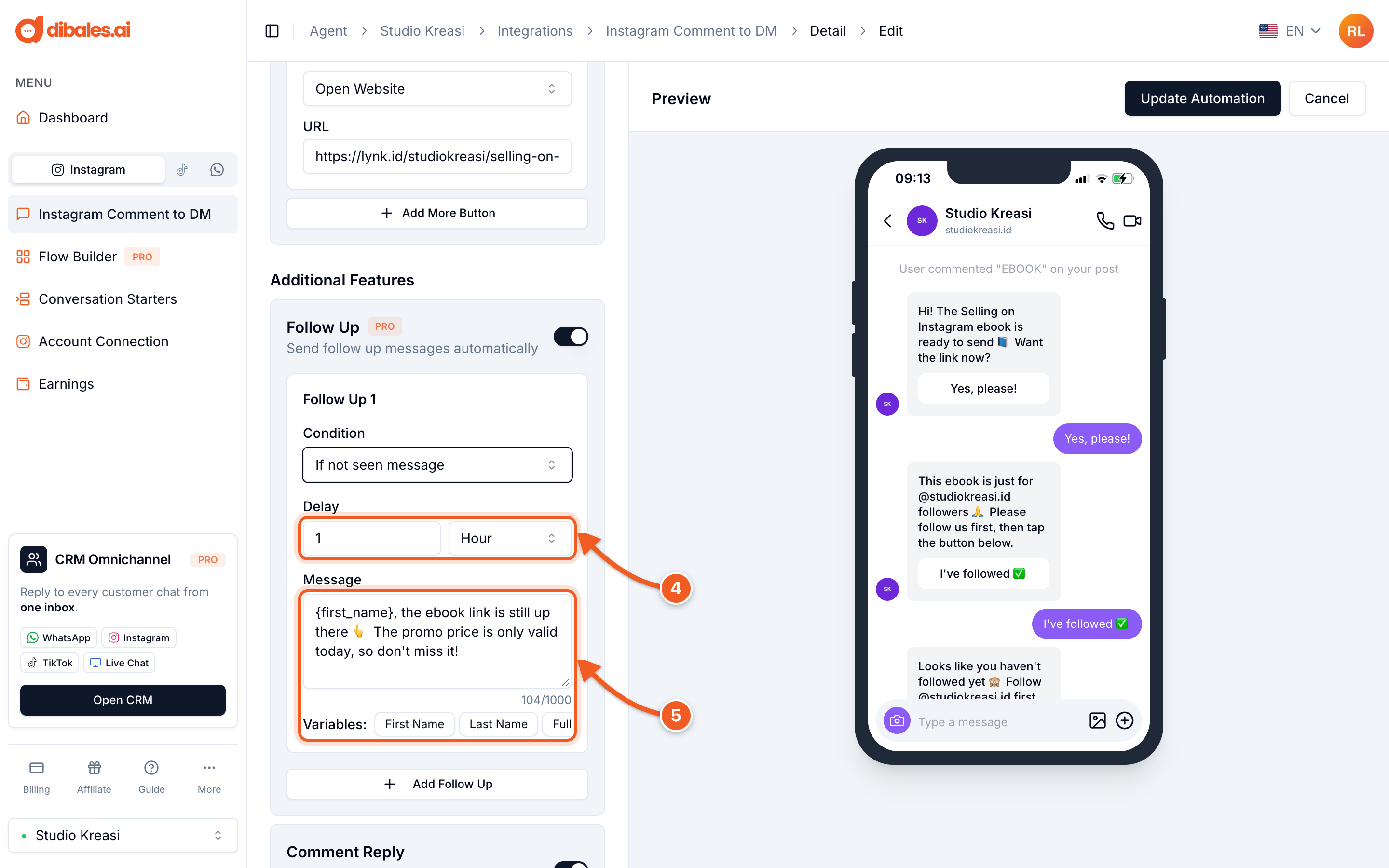
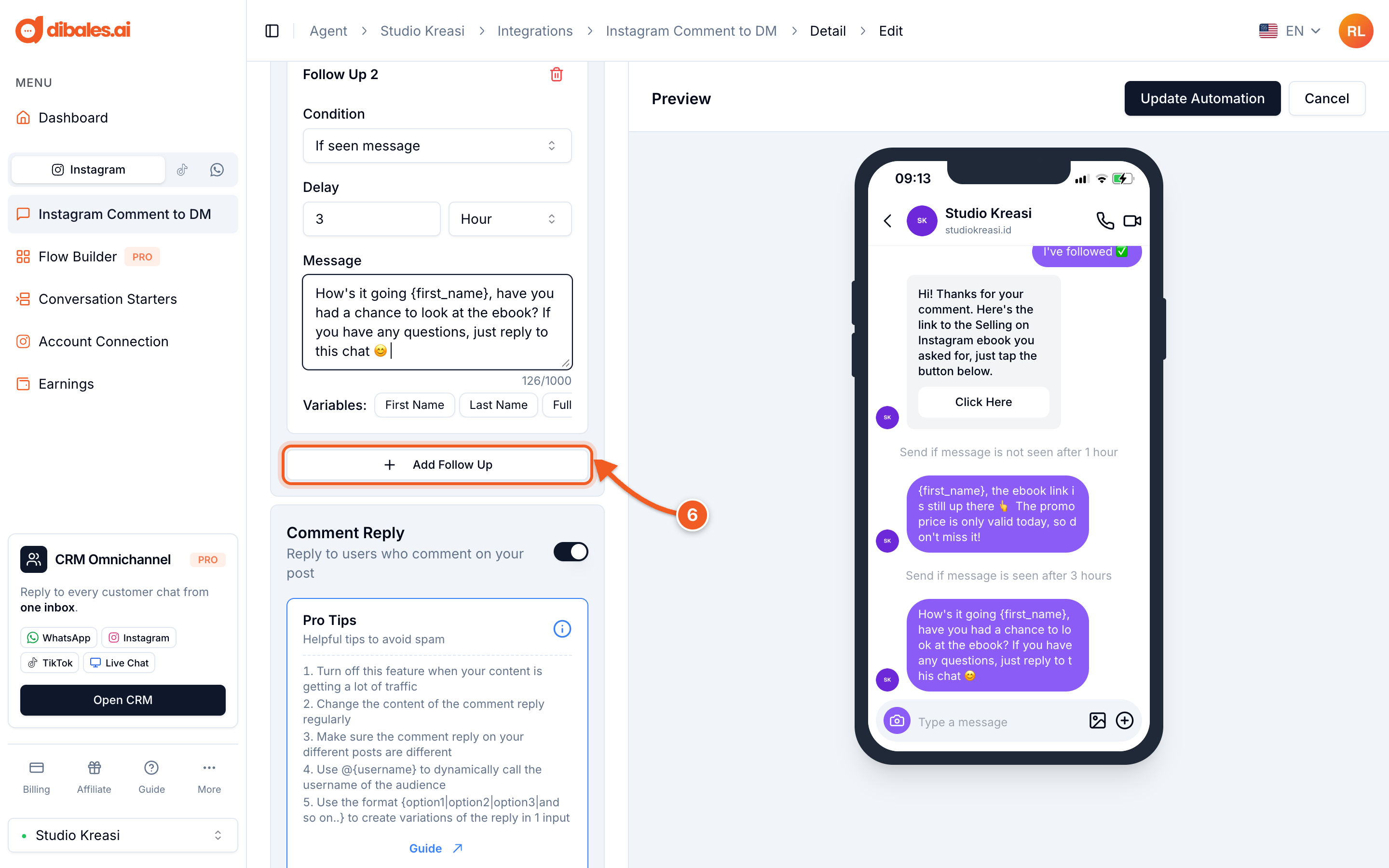
- Set the Delay in Minute or Hour, up to 24 hours.
- Write the Message (up to 1,000 characters). Click First Name, Last Name, Full Name, or Username below the message field to greet the customer by name. For example,
{first_name}is replaced with the customer's first name.
- Optional: click Add Follow Up to add another follow-up with a different condition and delay. When there's more than one follow-up, each one can be removed with the trash icon.
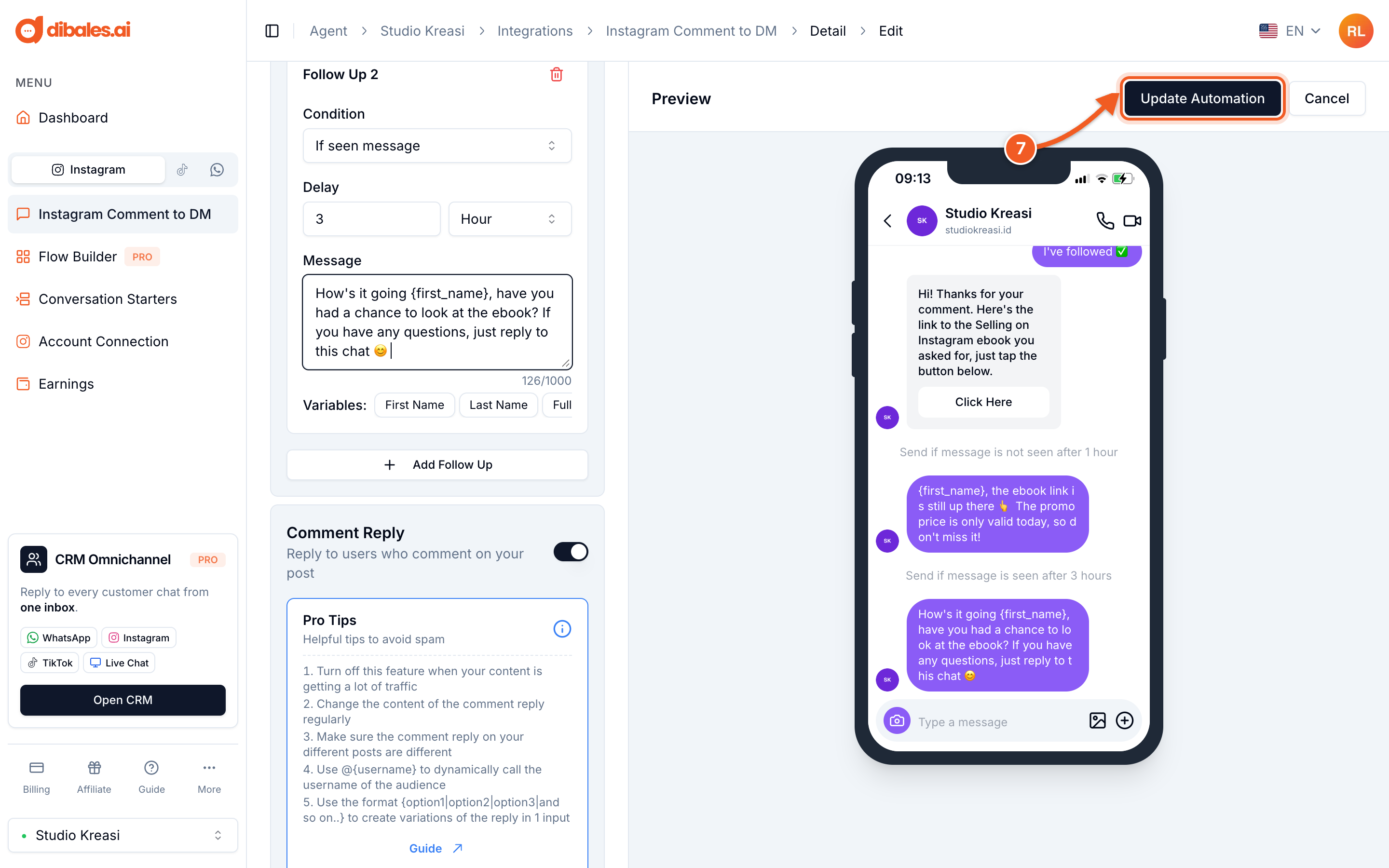
- Check the order in the Preview, then click Update Automation.
Follow-up conditions
| Condition | When it's sent |
|---|---|
| Always | After the delay, counted from when the message with the link was sent. |
| If not seen message | After the delay, only if the customer hasn't opened the message with the link. If they've opened it, this follow-up isn't sent. |
| If seen message | After the delay, counted from when the customer opened the message with the link. |
| If user has not paid | Only appears when Ask for Payment is on. Sent after the delay if the customer hasn't paid. |
Instagram only allows automated messages within 24 hours of the customer's last interaction. Because of that, follow-ups that would land more than 24 hours after the message with the link was sent won't be delivered.
Tips
- Use If not seen message to remind customers who haven't opened the link, and If seen message to ask what they thought or offer help.
- Greet customers by their first name so the message feels personal.
- Don't send too many follow-ups. One or two is usually enough.
Go back to Set Up Comment to DM, or see Ask for Contact.