
Set Up Story Reply
Viewers reply to your story with a keyword and the link lands in their DMs. You get their contact and can follow up.
Hi! Here's the link to the Selling on Instagram ebook from the story 👇
Click HereWhy story replies instead of a link sticker?
A link sticker on a story only takes people to another page, and you don't know who tapped it. With story replies, everyone who's interested comes into your DMs, so:
- You get leads. With Ask for Contact, their email or WhatsApp number is saved before the link is sent.
- You can follow up. With Follow Up, people who haven't opened the link get an automatic reminder.
💡 So viewers know what to reply, write a call to action on the story, for example "Reply to this story: EBOOK".
1. Create a new automation
Open Instagram Comment to DM, click New Automation, then Basic Automation. Fill in the Automation Name, for example Ebook story promo.
2. Choose the story
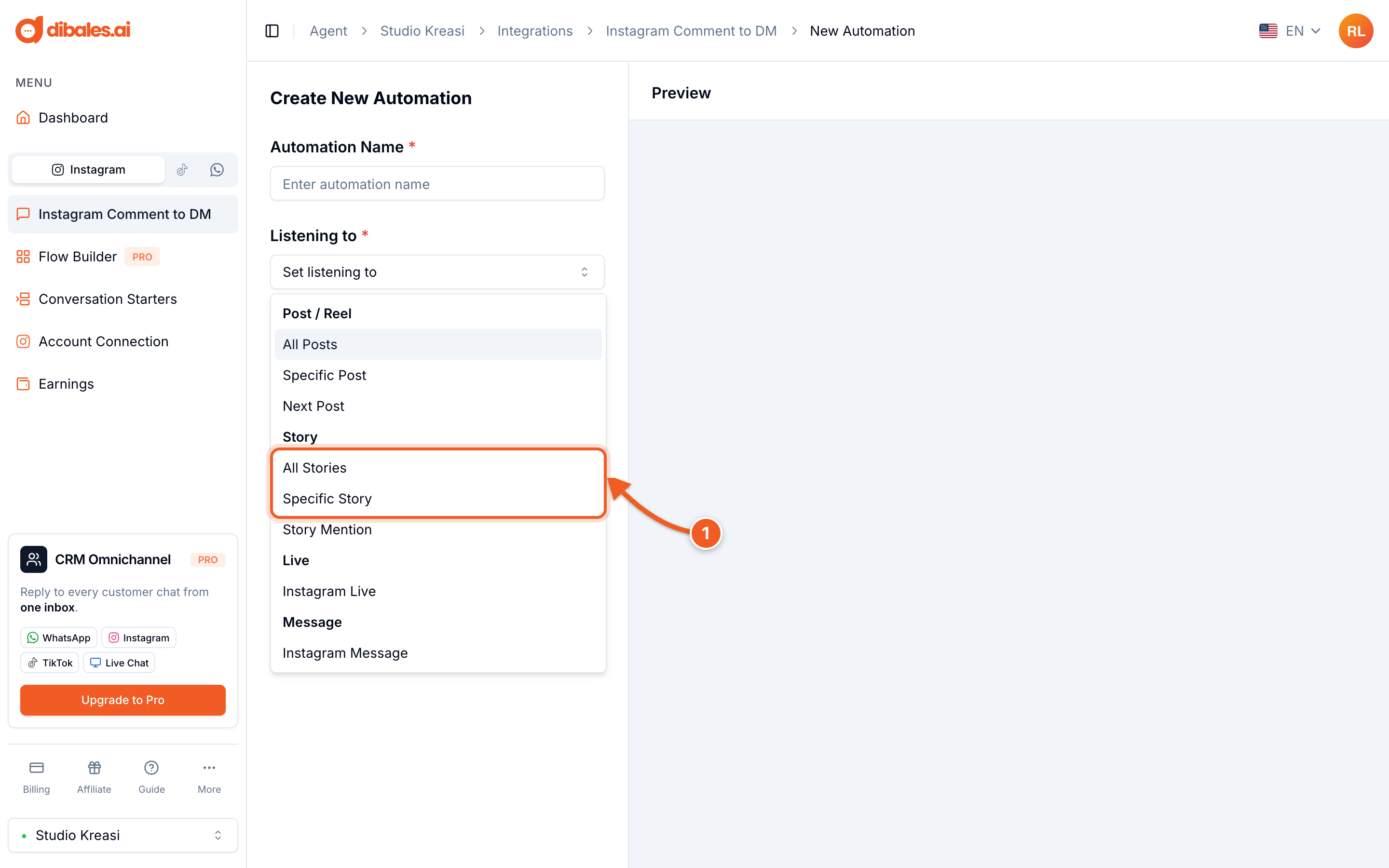
- Under Listening to, choose one:
- All Stories: applies to all your stories. Good when the keyword is always the same.
- Specific Story: only for the story you choose. Good for a single-product promo.
3. Set the trigger
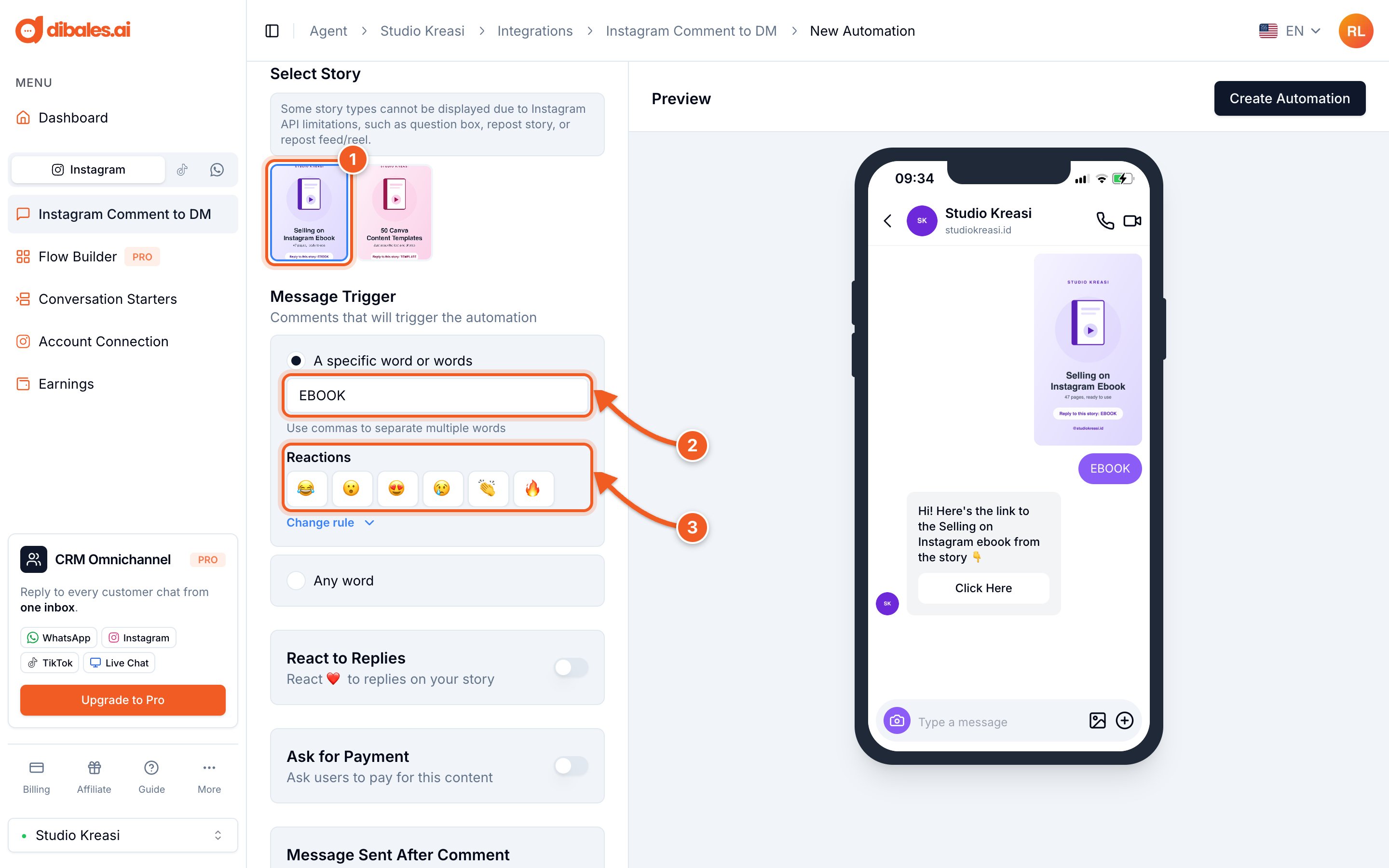
- If you chose Specific Story, click the story. Some story types, such as question boxes and reposts, can't be selected because of Instagram's limits.
- Under Message Trigger, choose A specific word or words and enter the keyword, for example
EBOOK. Choose Any word if every story reply should get a DM. - Reactions (optional): choose the quick story reactions that also trigger the DM, for example 🔥
💡 Turn on React to Replies so story replies get a ❤️ automatically.
4. Write the message
Fill in the Message and the destination link in Button 1. It works the same as steps 8–9 of Comment to DM.
5. Collect leads and follow up
Click Show Additional Features.
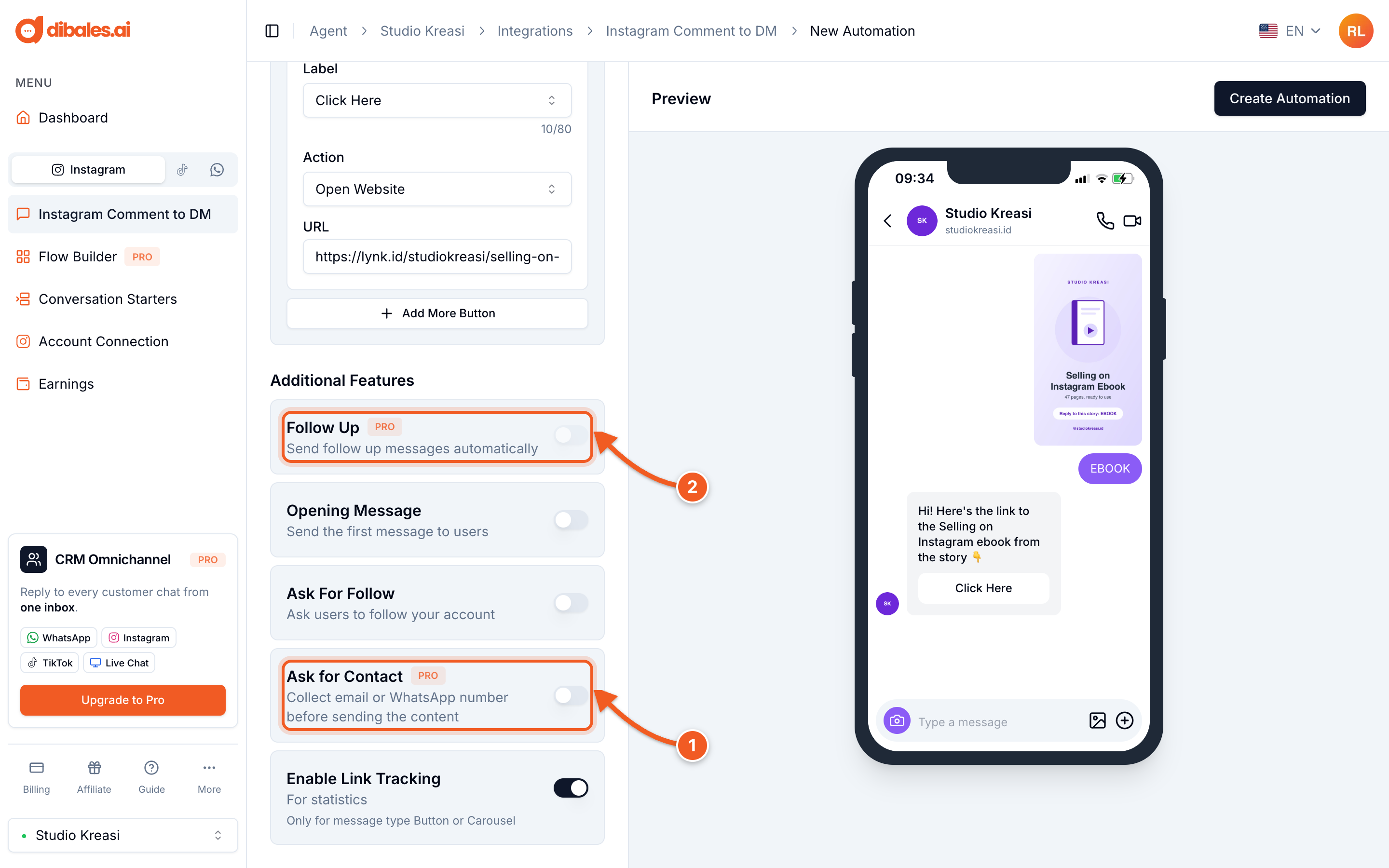
- Ask for Contact: ask for an email or WhatsApp number before the link is sent. See Ask for Contact.
- Follow Up: send an automatic reminder if the link hasn't been opened. See Follow Up.
Both are Pro plan only. When you're done, click Create Automation.
✅ The automation appears in the Story Automations tab. Collected contacts are in the Contacts tab on the automation's detail page.