
Test & Track the Queue
Test WhatsApp Follow-up from another number, then track scheduled, sent, and read messages in the queue.
Once your list, campaign, and trigger are ready, test the flow before customers use it.
1. Send the keyword from another number
From another phone (a number that isn't the agent's), send the trigger keyword to your WhatsApp, for example BARISTA CLASS. The agent's own number can't be used for testing.
2. Check the contact joined the list
Open the list in WhatsApp › Follow-up. That number shows up in the contacts table.
3. Check the queue
Click Queue on the list page, or open the Queue tab on the Follow-up page to see every list.
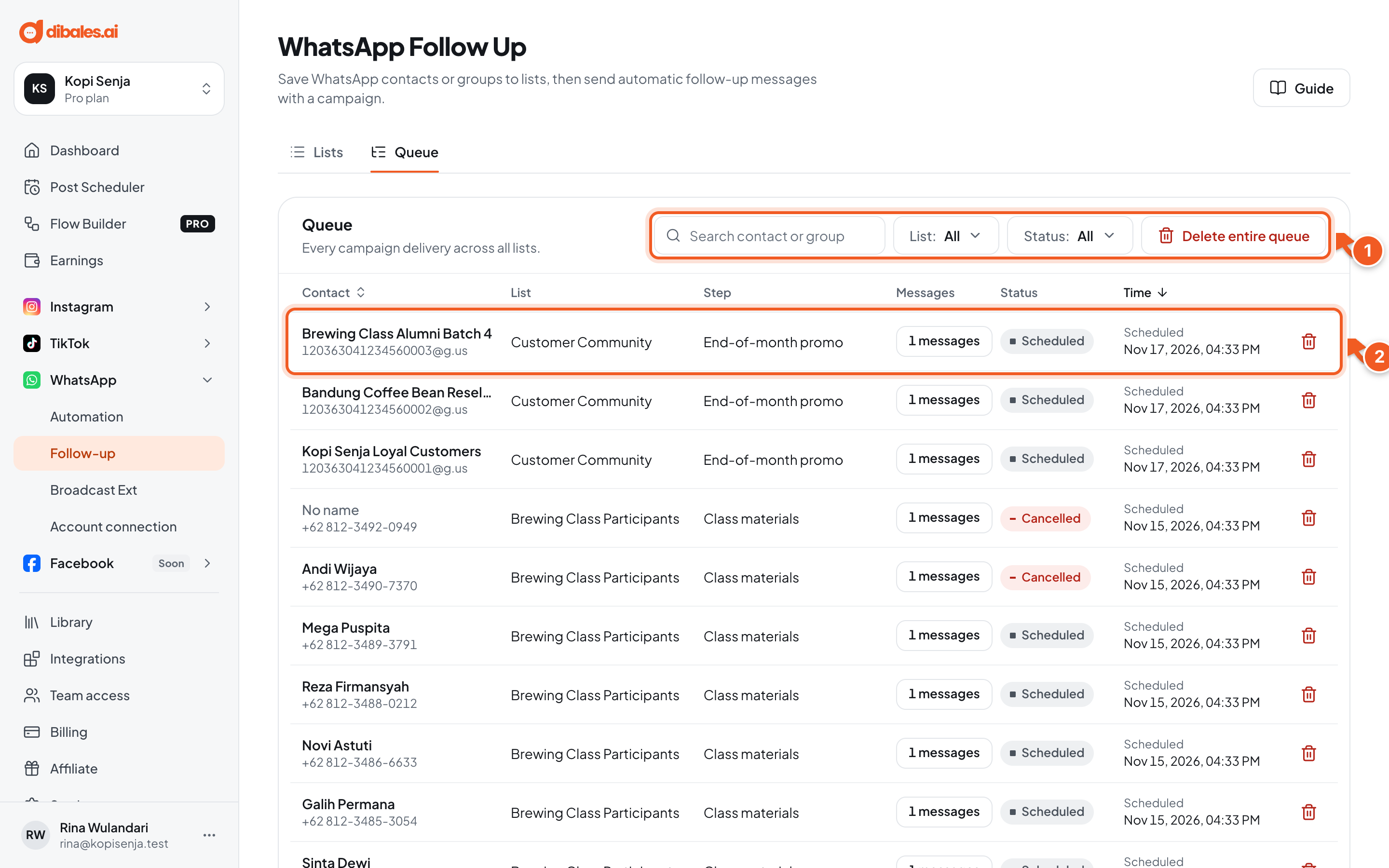
- Search for a contact or group, then filter by List and Status.
- Each row shows the contact, list, step, number of messages, status, and time. Click the message count to see what was sent.
The first step's message is Scheduled, then Sent at its time, and Read once it's opened on the test phone.
| Status | Meaning |
|---|---|
| Scheduled | Waiting for its send time |
| Processing | Being sent |
| Sent | Delivered to the contact |
| Read | Read by the contact |
| Failed | Couldn't be sent |
| Cancelled | Not sent, for example because the campaign was stopped or the contact was moved |
| Skipped | Skipped and not sent |
💡 Test with one number first. Once the messages arrive in the right order, announce the keyword to your customers.
Cancel a delivery
Click the trash icon on the delivery's row. Turn on Schedule the next step if the next step should still go to that contact. If it's off, the campaign stops for that contact.
Delete entire queue deletes every delivery (in every list, or in that list only when opened from a list's page), whatever its status and regardless of the active filters.
Troubleshooting
| Problem | Fix |
|---|---|
| The contact didn't join the list | Check that the keyword matches the trigger's Keyword matching, and that the number isn't the agent's. |
| The contact joined, but the queue is empty | Make sure the campaign is Campaign active. If it was saved with New contacts only, contacts who were already there aren't included. |
| A message is Cancelled | The campaign is stopped, or the contact was moved to another list. |