
Set Up Auto DM
Automatically reply to TikTok DMs when viewers send a keyword.
Auto DM replies to messages in your TikTok DMs based on a keyword. Pair it with Auto Reply Comment: the comment reply invites viewers to send the keyword by DM, and Auto DM sends the link or info you promised.
Before you start, make sure your TikTok Business account is connected. See Connect Your TikTok Account.
1. Create a new automation
In the sidebar, choose the TikTok tab, open Automation, click New Automation, then Create New. On a phone, open the menu first with the icon at the top left. Fill in the Automation Name, for example Send the ebook link by DM.
2. Set the trigger
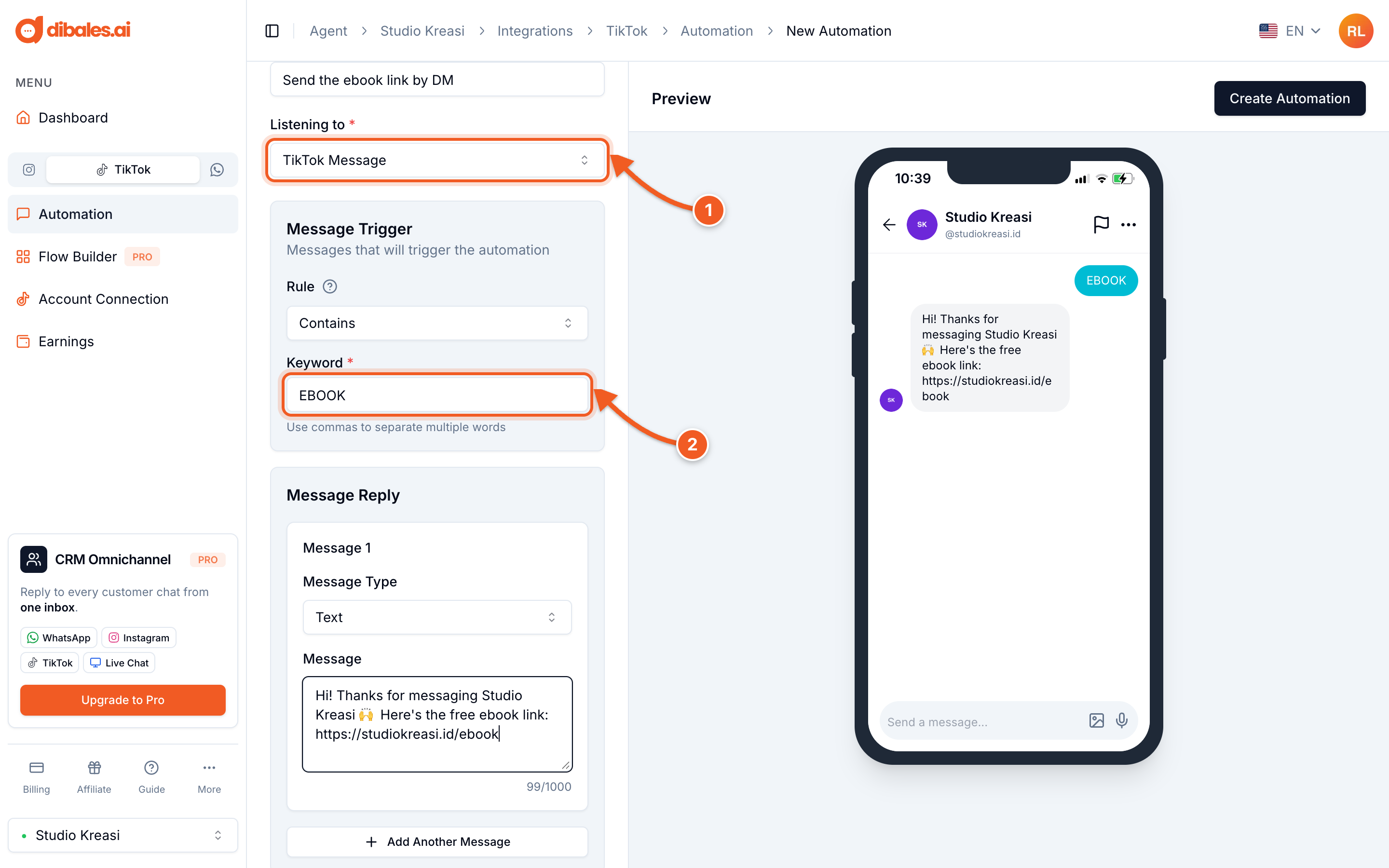
- Under Listening to, choose TikTok Message
- Fill in the Keyword, the word viewers send by DM. Use the same word you asked for in the comment reply, for example
EBOOK. Separate them with commas if there's more than one.
💡 Leave the Rule on Contains so messages like "EBOOK please" also get a reply. The other rules are explained in Set Up Auto Reply Comment.
3. Write the DM reply
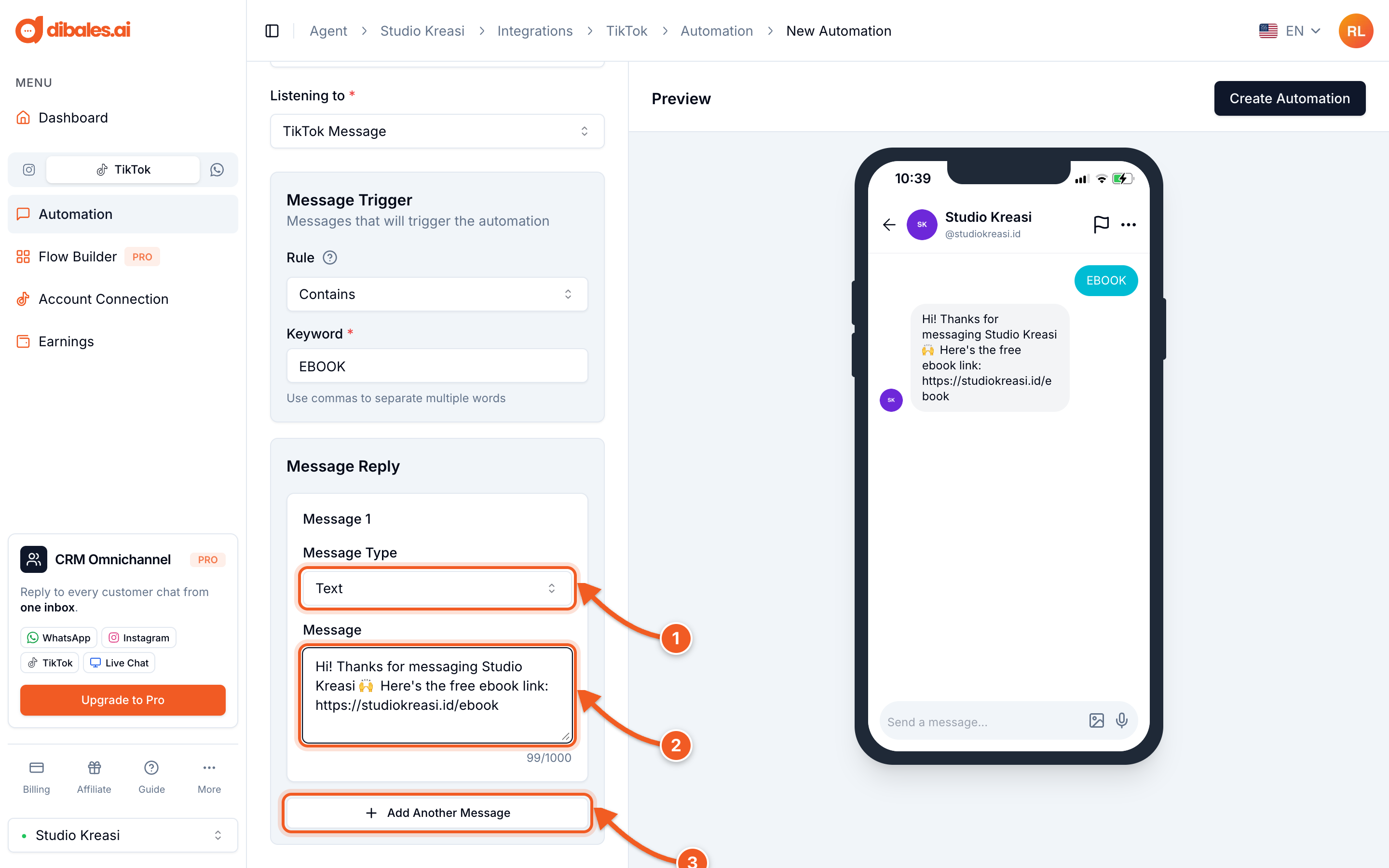
- Message Type, choose one:
- Text: a text message, links allowed.
- Template Button: a message with up to 3 buttons. Each button has a Reply Message that's sent when the button is tapped.
- Image: send an image, for example a catalog or price list.
- Share Post: send one of your TikTok videos.
- Message: the DM content. You can see the result right away in the Preview.
- Add Another Message: send several messages in a row, up to 5 messages per keyword. For example, a greeting first, then a product image.
When you're done, click Create Automation at the top right. On a phone, the button is below the form.
✅ The automation is active right away and appears in the DM Automations tab.
TikTok scans DM content automatically. Messages that direct transactions outside TikTok may be moderated, so use DMs for education or sharing content. More in the Overview.
💡 Want to collect payment right in the DM? Choose the Ask For Payment preset when you click New Automation (Pro plan only).