
Sign Up & Log In
Sign up with your Google account, choose a plan or enter a voucher code, and your first agent is ready to use.
The sign-up screens are shown in Indonesian, so each step below lists the Indonesian label in brackets. Once your account is ready, you can switch the dashboard to English from the language menu at the top right.
1. Log in with Google
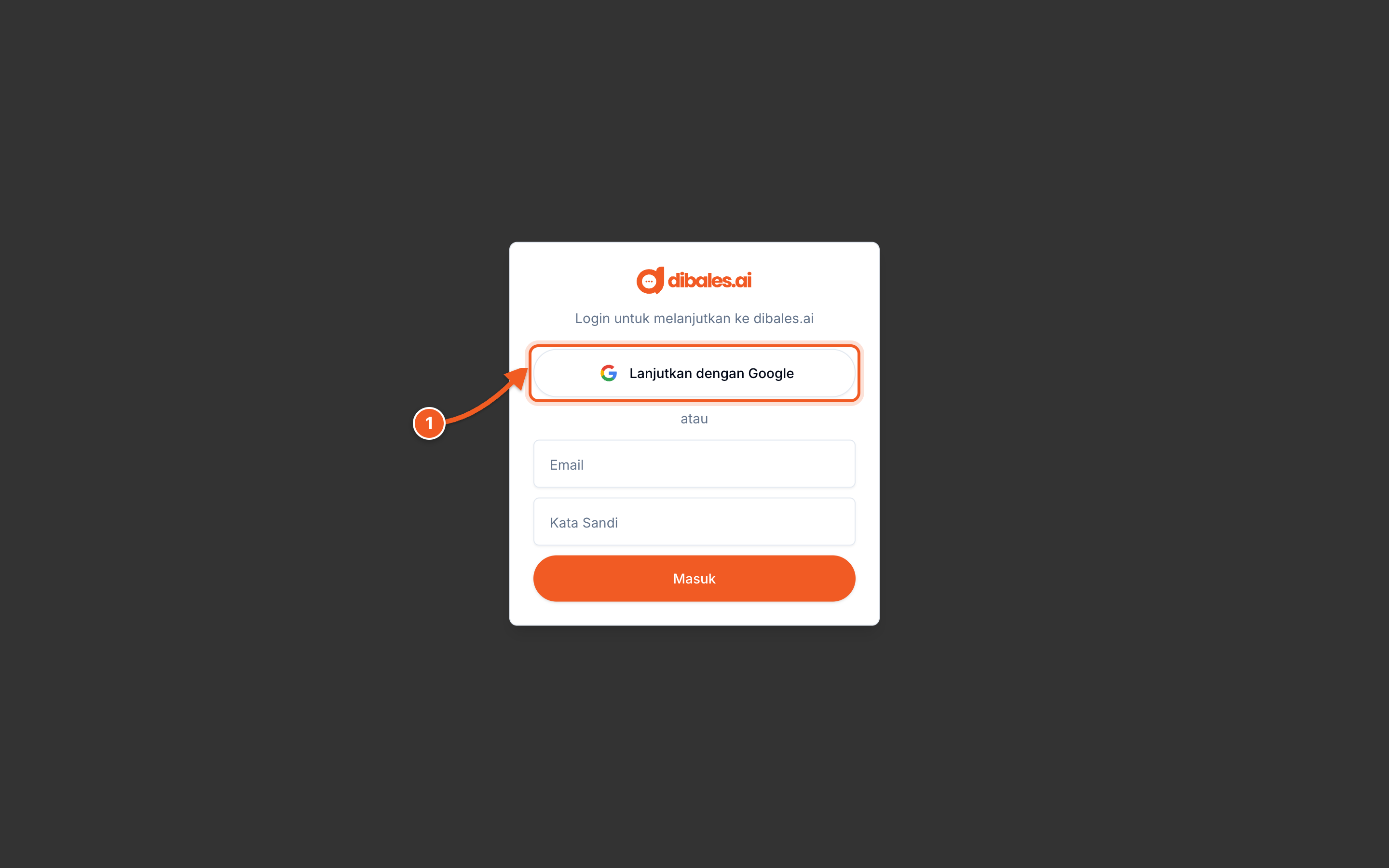
- Click Continue with Google (Lanjutkan dengan Google), then choose the Google account you want to use
Open the link in a browser such as Chrome or Safari. Google login doesn't work from in-app browsers, for example when you open a link from Instagram.
💡 The email and password fields are only for special accounts from the dibales.ai team. To sign up, use Google.
2. Click Mulai (Start)
New accounts are greeted with a few short slides about dibales.ai. These slides are in Indonesian: click Lanjut (Next) until the last slide.
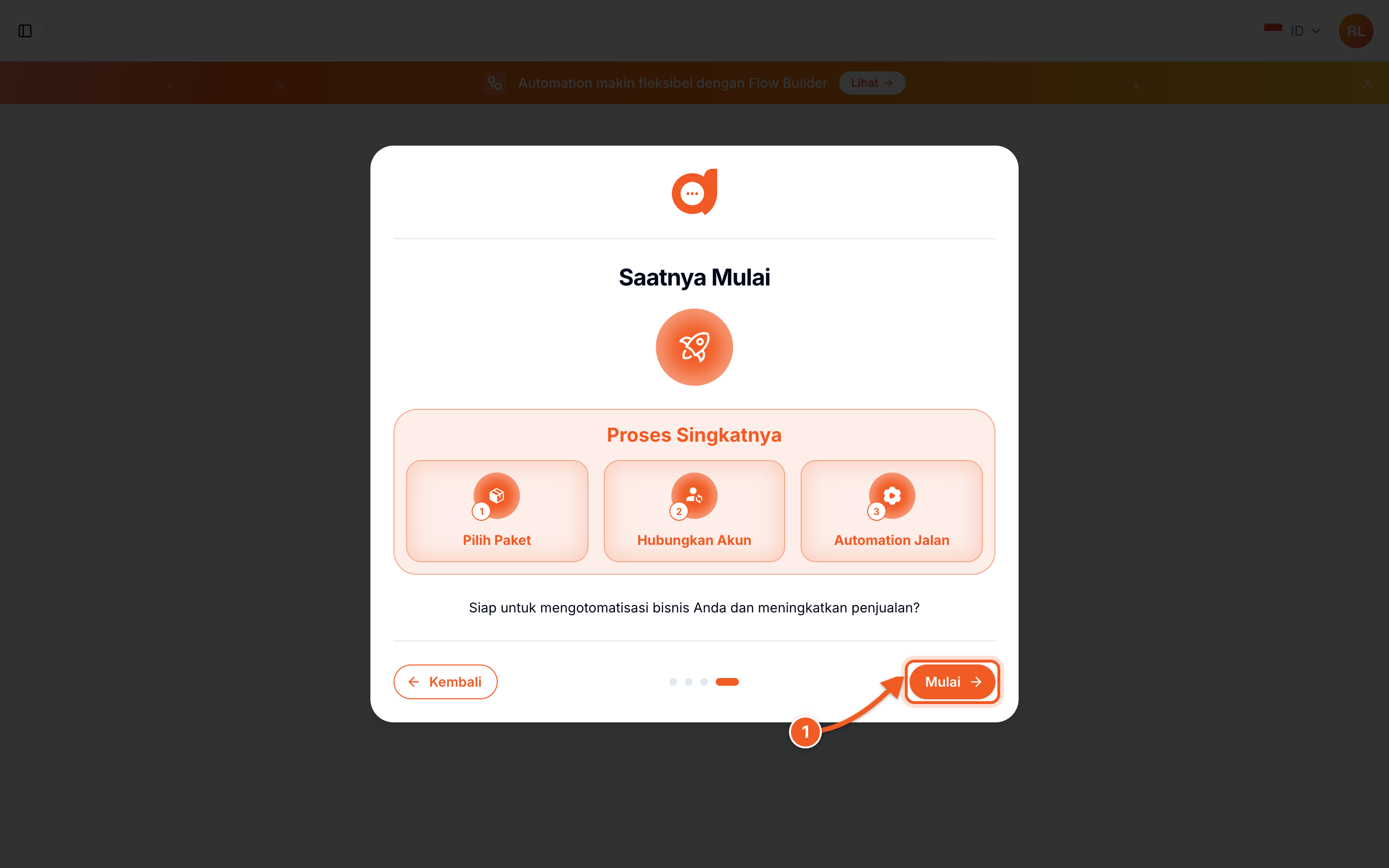
- Click Mulai (Start)
3. Choose a plan
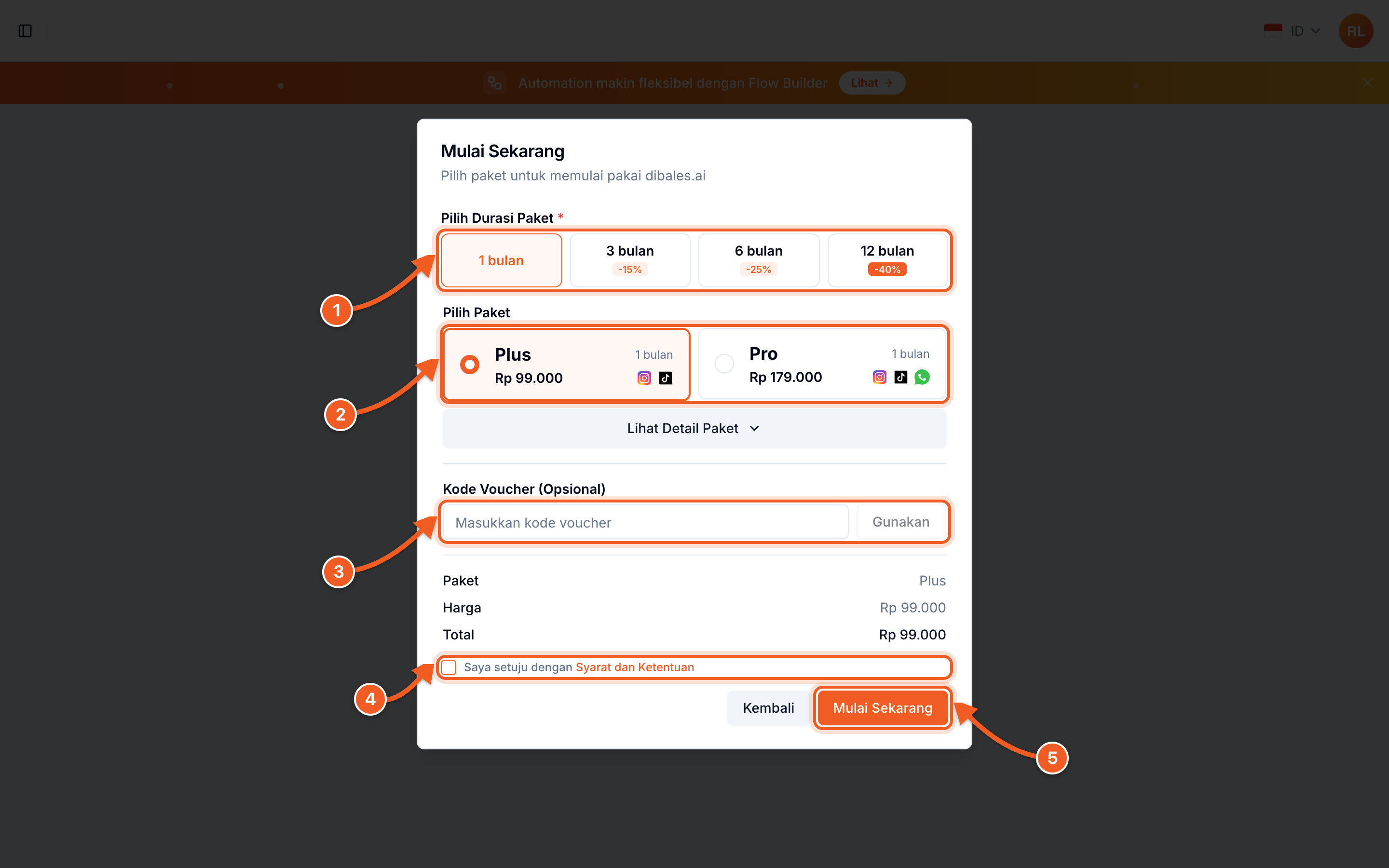
- Plan Duration (Pilih Durasi Paket). The longer the duration, the bigger the discount.
- Choose a Plan (Pilih Paket): Plus for Instagram and TikTok, or Pro for Instagram, TikTok, and WhatsApp. Compare the features with Show Package Detail (Lihat Detail Paket).
- Voucher Code (Kode Voucher, optional), see step 5
- Tick I agree to the Terms and Conditions (Saya setuju dengan Syarat dan Ketentuan)
- Click Get Started (Mulai Sekarang)
💡 Your first agent is automatically named Agent #1. You can rename it any time.
4. Accept the terms and conditions
When you tick the agreement box, the Terms and Conditions (Syarat dan Ketentuan) dialog opens.
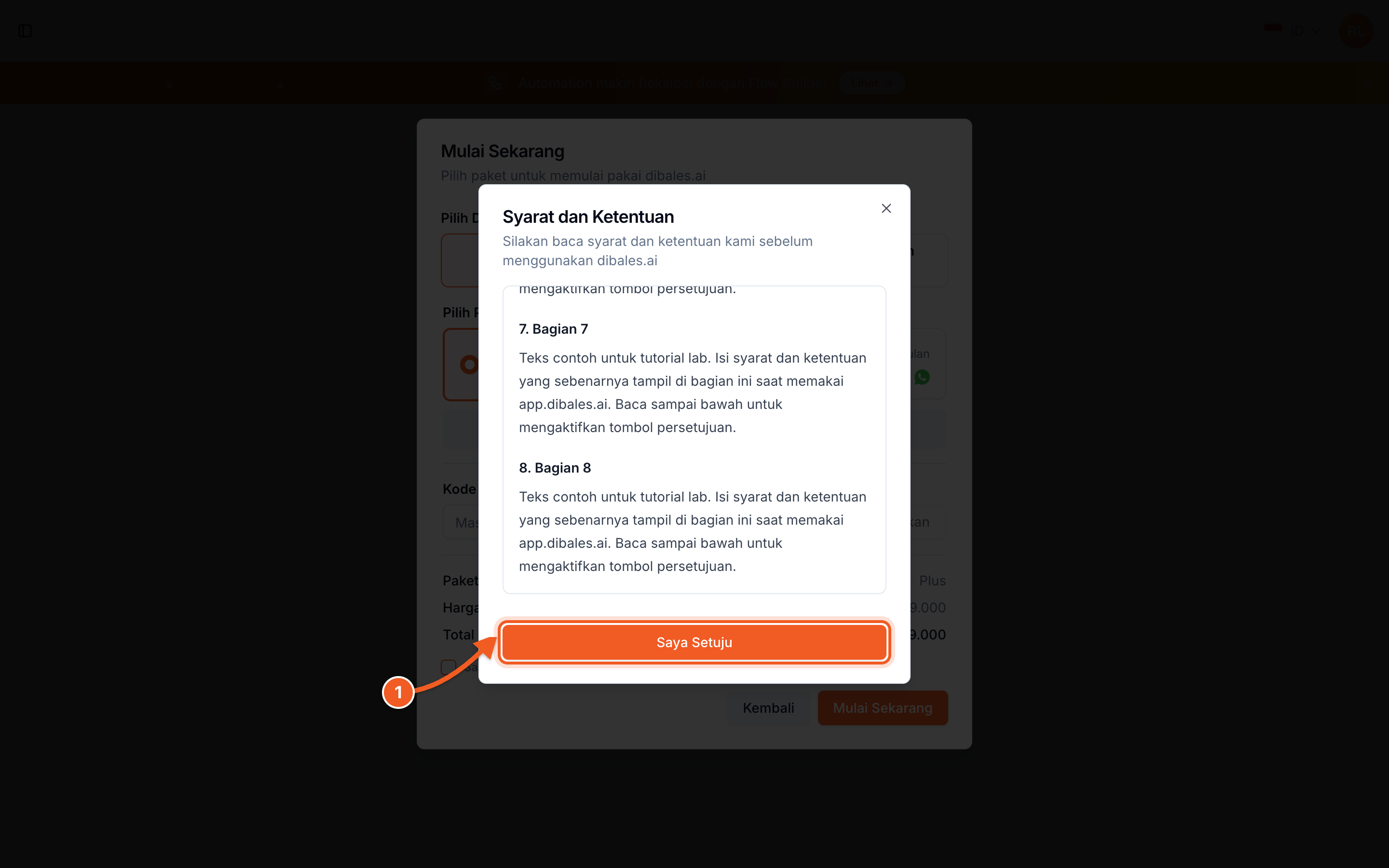
- Read to the bottom, then click I Agree (Saya Setuju). The button only becomes active after you scroll all the way through the text.
5. Pay or use a voucher
Without a voucher: after you click Get Started, you're taken to the payment page. As soon as the payment succeeds, your plan is active. If you haven't paid yet, the agent is still saved with the Pending (Tertunda) status.
With a voucher (from an affiliate, influencer, event, or promo):
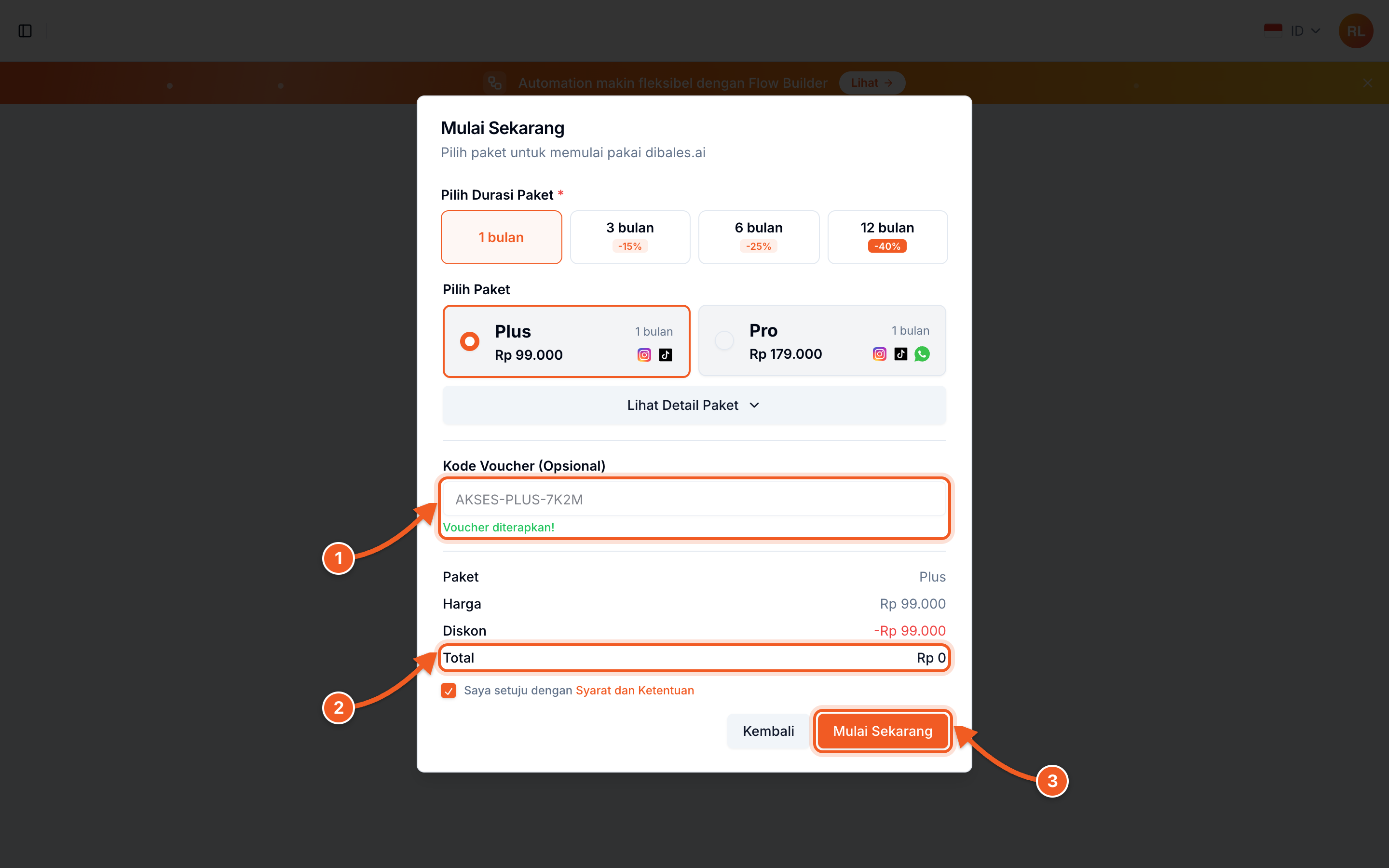
- Type the code, then click Apply (Gunakan). Voucher applied! (Voucher diterapkan!) appears, and the plan adjusts to the voucher.
- Check the Total. A full-access voucher brings the total to Rp 0, so there's nothing left to pay. A discount voucher only lowers the price, and you pay the rest as usual.
- Click Get Started
💡 Voucher codes are usually sent by email with the subject "Kode Voucher Akses Platform dibales.ai".
💡 Bought through Lynk.id? Log in with the Google account that uses the same email as your checkout. A Payment Verified (Pembayaran Diterima) dialog appears. Click Claim (Klaim), and your plan is active right away.
6. Open your agent
Once the plan is active, the agent appears on the Select Agent page with the Active status.
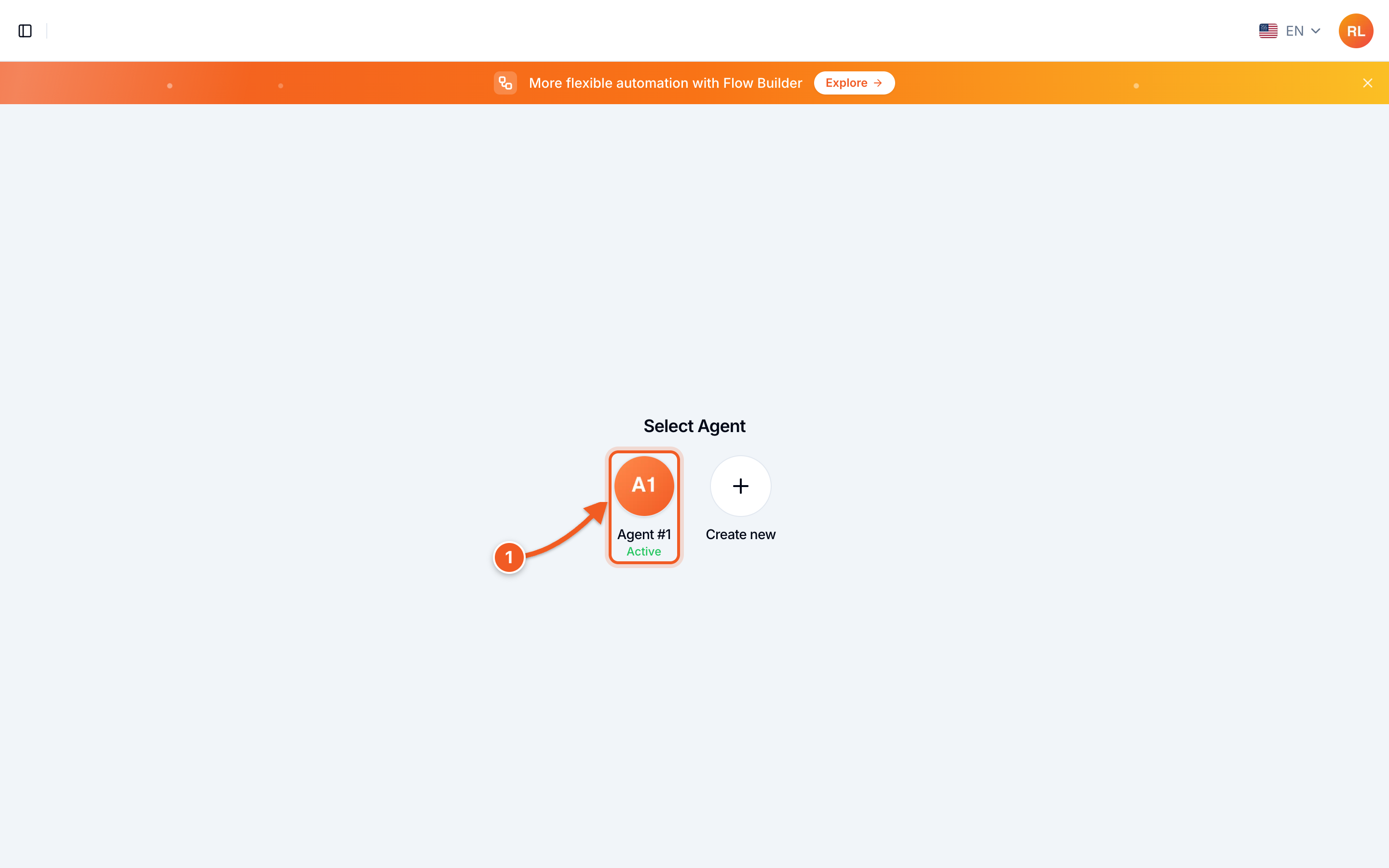
- Click the agent to open its dashboard
🎉 Your account is ready
The dashboard shows two first steps: connect an account, then create your first automation.
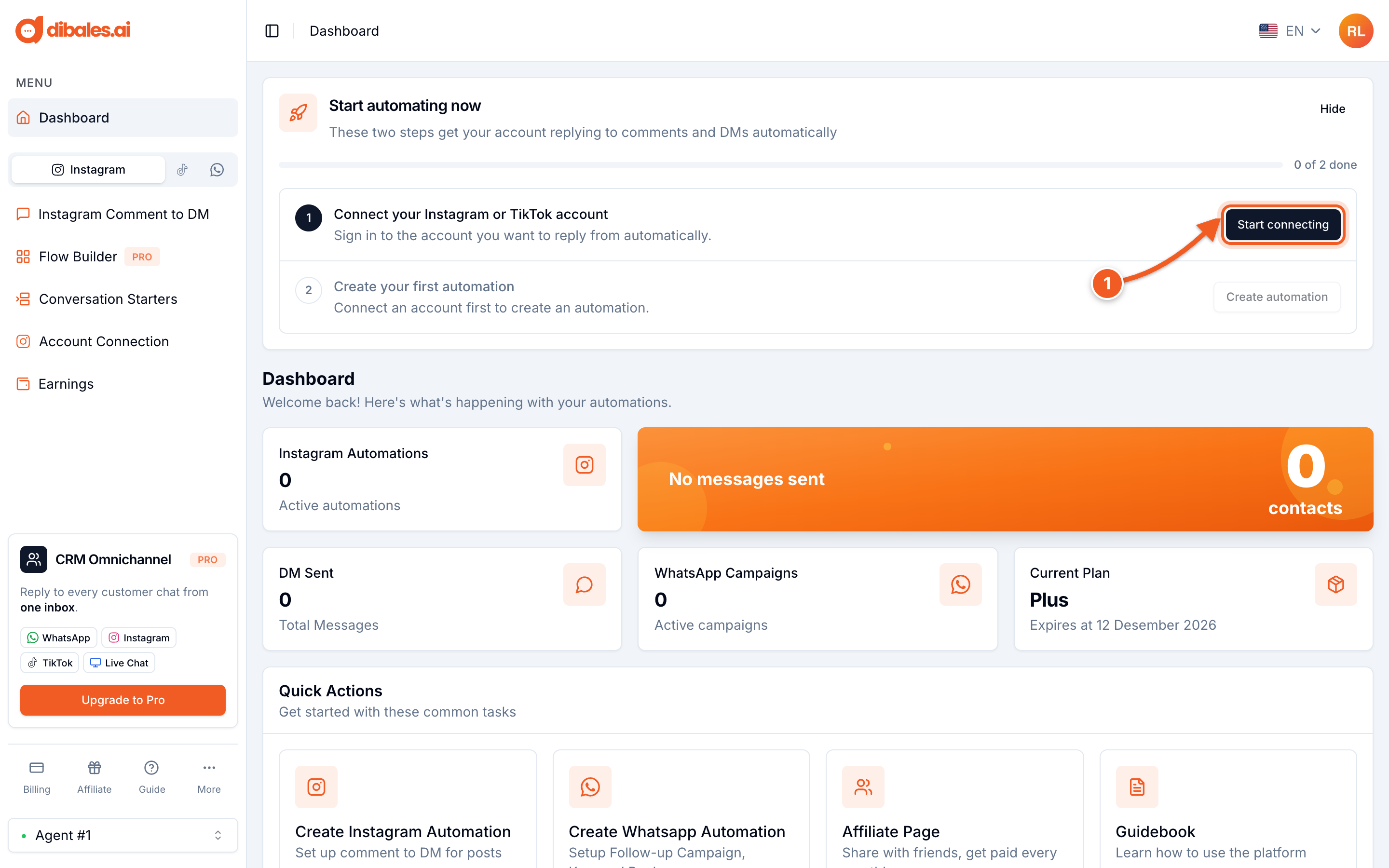
- Click Start connecting, then continue based on the account you want to automate: