
Ask for Contact
Collect customers' emails and WhatsApp numbers before the link is sent.
The customer enters their email or WhatsApp number in the DM first, and then gets the link.
Sebelum Kreatifsebelumkreatif
dimas.shop commented “EBOOK” on your post
Hi! The Selling on Instagram ebook is ready to send 📘 Want the link now?
Yes, please!Yes, please!
Silakan masukkan alamat email kamu untuk melanjutkan
Batal
dimas.shop@mail
Format email tidak valid. Silakan kirim email yang benar (contoh: nama@email.com)
Batal
dimas.shop@mail.test
Silakan masukkan nomor WhatsApp kamu untuk melanjutkan
Batal
+62 813 0000 2222
Hi! Thanks for your comment. Here's the link to the Selling on Instagram ebook you asked for, just tap the button below.
Click HereAsk for Contact is only available on the Pro plan.
This guide builds on the automation from Set Up Comment to DM.
Setting up Ask for Contact
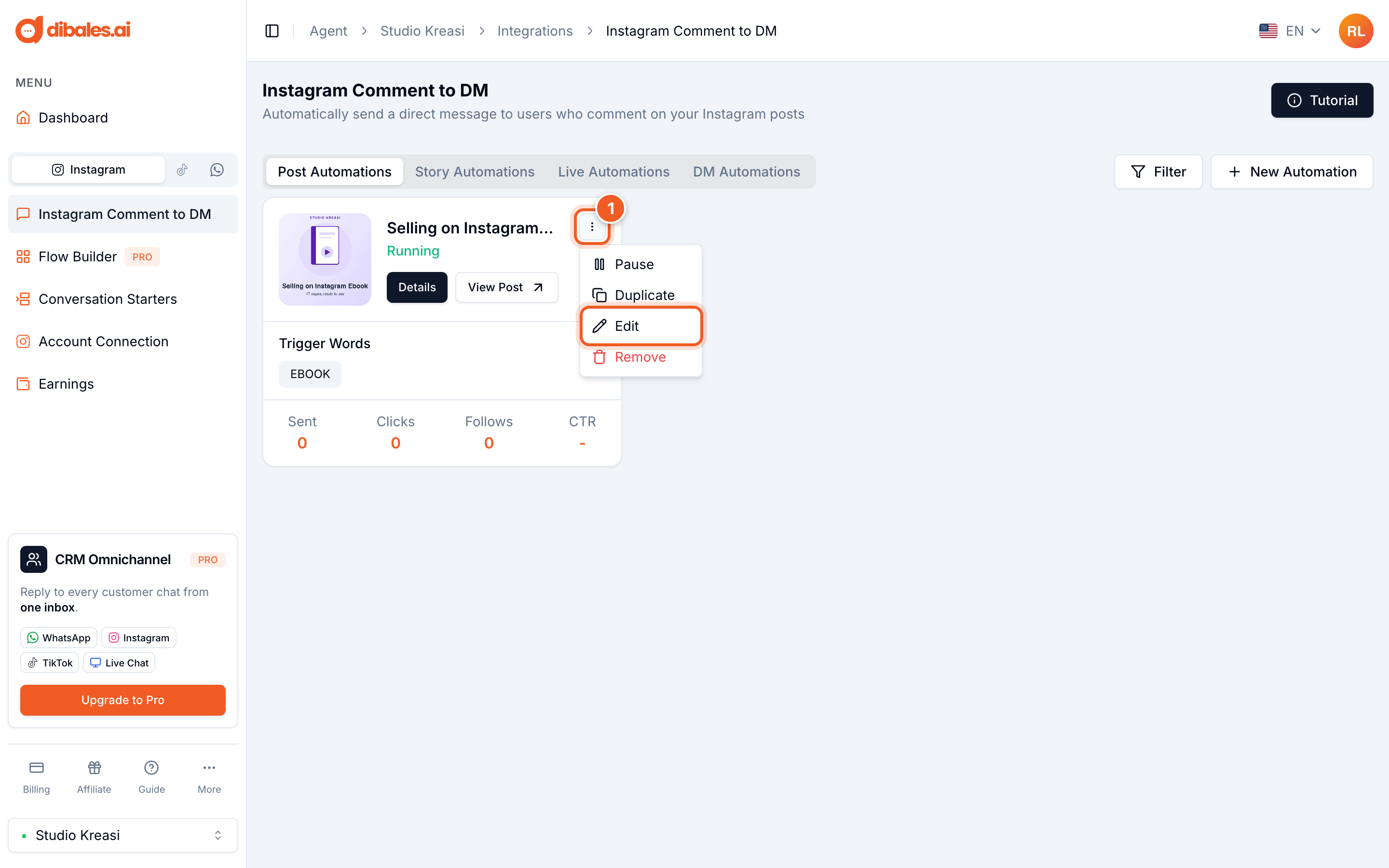
- On the Instagram Comment to DM page, click the ⋮ icon on the automation you want to change, then choose Edit.
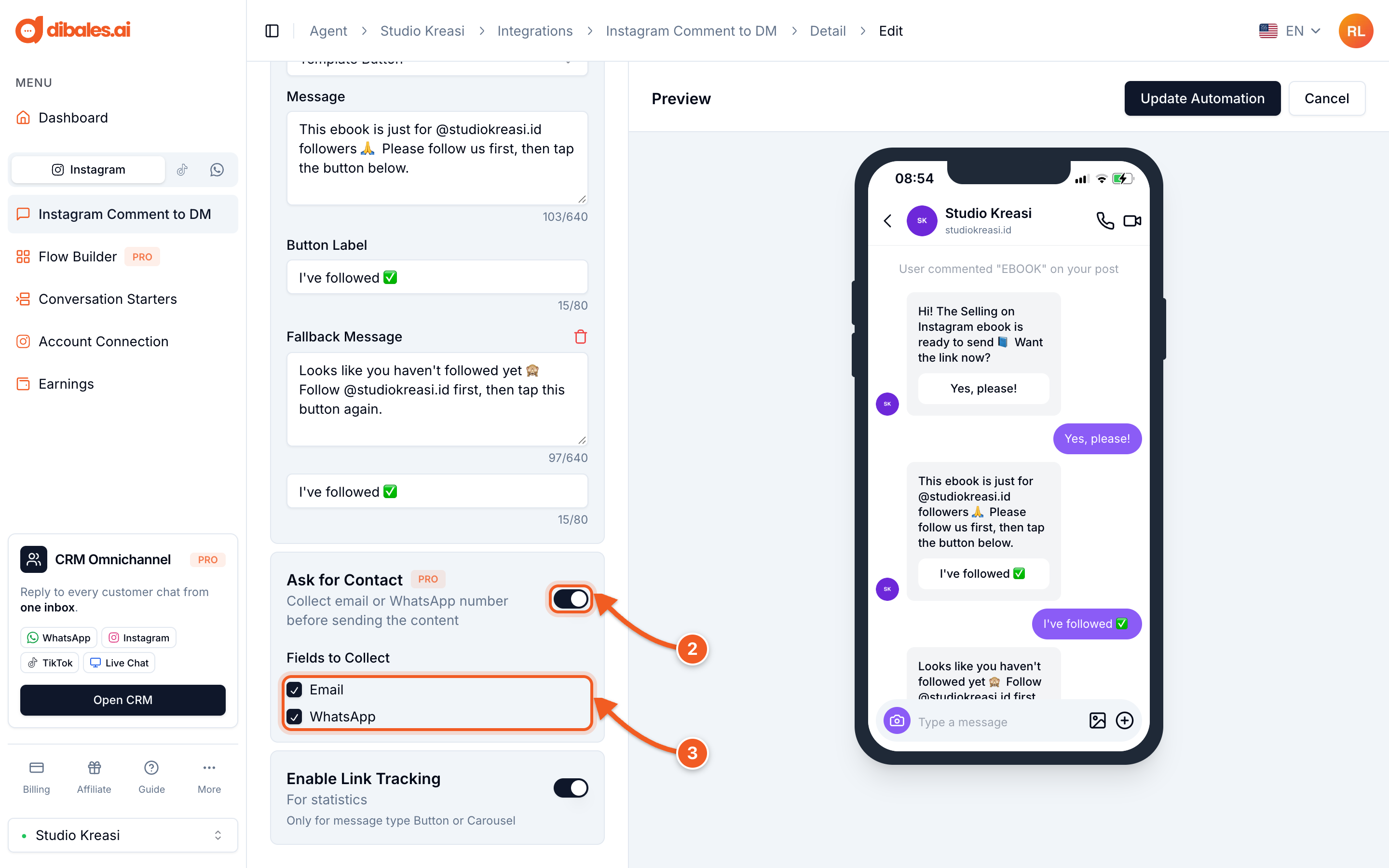
- Under Additional Features, turn on Ask for Contact. If you don't see Additional Features yet, click Show Additional Features first.
- Under Fields to Collect, tick Email, WhatsApp, or both. If you tick both, the customer is asked for them one at a time, in the order you ticked them.
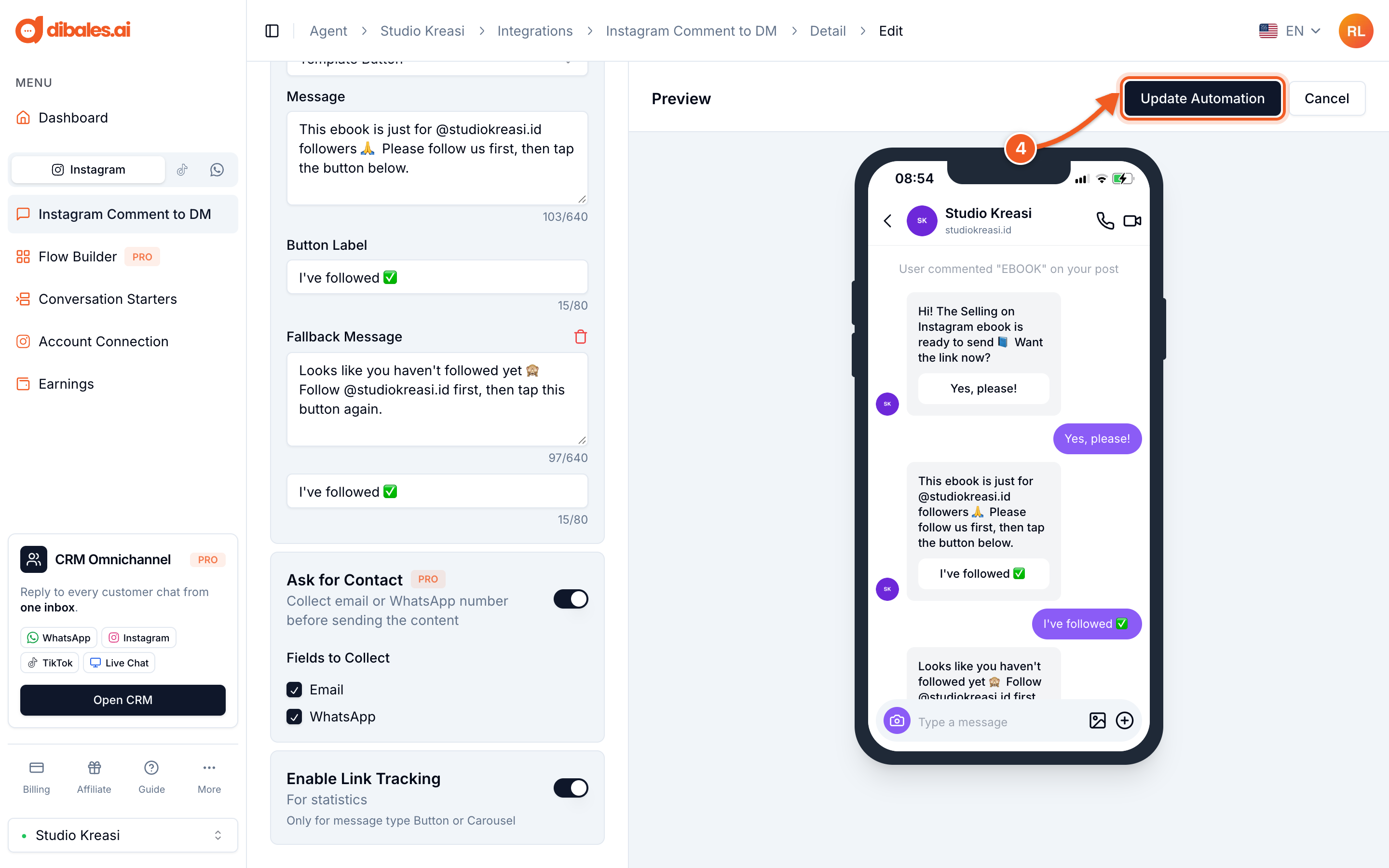
- Click Update Automation. The email and WhatsApp questions also appear in the Preview.
Viewing the collected contacts
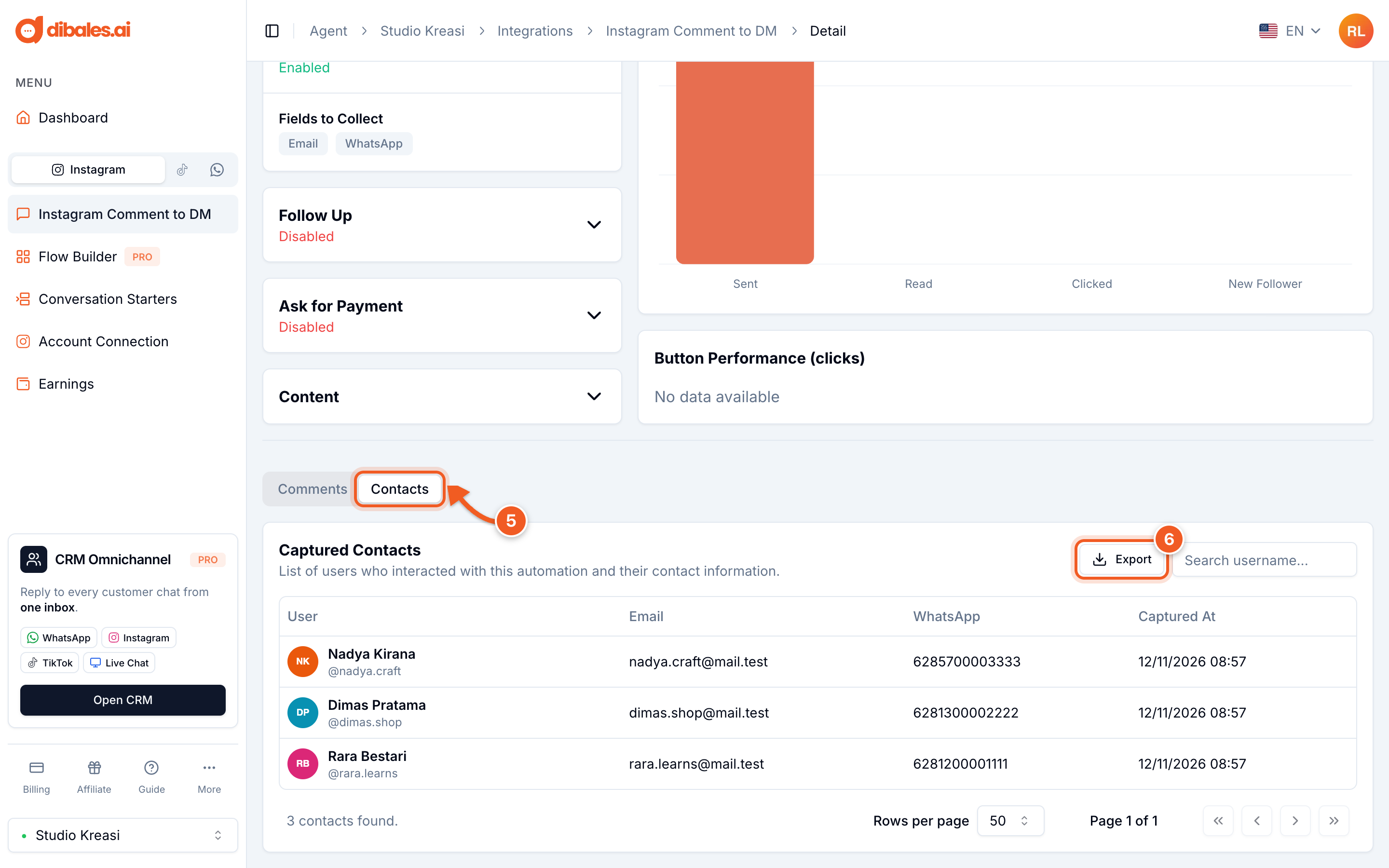
- On the automation's detail page, open the Contacts tab. The Captured Contacts section lists each customer's name and username, email, WhatsApp number, and when the contact was captured.
- Click Export to download the list as an Excel file.
Good to know
- When the questions are asked: if the Opening Message is on, the questions are sent after the customer taps the Opening Message button (and after passing Ask for Follow, if it's on). If the Opening Message is off, the questions are sent right after the customer comments.
- Formats are checked automatically. Emails must be in a valid format, such as
name@email.com. WhatsApp numbers must have 10 to 15 digits. Spaces,+, and-are ignored, so+62 813 0000 2222is saved as6281300002222. - Three wrong answers cancel the process. The customer needs to comment again to start over.
- Customers can cancel by tapping Batal (Cancel). After that they can chat as usual, and the link isn't sent.
- No one is asked twice. Customers whose email or WhatsApp number is already saved, including from other automations, go straight to the next step, and their name still appears in the Captured Contacts list.
- The email and WhatsApp questions are set by the system and can't be changed yet. They're currently sent in Indonesian, including the Batal (Cancel) button.
Go back to Set Up Comment to DM, or see Follow Up.