
Set Up Story Mention
Automatically send a DM whenever someone mentions your account in their story.
Sebelum Kreatifsebelumkreatif
rara.learns mentioned @sebelumkreatif in their story
Thanks for mentioning Sebelum Kreatif in your story! 🙌 Here's a 20% discount voucher for the online class, valid for 3 days.
Click HereClick Here
Great for cafés, shops, tourist spots, or any business that customers often tag in their stories.
1. Create a new automation
Open Instagram Comment to DM, click New Automation, then Basic Automation. The steps are the same as steps 1–4 of Comment to DM.
2. Choose Story Mention
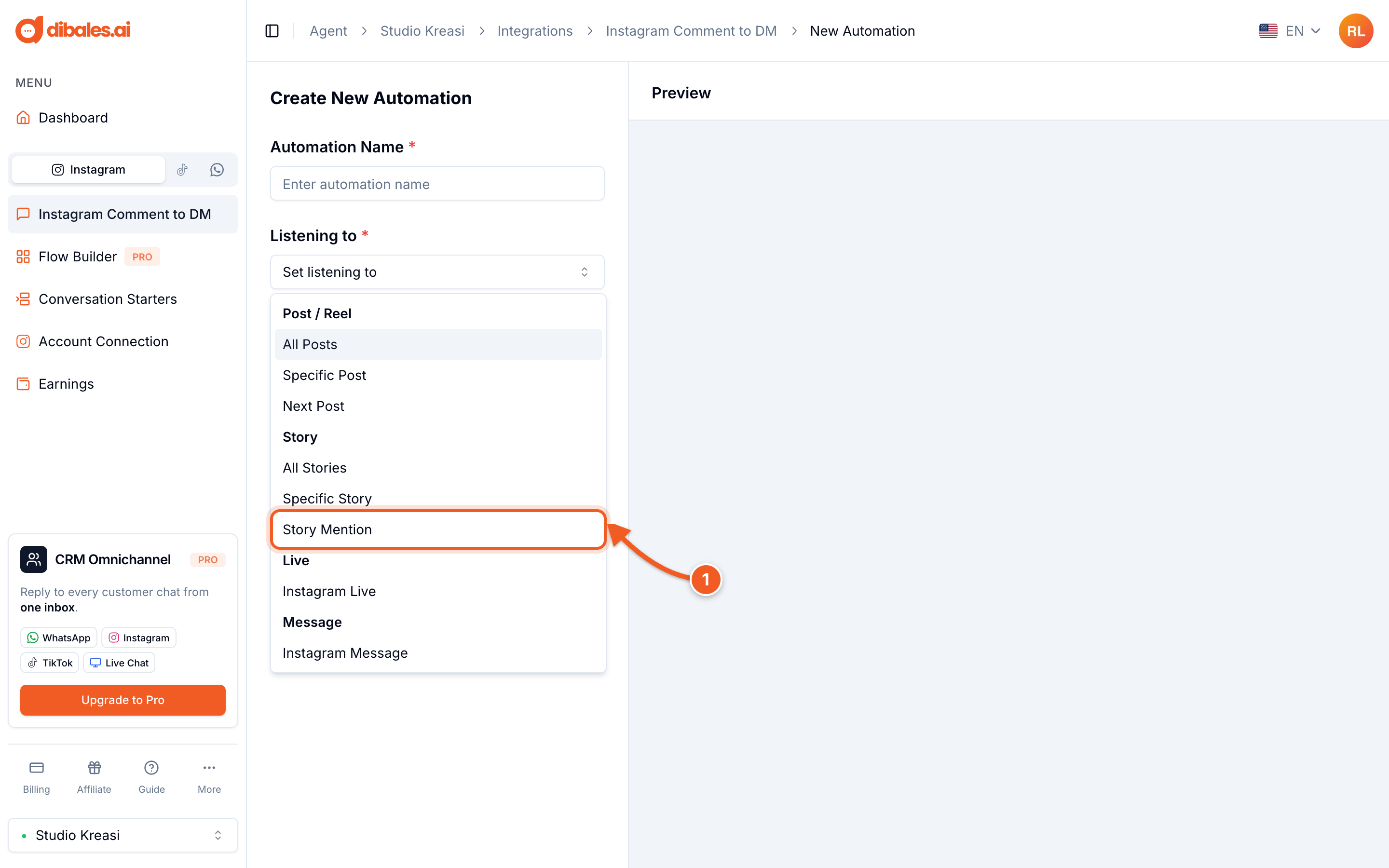
- Under Listening to, choose Story Mention
3. Set the frequency and message
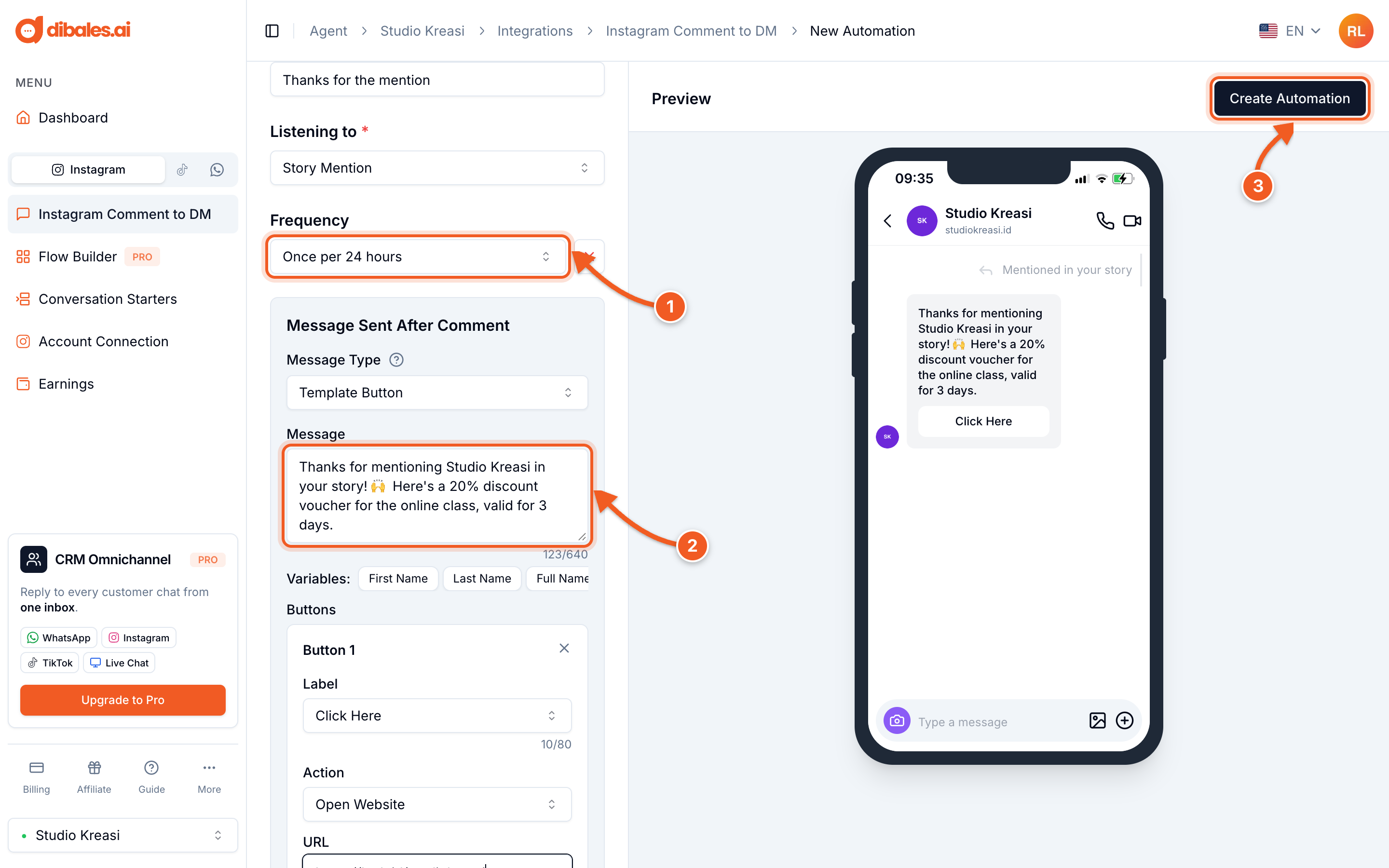
- Frequency: how often the same person gets a reply. Choose Once per 24 hours so customers who post several stories on the same day only get one reply.
- Message: a thank-you, a voucher, or a link. With Template Button, also fill in the button and its URL, for example a Google Maps link or a product link.
- Click Create Automation. On a phone, the button is below the form.
✅ From now on, whenever someone mentions your account in their story, the DM is sent automatically.
There can only be one Story Mention automation per account. Want to change the message? Edit the existing automation.
💡 Story Mention automations appear in the Story Automations tab on the Instagram Comment to DM page.