
Reply to Comments
Automatically reply to customers in the comments, so they know there's a DM waiting to be opened.
With Comment Reply, every comment that triggers the automation also gets a public reply in the comments, for example "Hi @rara.learns, the ebook link is in your DMs! 📬".
This matters because DMs from accounts people don't follow land in Message Requests, not in their main inbox. A reply in the comments lets customers know there's a message waiting.
This guide builds on the automation from Set Up Comment to DM.
Setting up comment replies
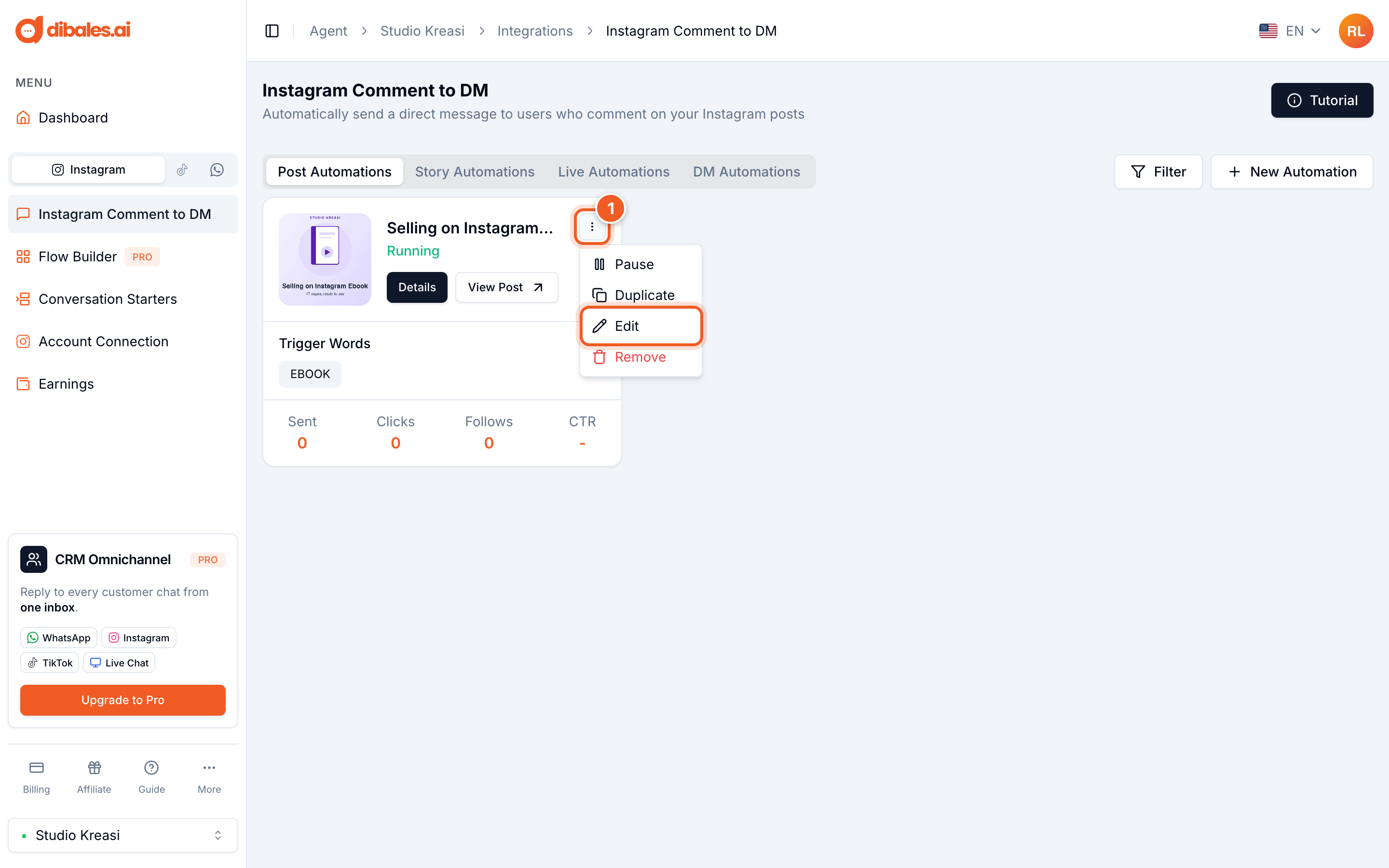
- On the Instagram Comment to DM page, click the ⋮ icon on the automation you want to change, then choose Edit.
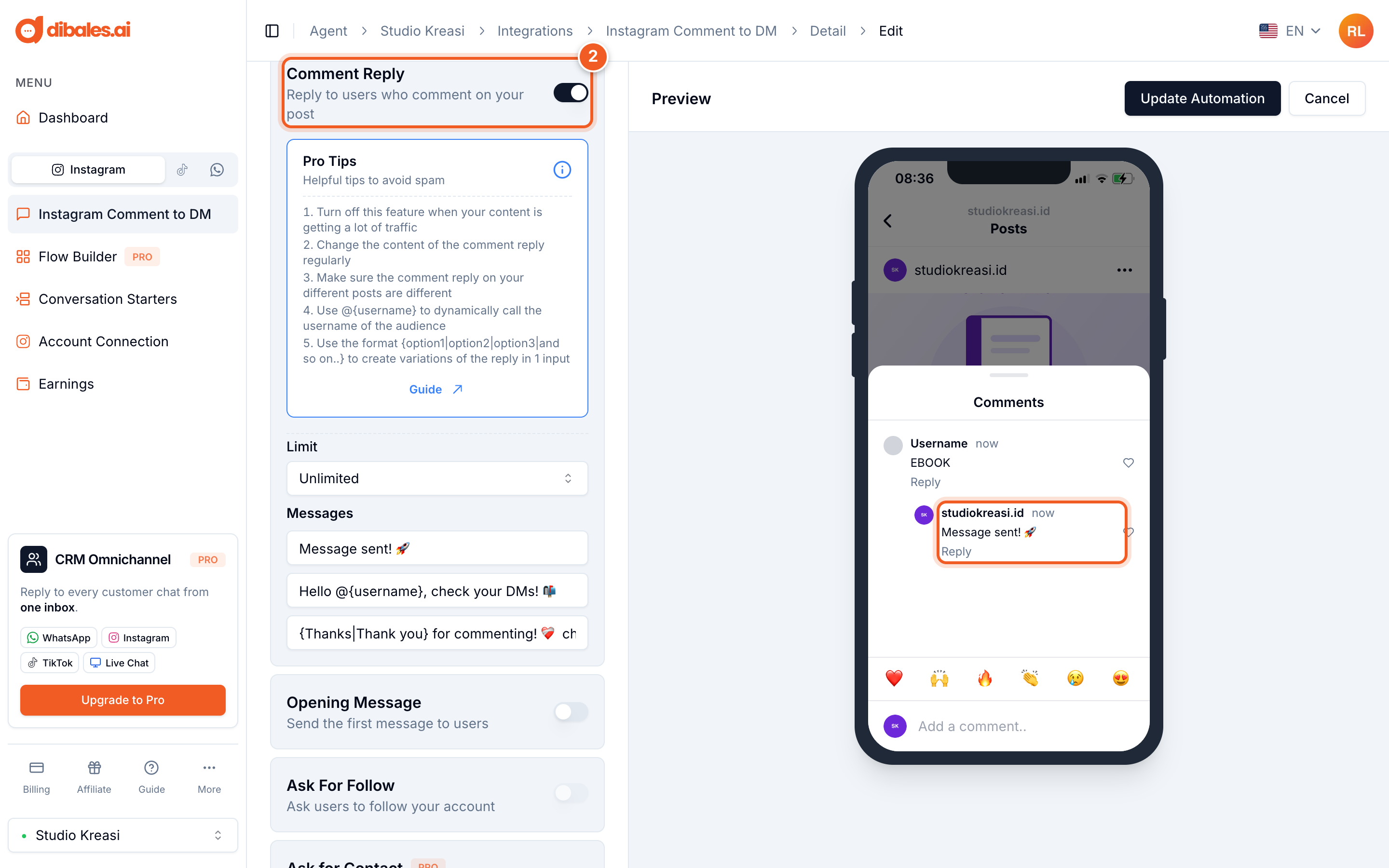
- Under Additional Features, turn on Comment Reply. If you don't see Additional Features yet, click Show Additional Features first.
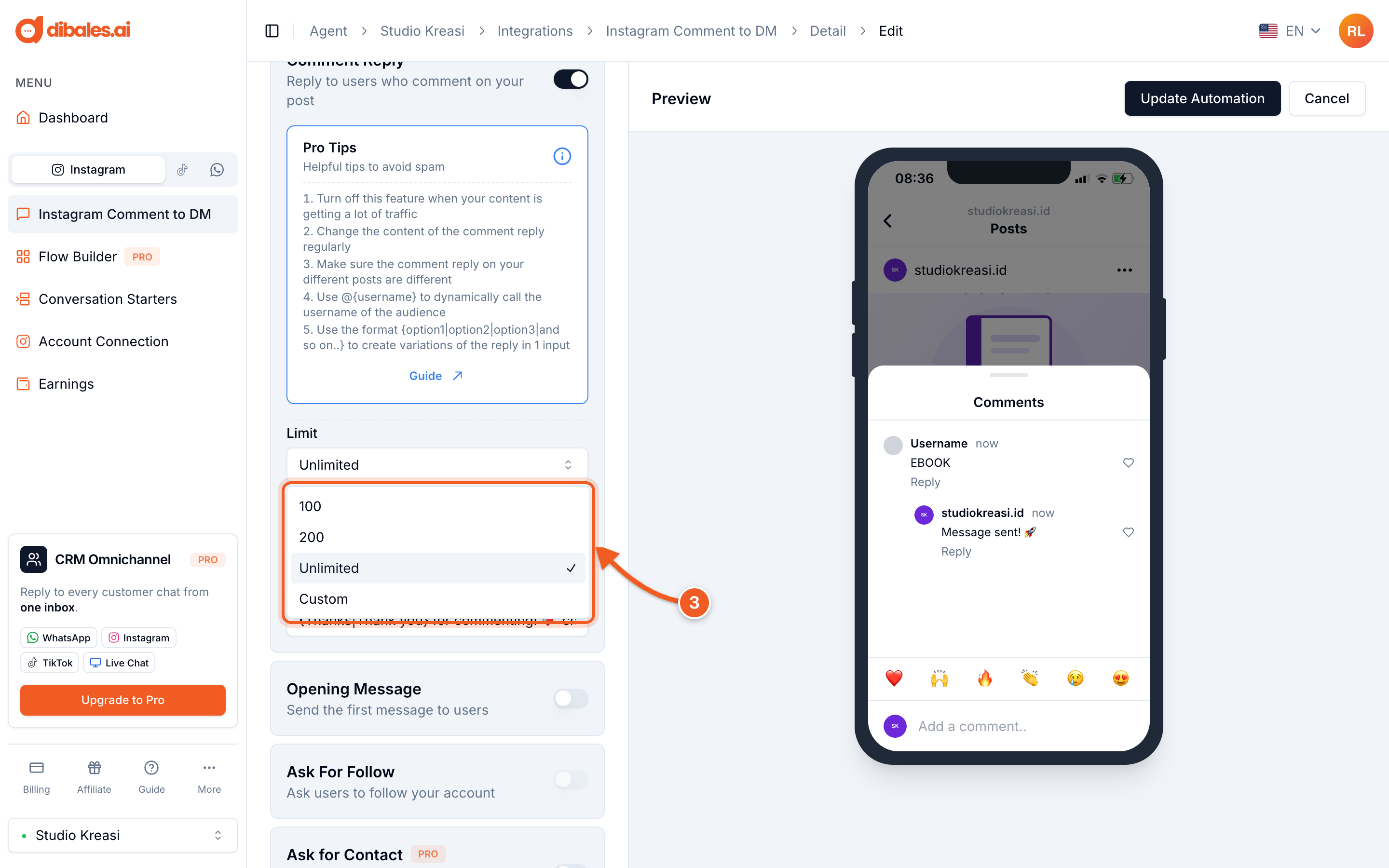
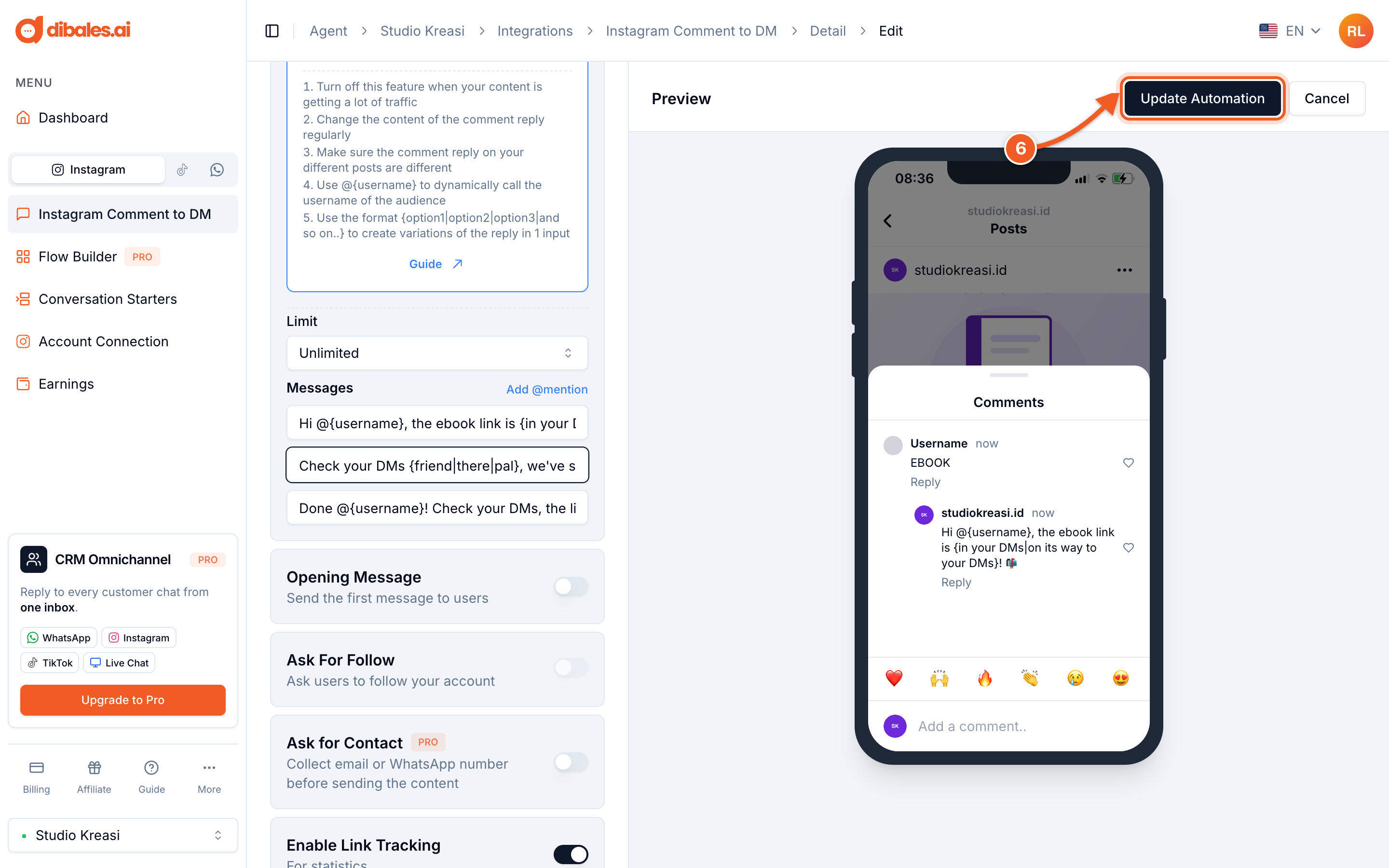
- Choose a Limit, the maximum number of comments replied to per post: 100, 200, Unlimited, or Custom (enter your own number).
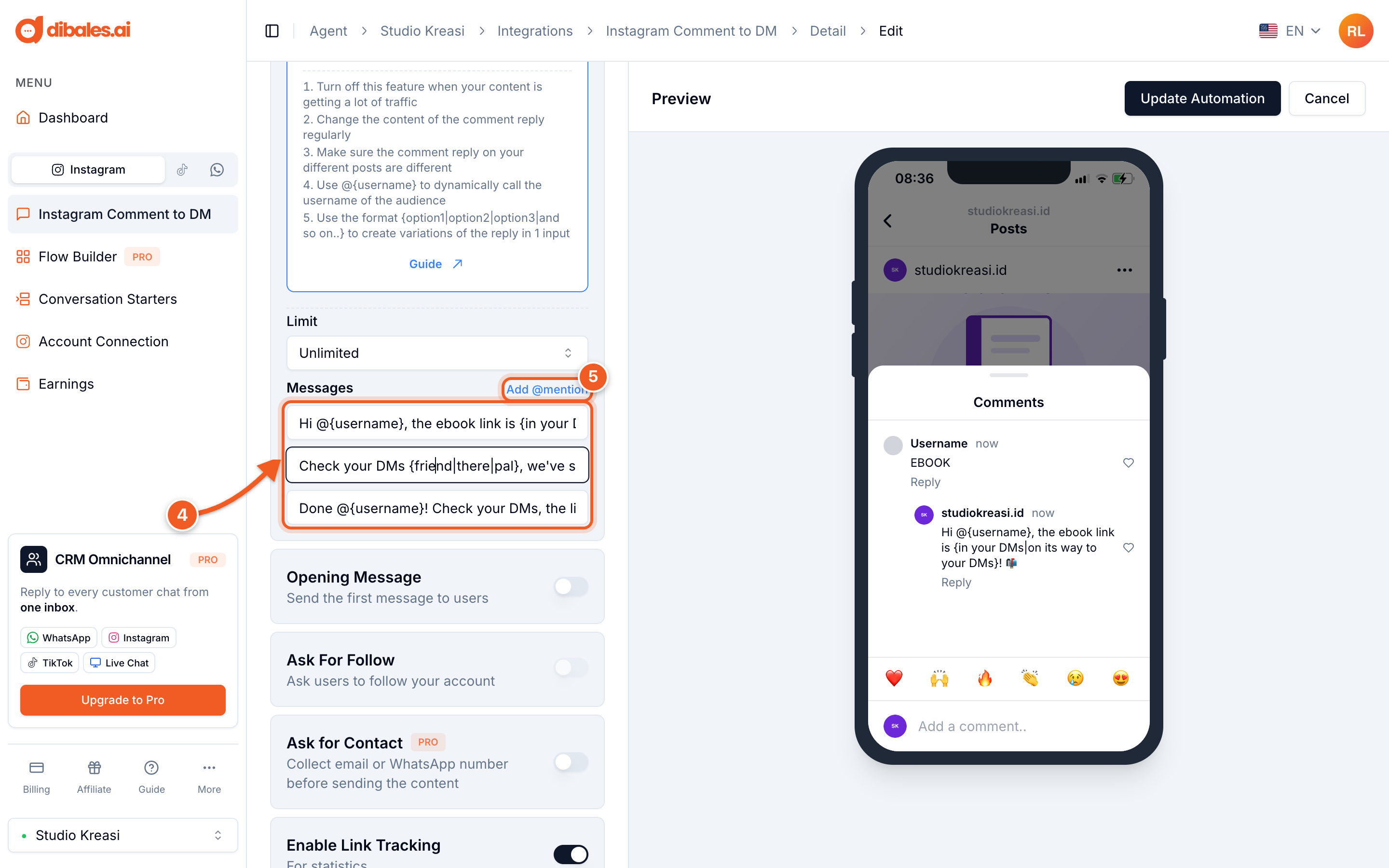
- Fill in all three Messages fields. Three sample replies are filled in from the start, and all three are required. For each comment, one of the three messages is picked at random, so your replies don't all look the same.
- Click Add @mention (it appears while you're typing in a message field) to insert
@{username}.
- Click Update Automation to save.
Making replies feel personal
You can use two formats in reply messages:
| Write | Result | Example |
|---|---|---|
@{username} |
Replaced with the commenter's username | Hi @{username}, check your DMs! becomes Hi @rara.learns, check your DMs! |
{word1|word2|word3} |
One is picked at random | Check your DMs {friend|there|pal} becomes Check your DMs there |
Three sample messages for a digital product:
Hi @{username}, the ebook link is {in your DMs|on its way to your DMs}! 📬Check your DMs {friend|there|pal}, we've sent you the ebook 💌Done @{username}! Check your DMs, the link is waiting there 🙌
In the Preview, @{username} and {friend|there|pal} still appear as written. They're only replaced when the reply is actually sent on Instagram.
Avoiding spam flags
Instagram can restrict accounts that reply to too many comments with the same sentence. Follow these tips from the app:
- Turn off Comment Reply when your post is getting a huge number of comments, for example when it goes viral.
- Change the reply text regularly.
- Use different replies for each post.
- Use
@{username}and{word1|word2}so every reply looks different. - Set a Limit for posts that could get thousands of comments. Once the limit is reached, comment replies on that post stop automatically, but DMs are still sent.
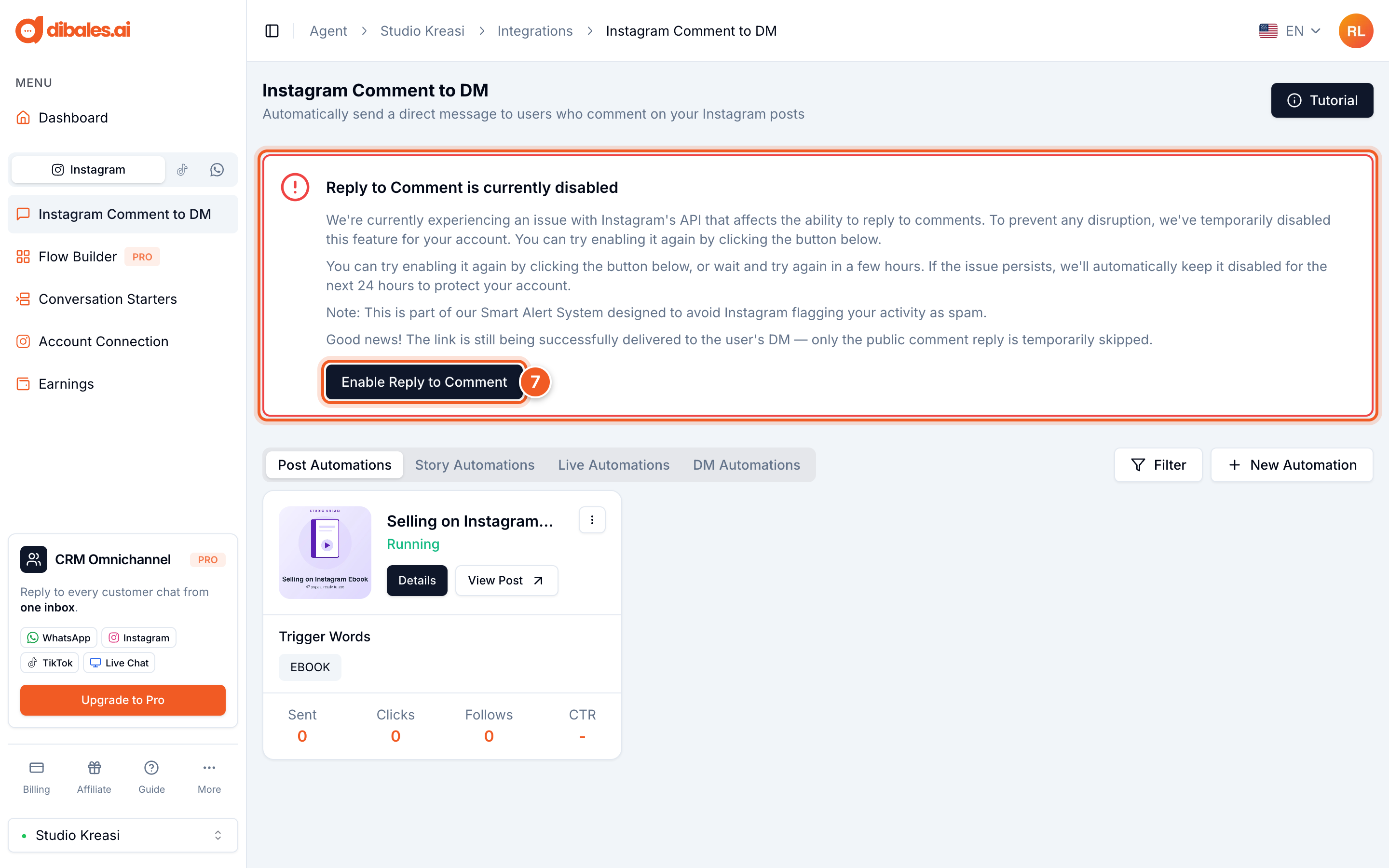
If you see "Reply to Comment is currently disabled"
When Instagram is having trouble with comment replies, dibales.ai's Smart Alert System temporarily turns off comment replies on your account, so your account isn't flagged as spam. During that time, DMs are still sent as usual. Only the comment replies don't appear.
- You can try turning it back on by clicking Enable Reply to Comment on the Instagram Comment to DM page. If it's still not working, wait a few hours. If the issue keeps happening, the system automatically keeps it disabled for 24 hours.
Go back to Set Up Comment to DM, or see Message Types.