
TikTok Automation
Automatically reply to TikTok video comments and DMs based on keywords, including selling by DM with Ask for Payment.
TikTok automation replies to comments on your videos and DMs to your TikTok account automatically, based on keywords. Each automation has one trigger type: comments or DMs.
This guide is for the new dibales.ai dashboard. Still on the old layout? See Set Up Auto Reply Comment and Set Up Auto DM.
PRICE
ReplySure! Send us MENU by DM and we'll reply with the price list 📩
ReplyOn Instagram, people who comment can get a DM right away in one flow. The TikTok API doesn't allow that yet, so on TikTok the flow uses two automations: the comment reply invites viewers to send a certain word by DM, then a DM automation replies to that word with the info you promised.
Before you start
- A TikTok Business account that's connected. If it isn't yet, follow Connect Your Accounts. Personal accounts can't use automation.
- A published video, if you want to reply to comments on a specific video.
- Another TikTok account to test with, such as your personal account or a friend's.
How it works
| Guide | What you do |
|---|---|
| Reply to Comments | Choose a video, set the keywords, then write reply variations for the comments |
| Reply to DMs | Set the DM keywords, then put together the reply messages |
| Ask for Payment | Sell digital products by DM: the buyer pays, then the product is sent automatically |
For the full flow in the example above, make two automations: Reply to Comments with replies that invite people to send MENU by DM, and Reply to DMs with the keyword MENU.
1. Open TikTok Automation
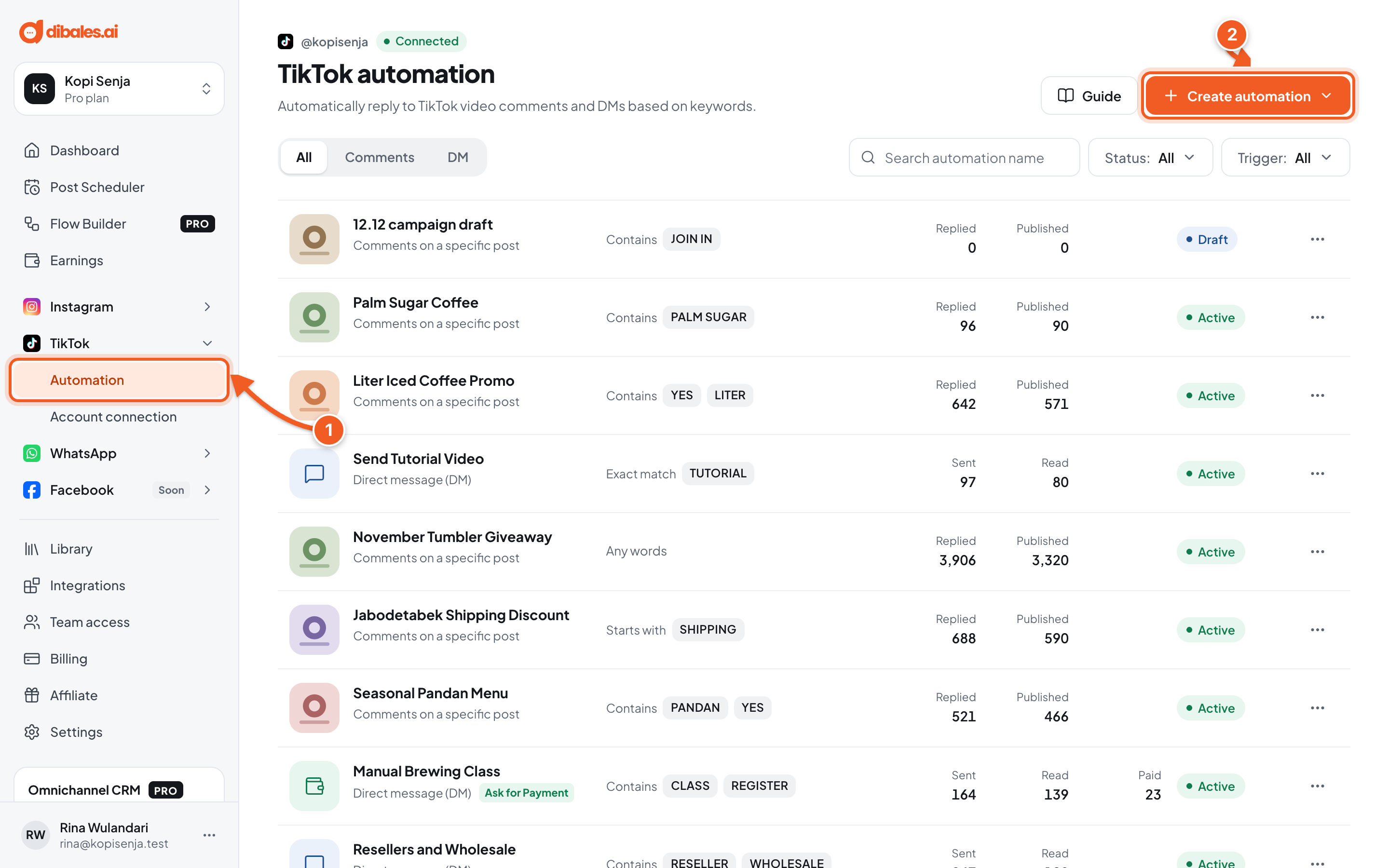
- In the sidebar, open TikTok › Automation. On a phone, open the menu first with the ☰ icon at the top right.
- Click Create automation.
💡 The All, Comments, and DM tabs group automations by trigger.
2. Choose how to start
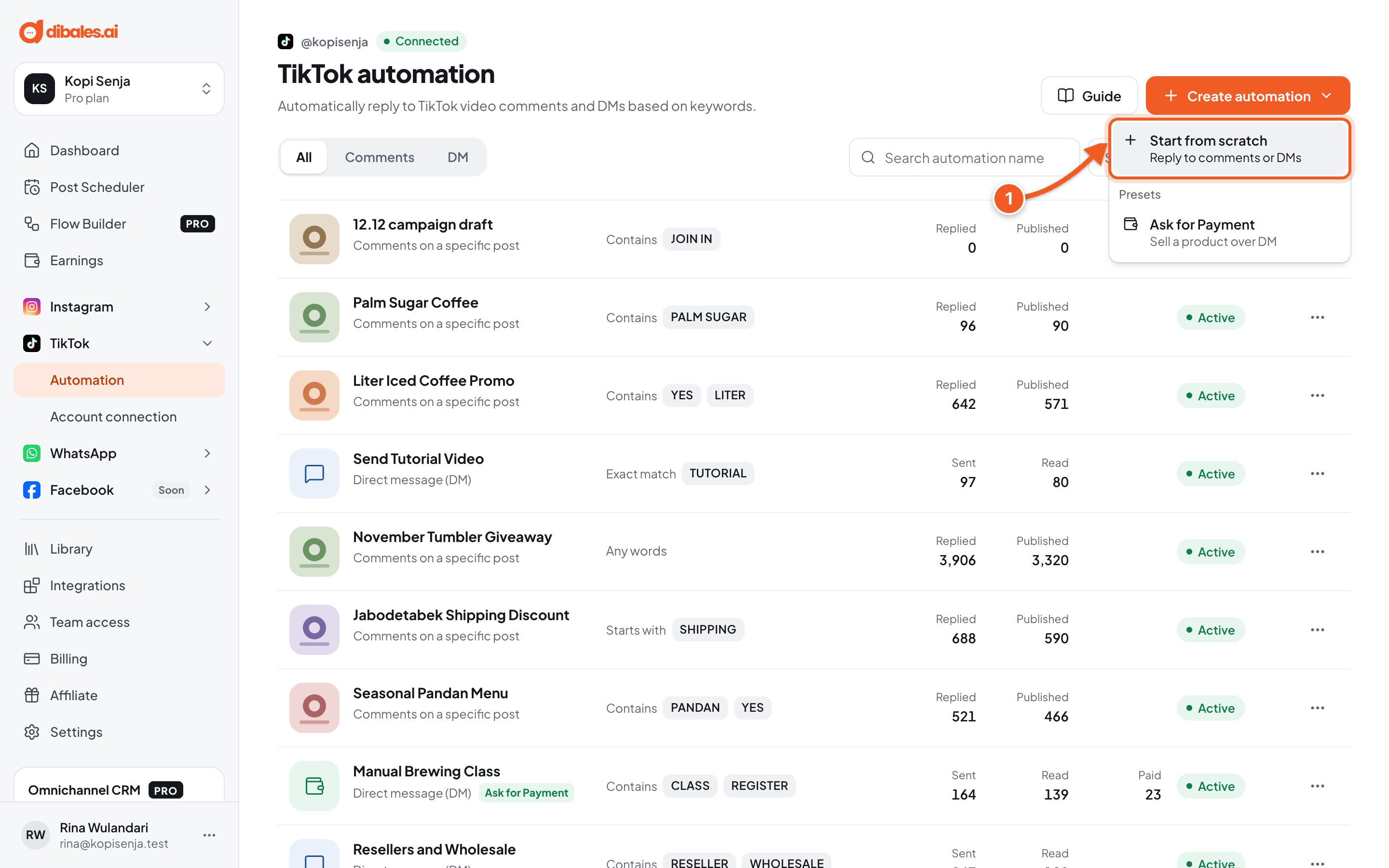
- Choose Start from scratch to reply to comments or DMs, then continue in Reply to Comments or Reply to DMs.
The Ask for Payment preset is for selling by DM, see Ask for Payment.
Managing automations
Click the ⋯ icon on an automation's row to View details, Pause / Resume, Duplicate, Edit, or Delete. Delete asks you to confirm with Delete this automation?, then the automation stops replying and all its data is permanently deleted. If you only want to stop it for a while, use Pause.
The detail page shows Performance, Configuration, and the Comments tab (the comment log, see Reply to Comments) and the Orders tab (for Ask for Payment).
Troubleshooting
| Problem | Fix |
|---|---|
| A notice says the TikTok account is disconnected or still a personal account | All automations stop. Reconnect the same account, or switch to a Business account using how to switch to a Business account. |
| Can't resume because the TikTok account isn't active. | Reconnect the TikTok account, then click Resume. |
| People who comment don't get a DM | On TikTok, comment replies don't send DMs. Make a separate Reply to DMs automation, and invite viewers to send its keyword by DM. |