
Reply to Comments
Automatically reply to comments on your TikTok videos, then invite viewers to send a keyword by DM.
This automation replies to comments that match your keywords right in the comments of your TikTok video. The reply doesn't send a DM, so use it to invite viewers to send a certain word by DM, then make a Reply to DMs automation for that word.
PRICE
ReplySure! Send us MENU by DM and we'll reply with the price list 📩
ReplyMake sure you meet everything in Before you start. Open TikTok › Automation, click Create automation, then choose Start from scratch. Fill in the Automation name at the top left, for example Reply to price comments.
1. Choose the video
In the Trigger step:
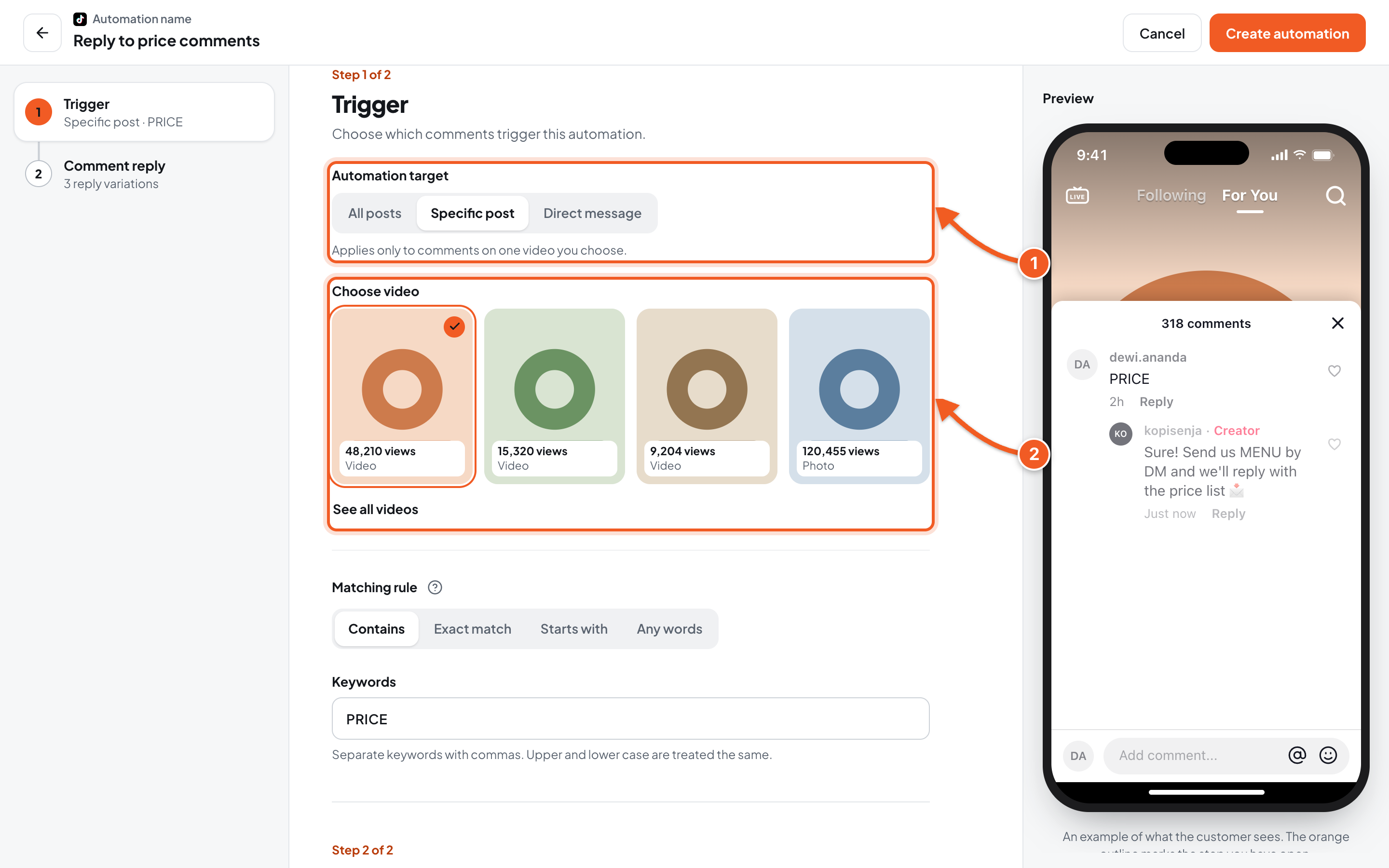
- Automation target:
- Specific post: only comments on one video you choose.
- All posts: applies to comments on all your videos. If you choose this, skip number 2.
- Choose video: click the video you want. Click See all videos if you can't see it.
2. Set the keywords
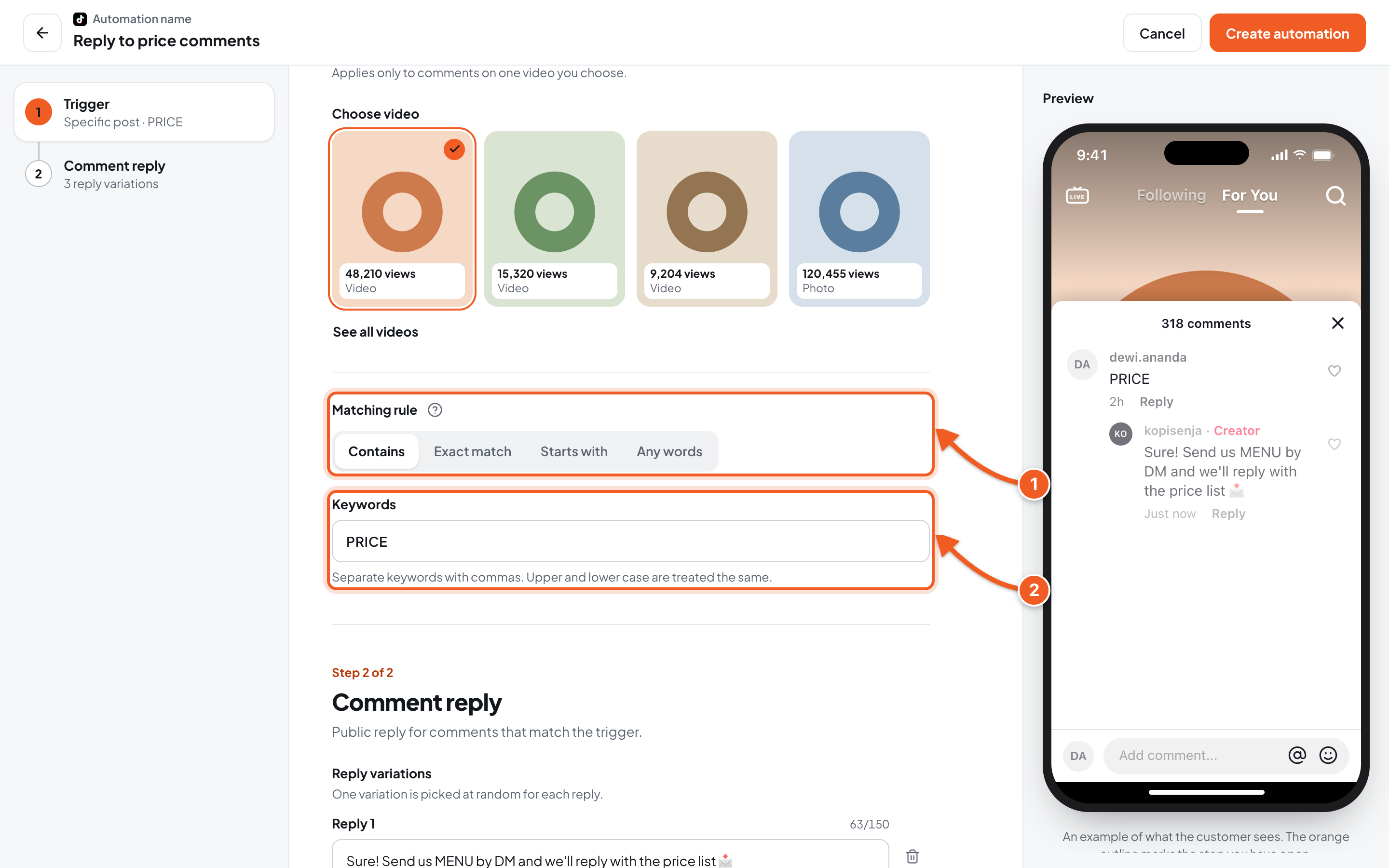
-
Matching rule:
- Contains: matches when the keyword appears anywhere. what's the price? matches the keyword price.
- Exact match: matches only when the whole comment is the keyword.
- Starts with: matches when the comment starts with the keyword.
- Any words: every comment triggers the automation, whatever it says.
Click the question mark icon next to it to see examples of each rule.
-
Keywords: for example PRICE. Separate several words with commas. Upper and lower case are treated the same.
When several automations match at once, the order is: Exact match, Starts with, Contains, then Any words.
3. Write the comment reply
Click the Comment reply step.
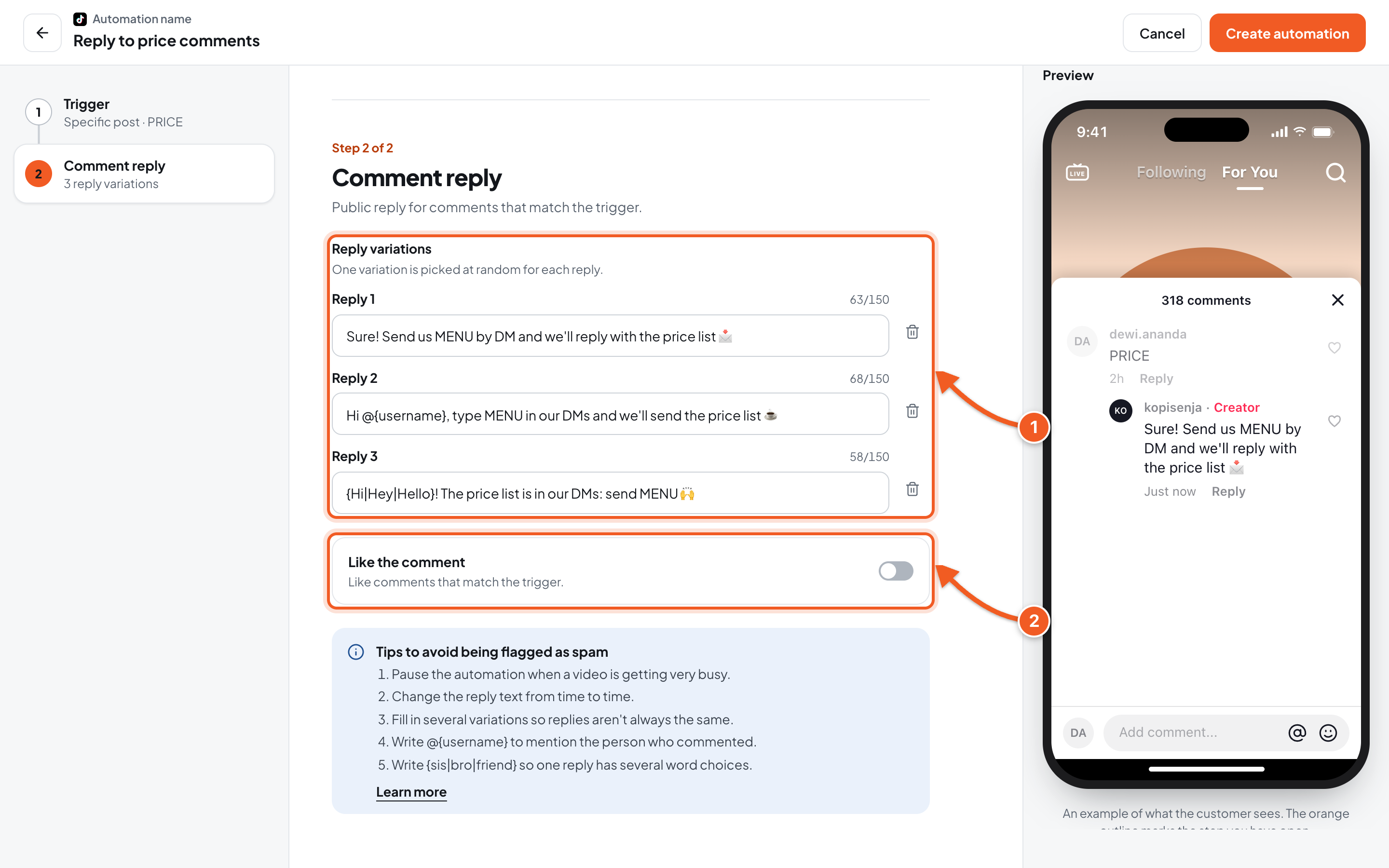
- Reply variations: one variation is picked at random for each reply, up to 150 characters each. Invite viewers to send a certain word by DM, for example Send us MENU by DM. Write
@{username}to mention the person who commented, or{Hi|Hey|Hello}so one reply has several word choices. Click Add variation to add more replies. - Like the comment: when on, matching comments also get a like.
To avoid being flagged as spam by TikTok: fill in several reply variations, change the text from time to time, and pause the automation when a video is getting very busy.
Click Create automation at the top right. The automation starts right away.
4. Test it, then check the comment log
- From another TikTok account, open the video and write a comment with the keyword, for example what is the price?.
- Wait a moment, then check the reply under that comment.
- In the dashboard, click the automation's name to open its detail page, then look at the Comments tab.
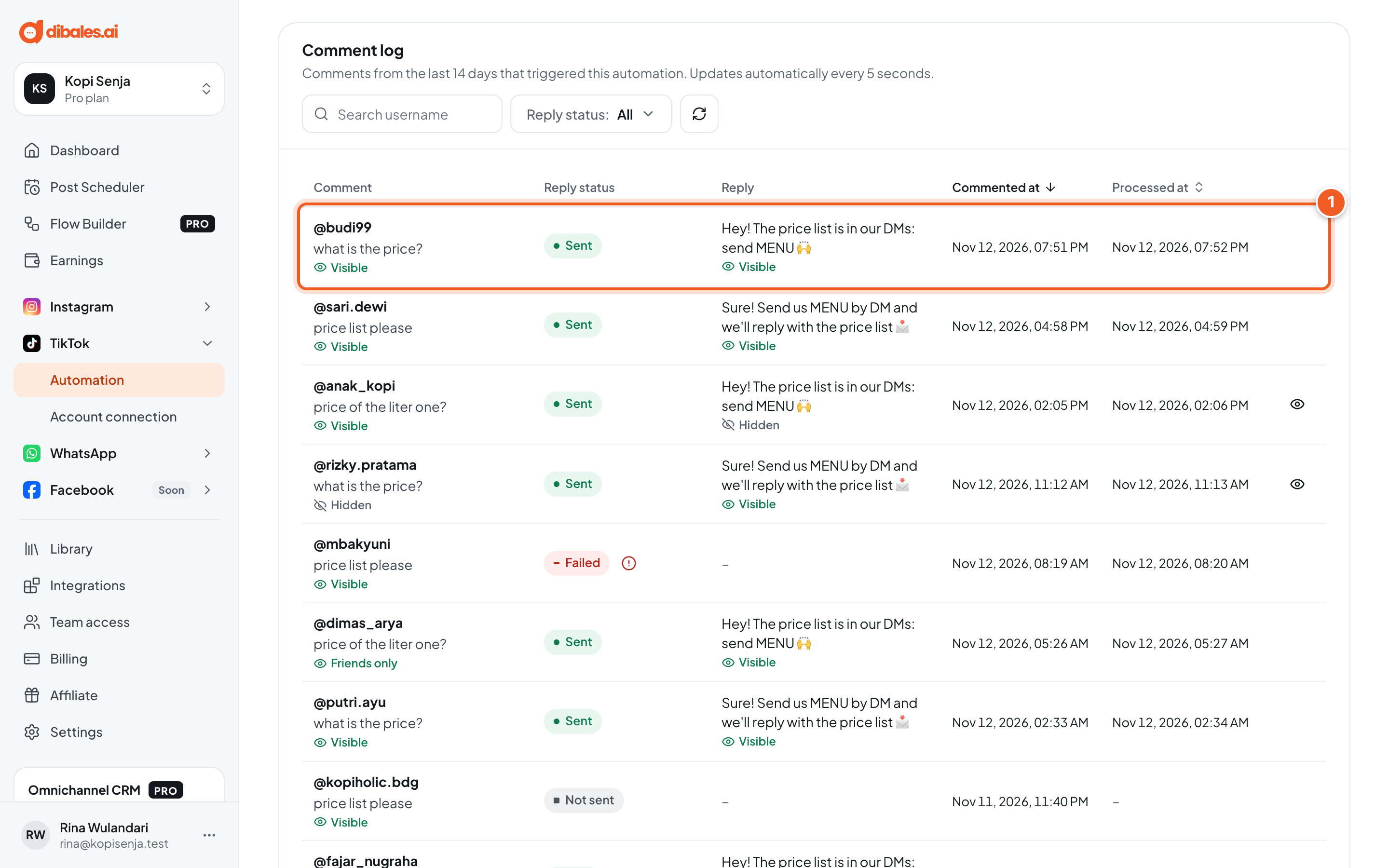
- The test comment shows up in the Comment log with its Reply status: Sent, Failed, or Not sent. If it says Failed, click the icon next to it to see why. The log holds comments from the last 14 days and updates automatically every 5 seconds.
The label under each comment and reply shows who can see it: Visible (everyone), Friends only, or Hidden. Click the eye icon at the end of the row to show hidden comments from that person again.
Troubleshooting
| Problem | Fix |
|---|---|
| The test comment gets no reply | Make sure you commented from another account, on the chosen video, and that the keyword fits the Matching rule. Also check the automation isn't paused. |
| You can't save: Choose one video. | Under Specific post, click one of the videos, or switch to All posts. |
| You can't save: Already used by another automation: … | That keyword is already used by another automation. Change the keyword, or edit the old automation. |
| Up to 150 characters. | Shorten the reply. |
| Viewers don't get a DM | Comment replies don't send DMs. Make a Reply to DMs automation for the word you mention in the reply. |