
Comment Rewind
Send DMs to people who commented before the automation was created. Pro plan only.
Hi! Thanks for your comment. Here's the link to the Vitamin C Serum you asked for 👇
View productAn automation only replies to comments posted after it was created. Comments that were already there can be processed with Rewind Comments, for example when a post took off before the automation was ready.
1. Open the automation's details
Create a Comment to DM automation as usual, using the keyword people wrote in the comments, see Set Up Comment to DM. Make sure its status is Running, then open its details.
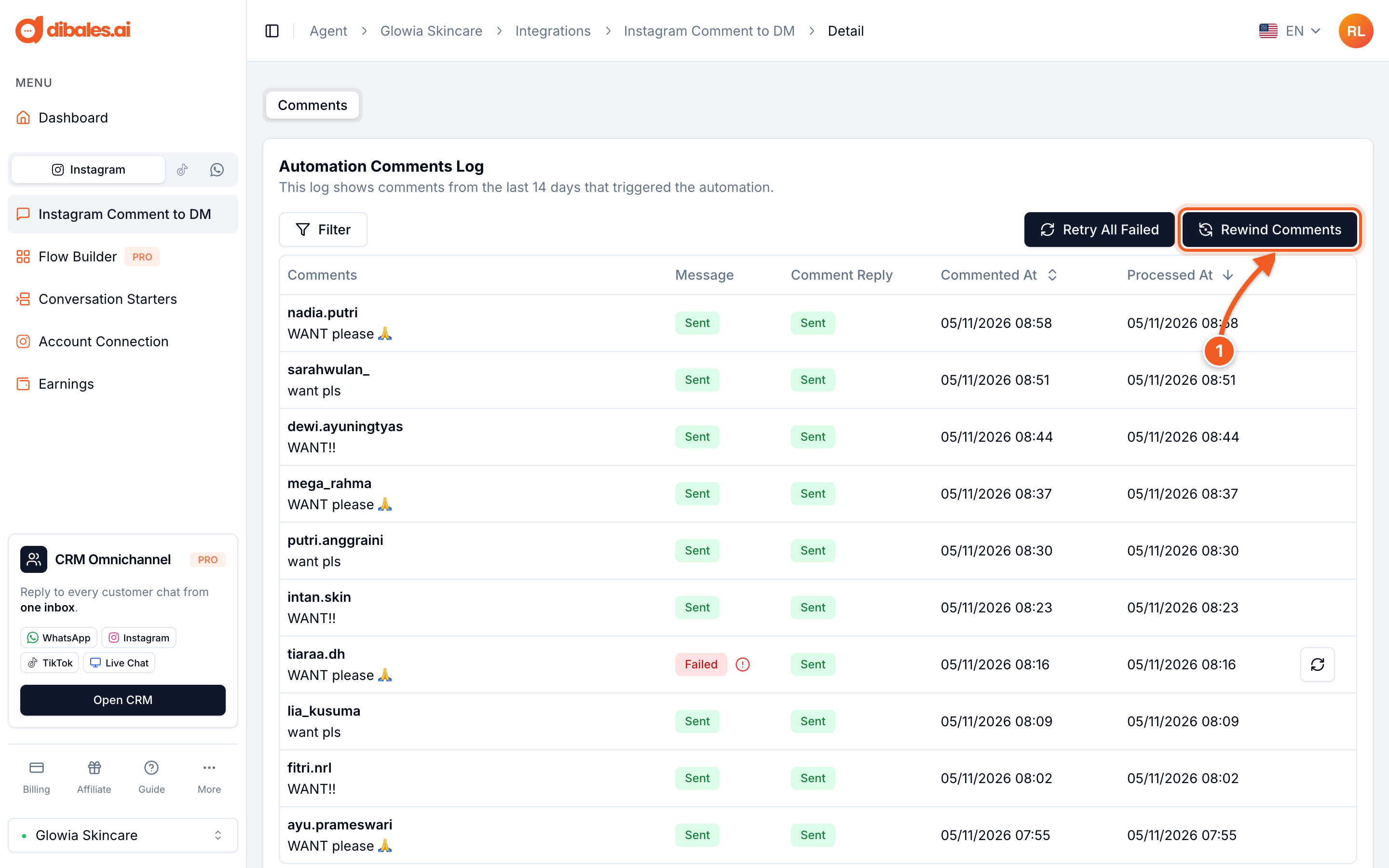
- In the Automation Comments Log section, click Rewind Comments
2. Check the rules, then start
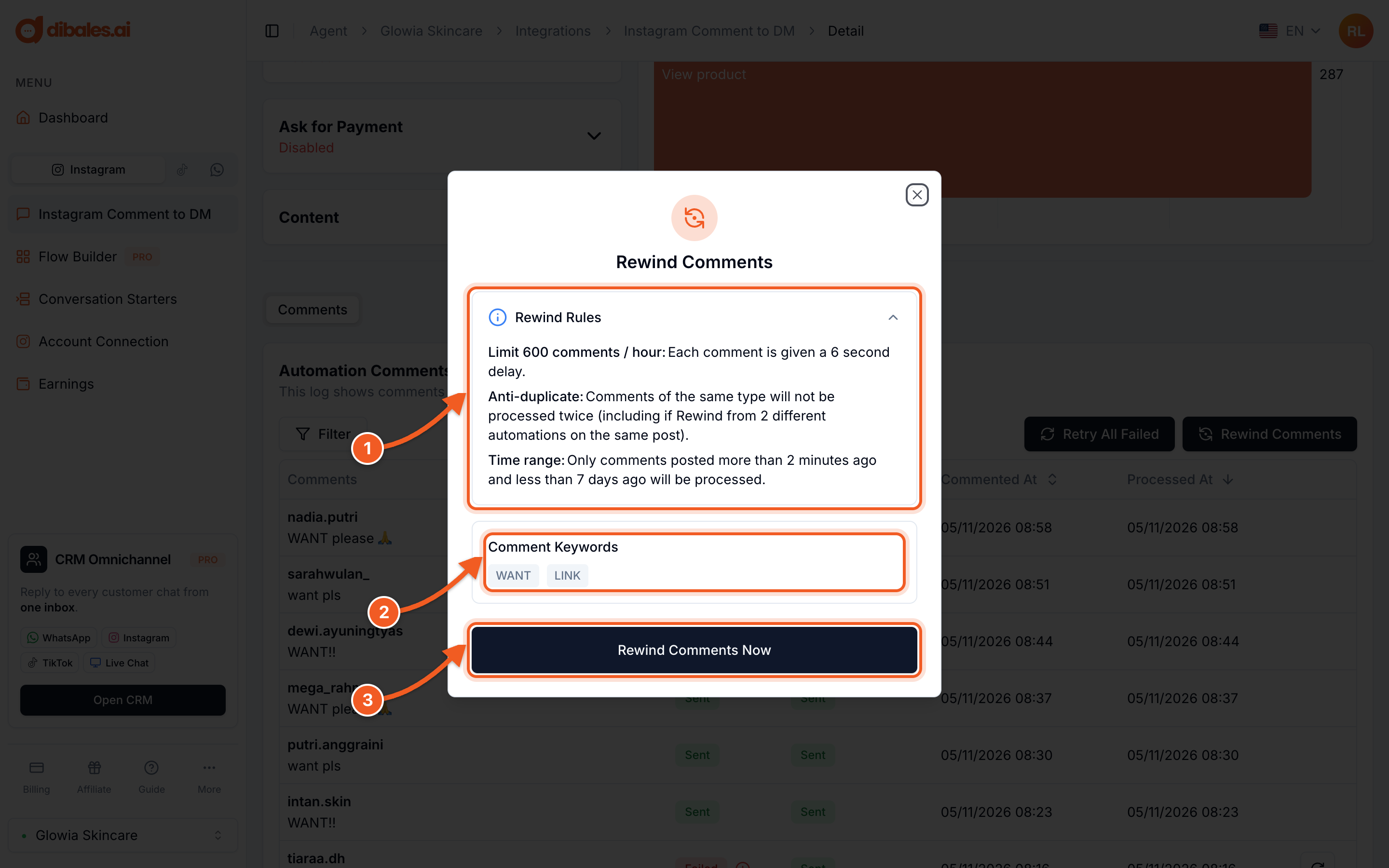
- Rewind Rules:
- up to 600 comments per hour, because each comment gets a 6-second delay;
- comments that were already processed aren't replied to twice, even if Rewind runs from two automations on the same post;
- only comments posted more than 2 minutes and less than 7 days ago.
- Comment Keywords: Rewind uses this automation's keywords. Want to change them? Edit the automation first.
- Click Rewind Comments Now
💡 If the automation's target is All Posts, choose the post you want to rewind in this dialog first.
3. Track the progress
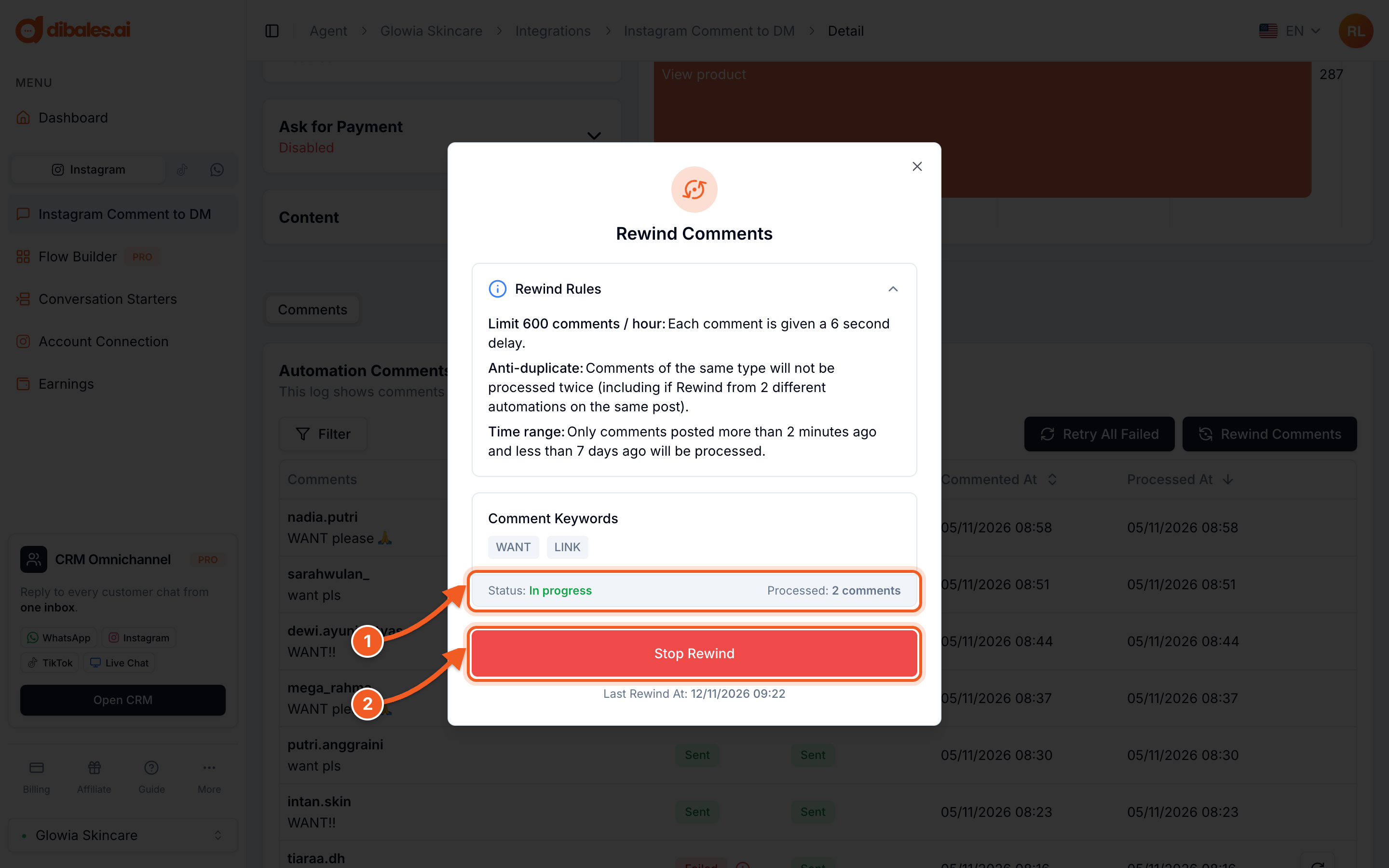
- The Status and the number of comments already Processed. You can close the dialog, because the process keeps running.
- Stop Rewind if you want to stop partway through
✅ Once the status is Completed, old comments matching the keywords have been sent a DM and are recorded in the Automation Comments Log. New comments are still answered by the automation as usual.
A Rewind can only be started once per minute, and only one Rewind can run per automation.
💡 Avoid keywords that are too generic, such as ok or yes, so irrelevant comments don't get a DM too.