
Set Up Live to DM
Viewers comment a keyword while you're Live, and the product link is sent straight to their DMs.
Great for selling, sharing links, or flash sales during a Live, without replying to comments one by one.
1. Create a new automation
Open Instagram Comment to DM, click New Automation, then Basic Automation. Fill in the Automation Name, for example Canva template live sale.
2. Choose Instagram Live
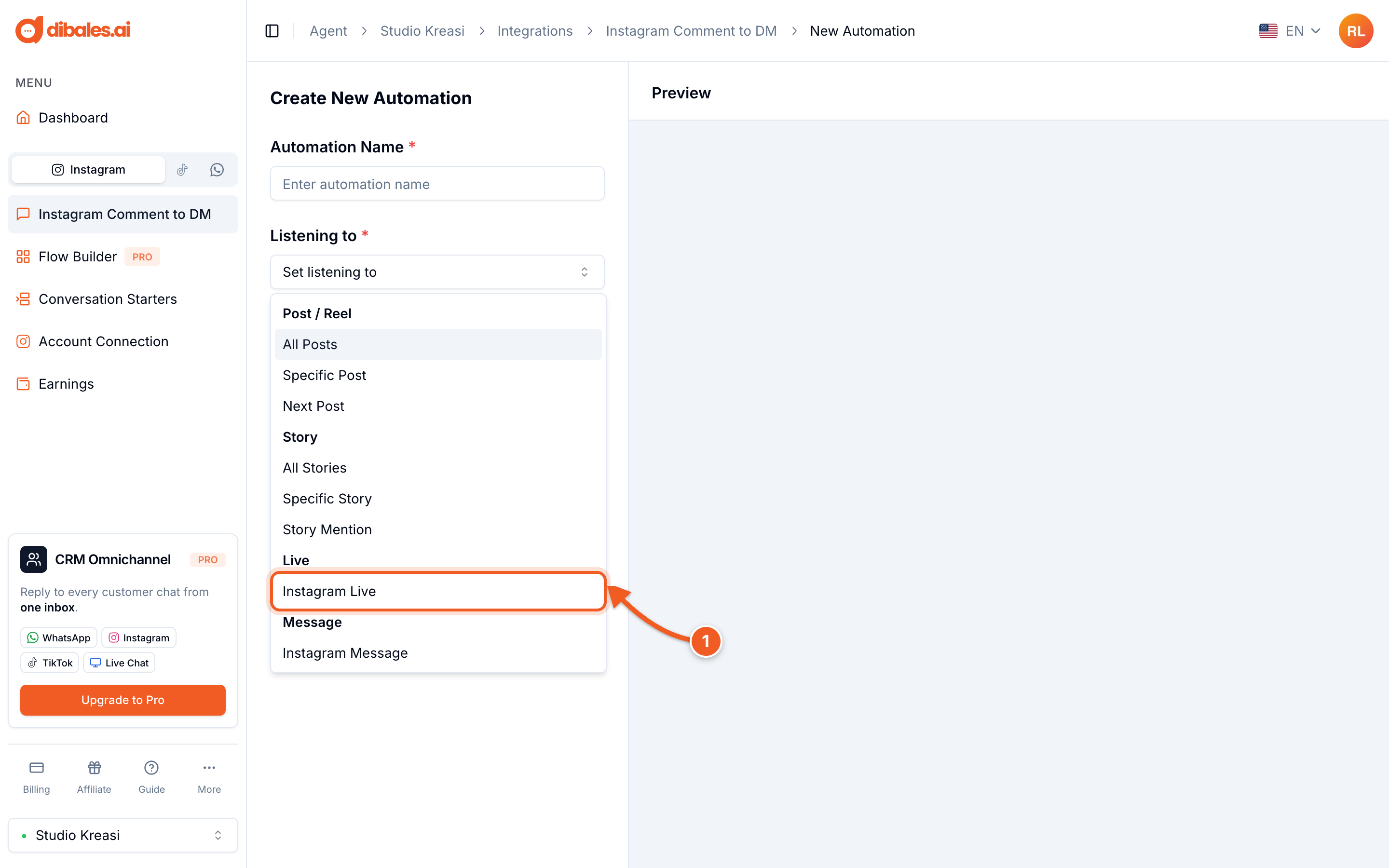
- Under Listening to, choose Instagram Live
3. Add content for each product
Click Add Content. Each content item has one keyword and one message.
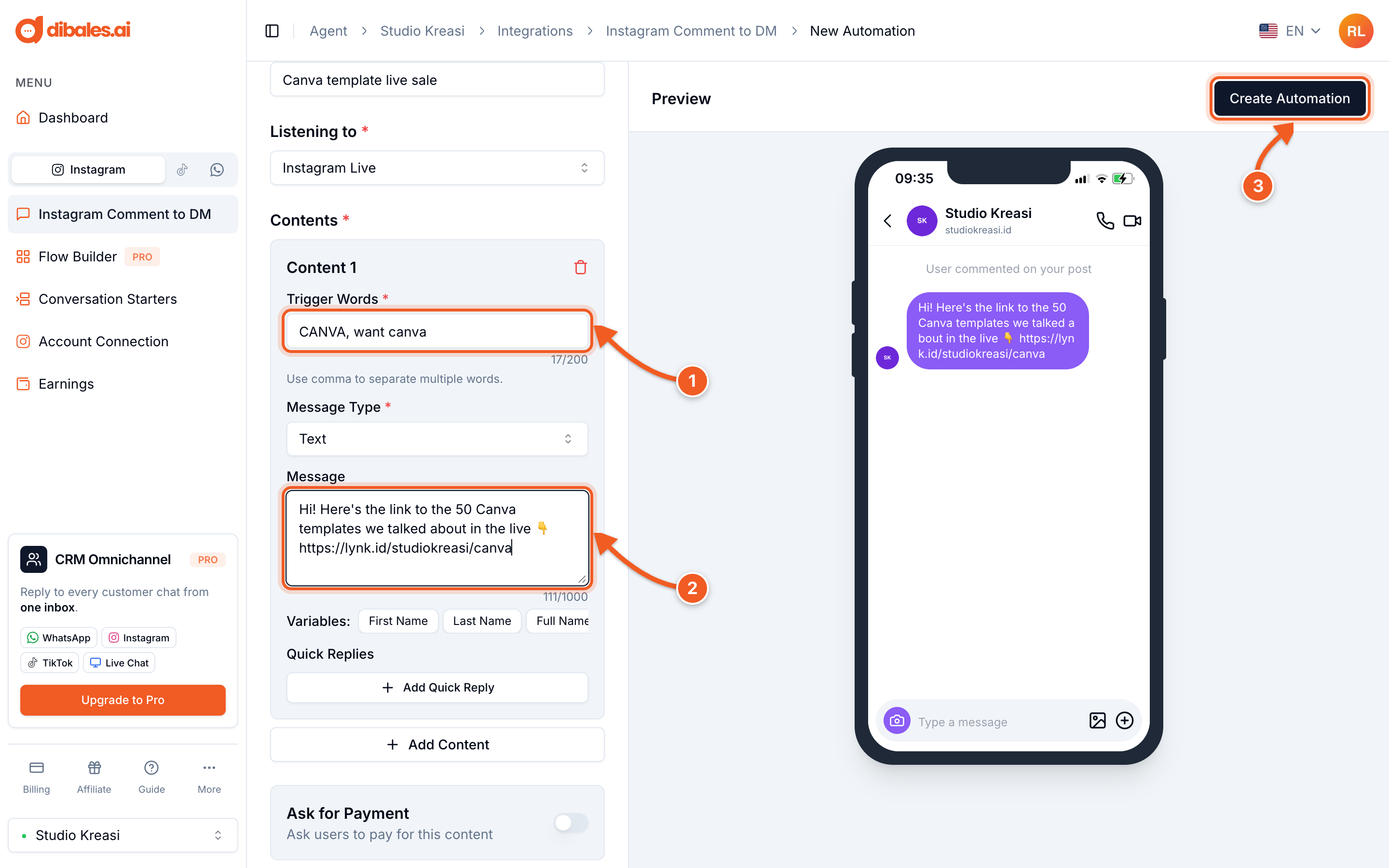
- Trigger Words: the word viewers write in the comments, for example
CANVA. Separate them with commas if there's more than one, for exampleCANVA, want canva. - Message: the DM content. The Message Type can be Text, Template Button (up to 3 buttons), or Carousel.
- Click Create Automation. On a phone, the button is below the form.
💡 Selling several products in one Live? Click Add Content again for each product, for example CANVA for templates, EBOOK for the ebook, CLASS for the online class.
💡 Show Additional Features includes the Opening Message, Ask for Follow, Ask for Contact and Follow Up (Pro only), and Link Tracking to count button clicks. See also Message Types.
💡 Ask for Payment asks for payment before the link is sent, see Ask for Payment.
Only one Live automation can be active at a time. If you turn on a new one, the app offers to stop the old one. Set up the automation before you go Live.