
Check & Revoke Access
See which AI apps can access your dibales.ai account, and revoke their access at any time.
The MCP page lists every AI app that can access your dibales.ai account. From there, you can revoke access for any app you no longer use. The example here revokes access for Claude.
This guide is for the new dibales.ai dashboard. This list belongs to your account, not to a single agent. Revoking access stops that app from accessing all your agents at once.
1. Open the MCP page
In the sidebar, click Integrations. On a phone, open the menu first with the ☰ icon at the top right.
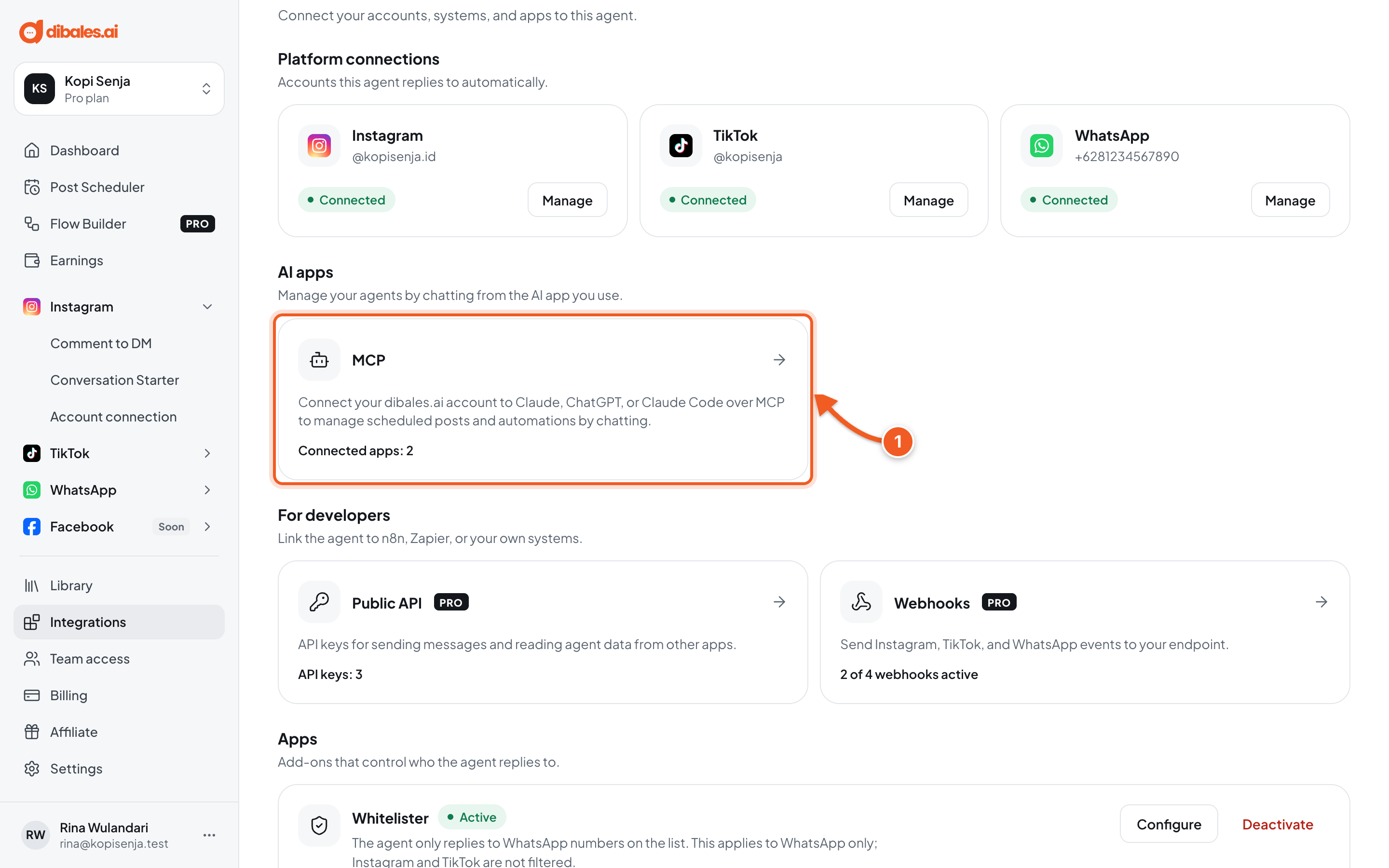
- In the AI apps section, click MCP. The line at the bottom shows how many apps are connected, such as Connected apps: 2.
2. Check the list of connected apps
Scroll to the Connected apps section.
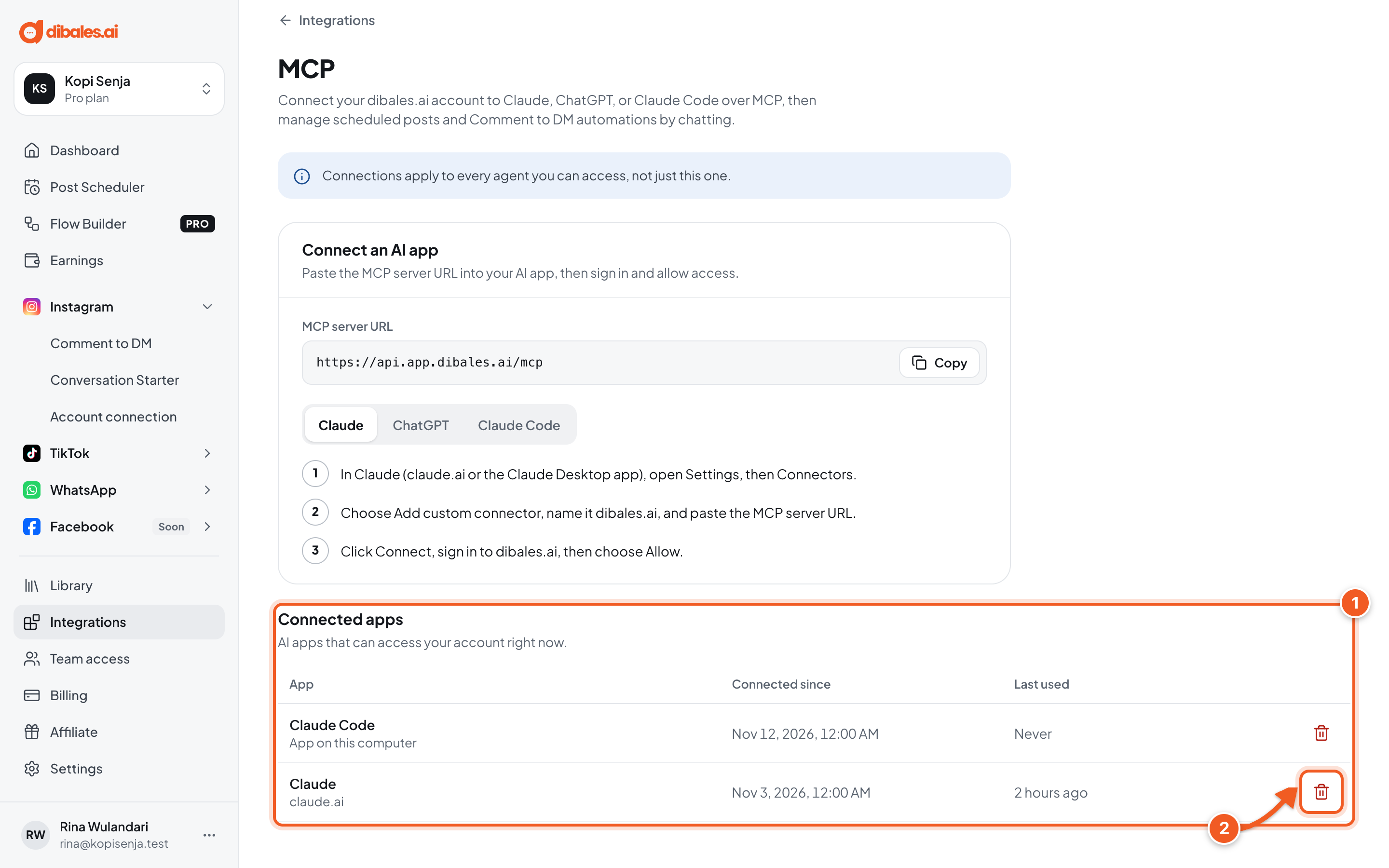
- The Connected apps section has one row for each app:
- App: the app's name. Below it is the app's web address (such as claude.ai), or App on this computer for apps like Claude Code.
- Connected since: when access was allowed.
- Last used: when the app last ran a command in dibales.ai. Never means it hasn't been used since it was connected.
- Click the trash icon on the row of the app you want to revoke, such as Claude.
If it says No apps connected yet, no AI app can access your account.
3. Revoke access
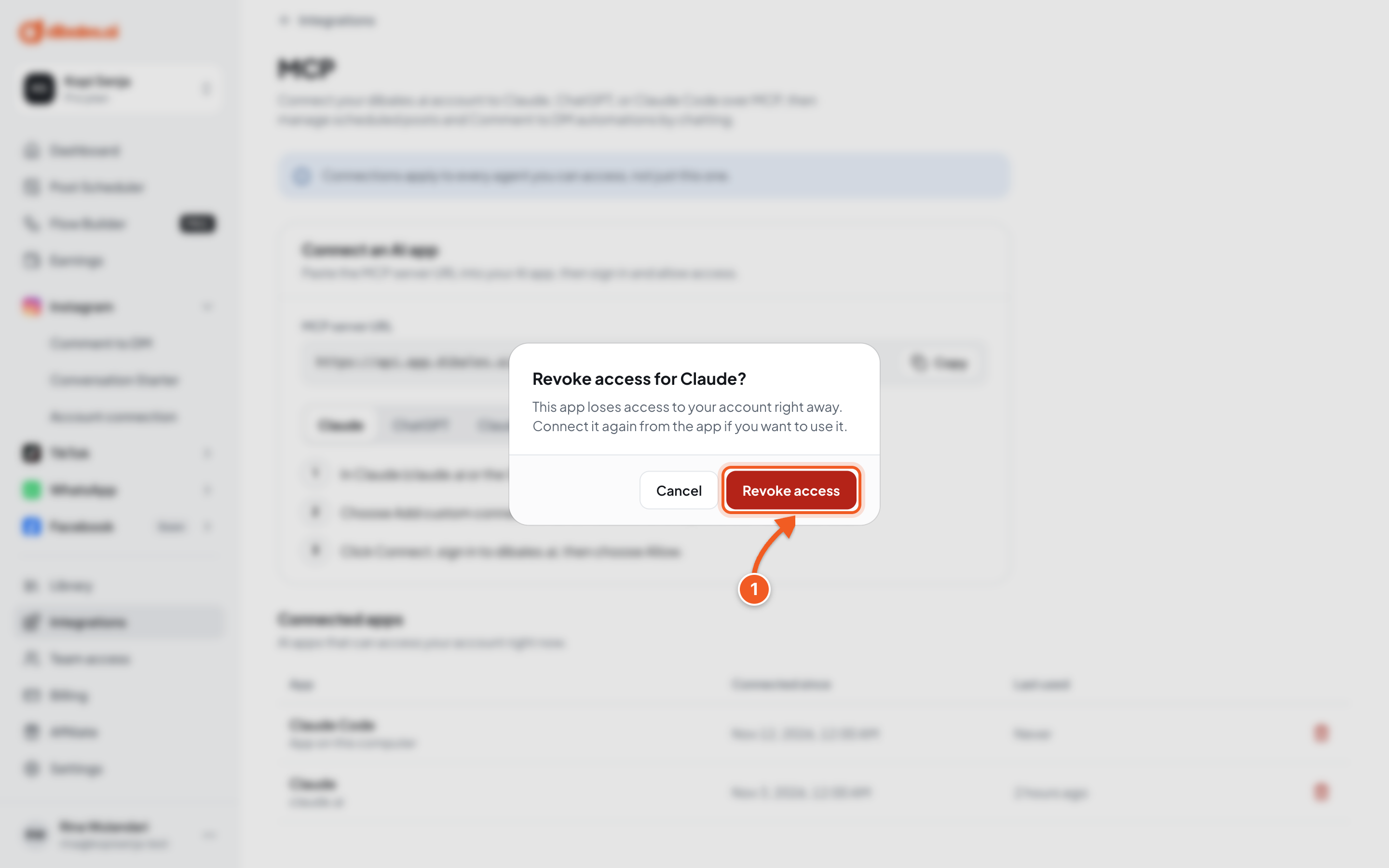
- The dialog Revoke access for Claude? appears. Click Revoke access. Click Cancel if you change your mind.
The app loses access to your account right away, including in chats that are already open.
4. Check the result
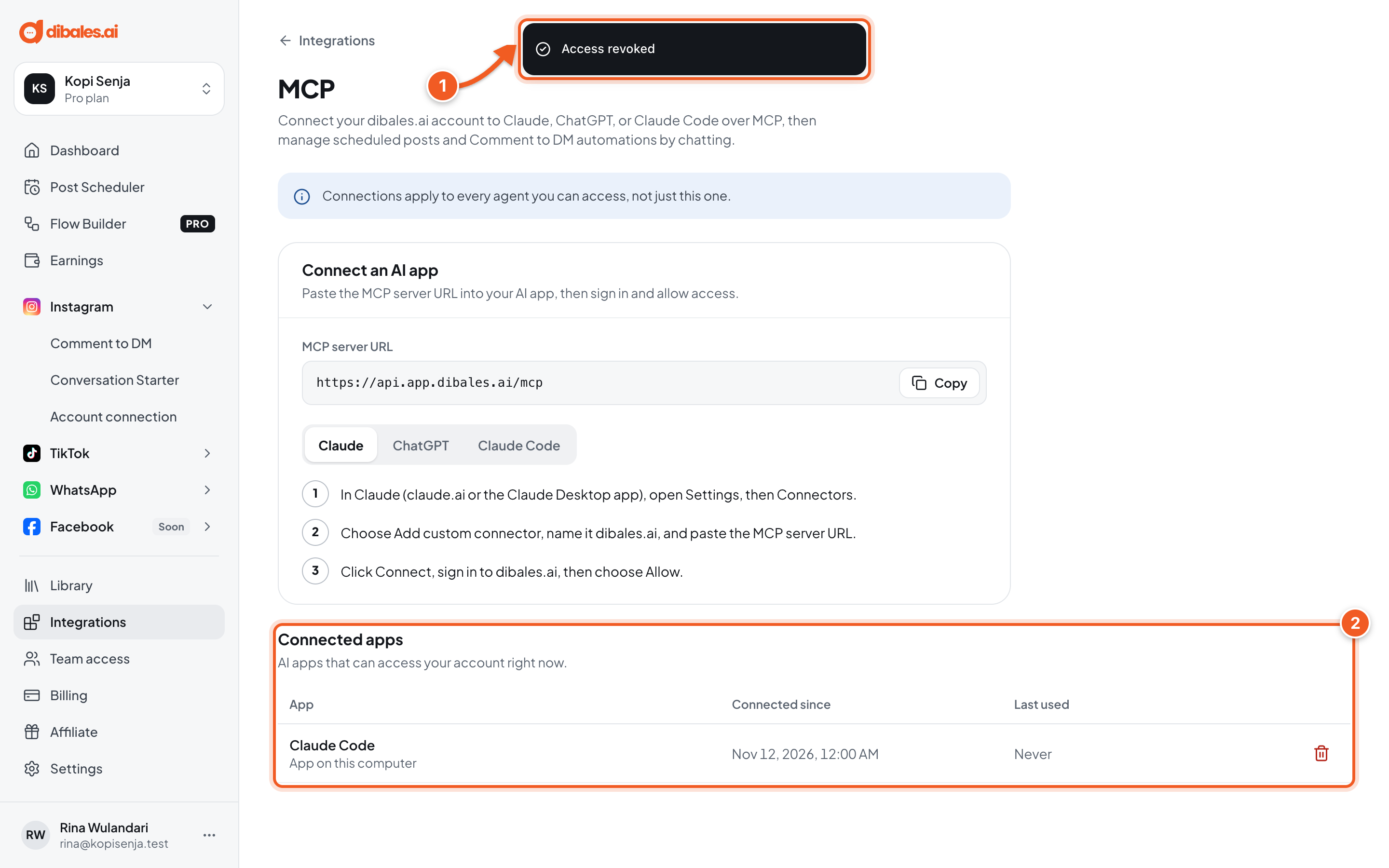
- The notice Access revoked appears.
- The app disappears from Connected apps.
Posts and automations created through that app aren't deleted. They stay in the dashboard and keep running as set up.
Want to use it again? Reconnect from the app, as in Connect to Claude, ChatGPT, or Claude Code. In Claude and ChatGPT, the dibales.ai connector is usually still in the connector list, so just connect it again, sign in, and choose Allow.
When to revoke access
- You don't use that AI app anymore.
- You connected an AI app on a computer or account that isn't yours.
- Last used shows a time you don't recognize.
Troubleshooting
| Message | Fix |
|---|---|
| Couldn't revoke access. Try again. | Click the trash icon and Revoke access once more. If it still fails, reload the page and try again. |
| A revoked app is still in the Claude or ChatGPT connector list | That's the list inside the AI app, not in dibales.ai. Its access to your account is already revoked. Remove the connector in the AI app's settings if you don't need it anymore. |