
Comment to DM for Meta Ads
Automatically DM people who comment on your Instagram ads from Meta Ads Manager.
Ad posts from Meta Ads Manager don't show up in your post list. So the automation links to your ad through a 6-digit code that you comment on the ad post.
Here is your ad-only voucher: ARABICA15, 15% off all coffee beans ☕
Shop NowOnly in the new dashboard. Your ad must be approved by Meta and Active, posted as the Instagram account connected to the agent.
💡 Is your ad a boosted post from your profile? Just use Specific post in Comment to DM.
1. Choose the Meta ad target
Create a new automation as usual, then set up the Trigger:
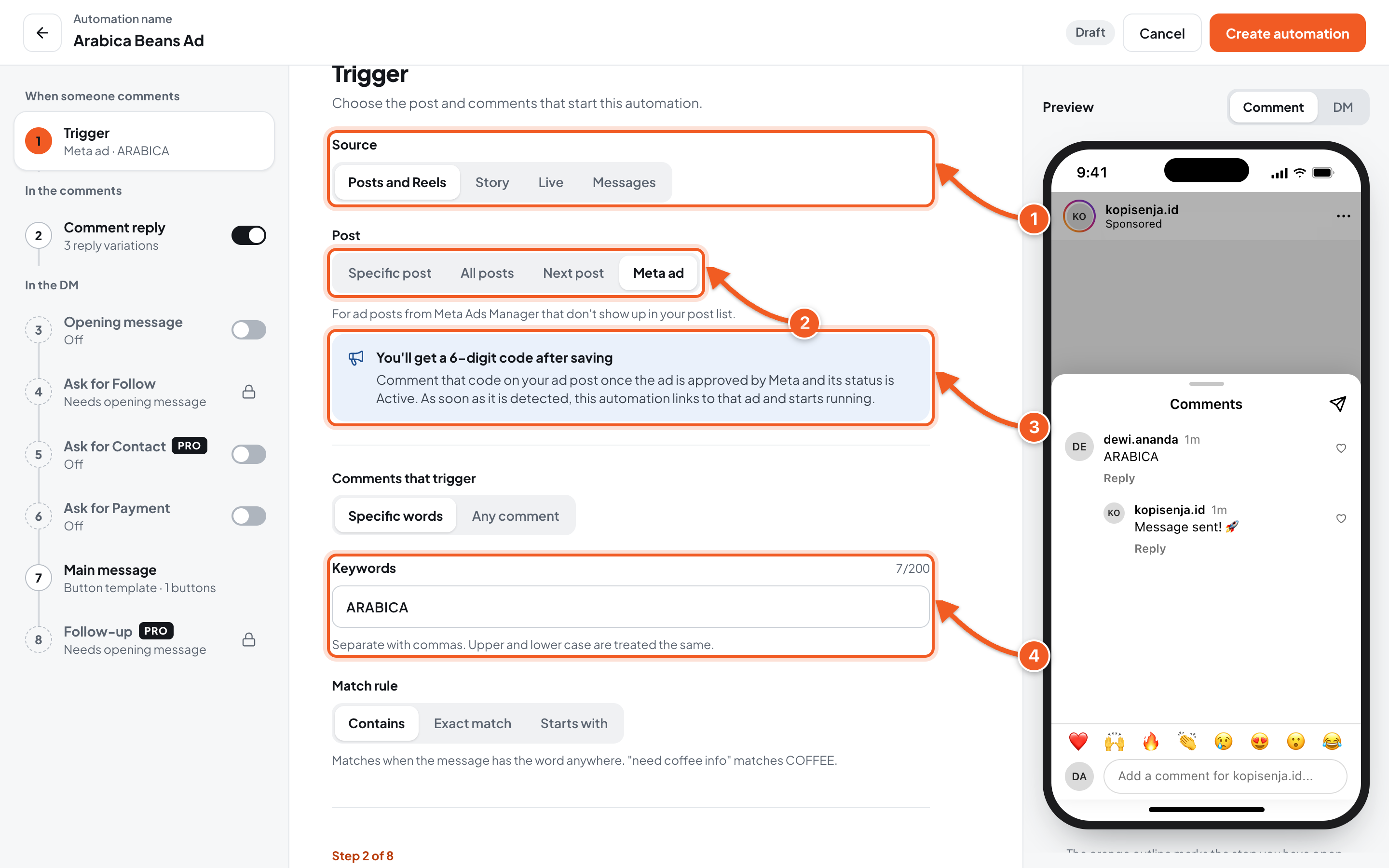
- Source: Posts and Reels.
- Post: Meta ad.
- The 6-digit code appears after you save the automation.
- Keywords: the word your ad asks for, for example ARABICA.
2. Save, then copy the code
Fill in the messages as usual, then click Create automation.
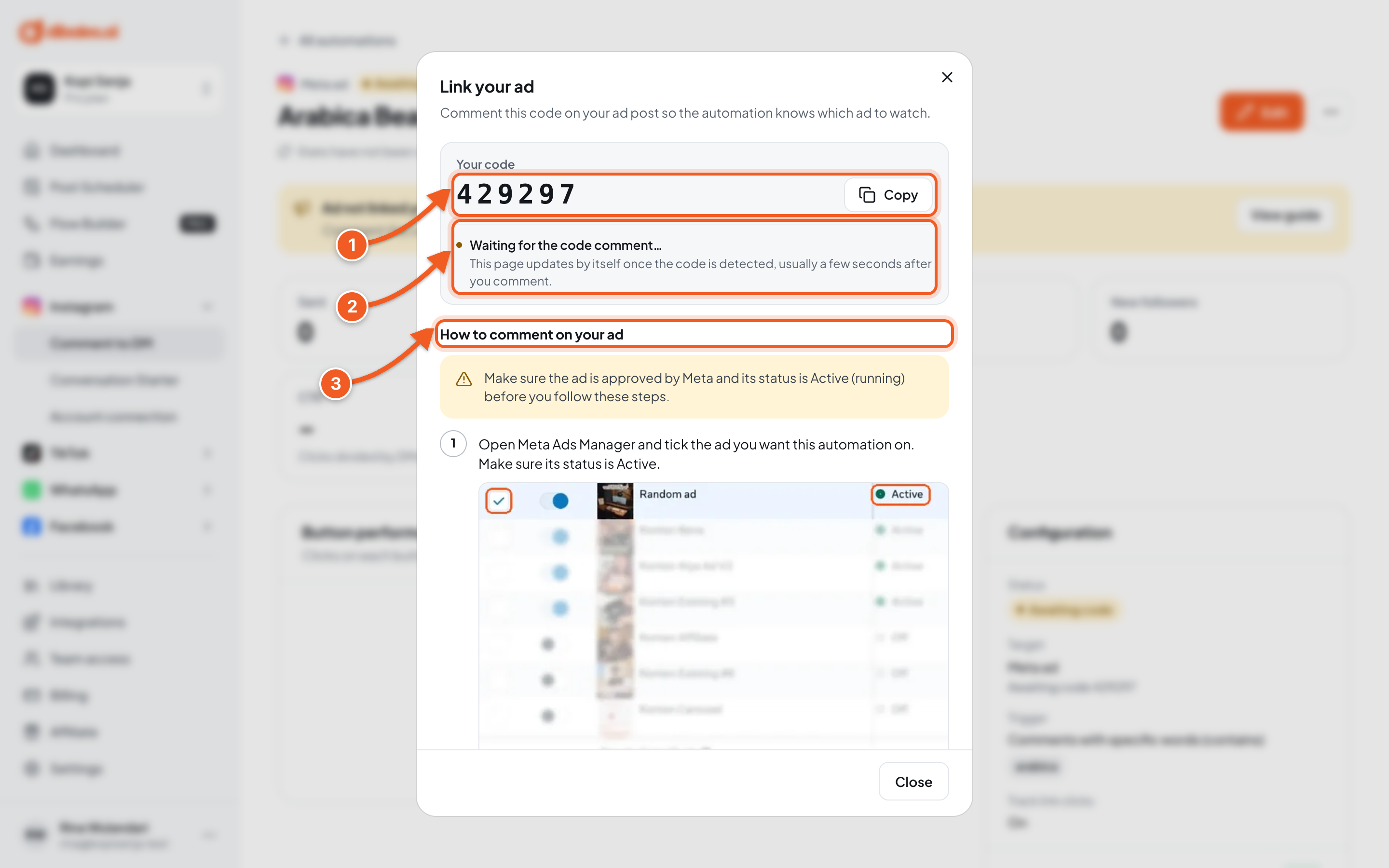
- Click Copy.
- This status updates by itself once the code is detected.
- A summary of steps 3–5 below.
Closed the dialog? The code stays on the automation's detail page.
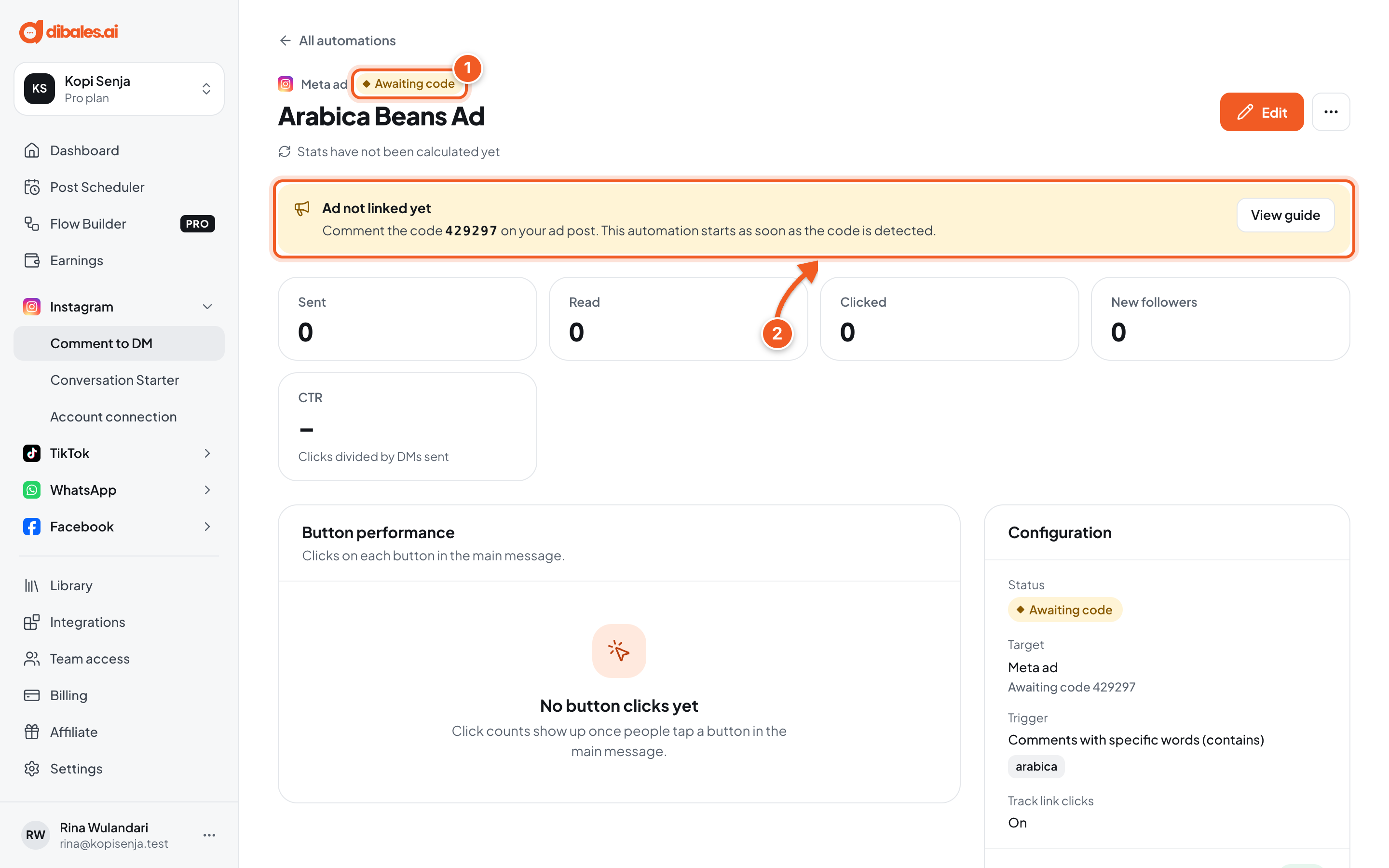
- Awaiting code: the automation isn't running yet.
- View guide opens the dialog again.
3. Select the ad in Meta Ads Manager

- In Meta Ads Manager, tick an ad whose status is Active.

- Click Preview.
4. Open the ad post on Instagram

- Click the Share icon.
- Click Instagram post with comments.
5. Comment the code

- Type the code in Add a comment and post it as a new comment. Any account works, and this comment doesn't trigger a DM.
Make sure it's the right ad post. The automation sticks to the first post the code is commented on.
6. Check it's linked, then delete the code comment
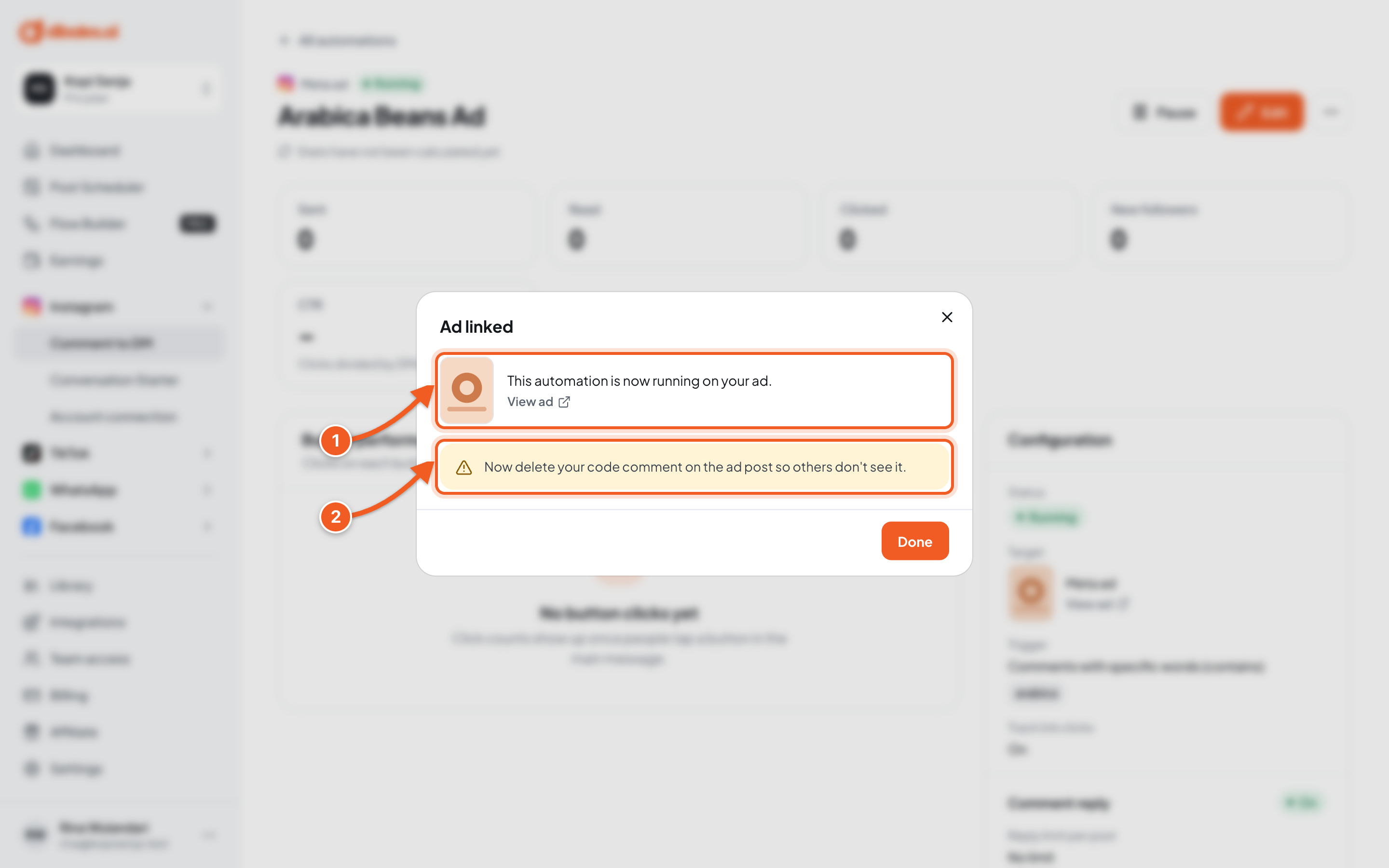
- The ad is linked.
- Delete your code comment on the ad post. It isn't deleted for you.
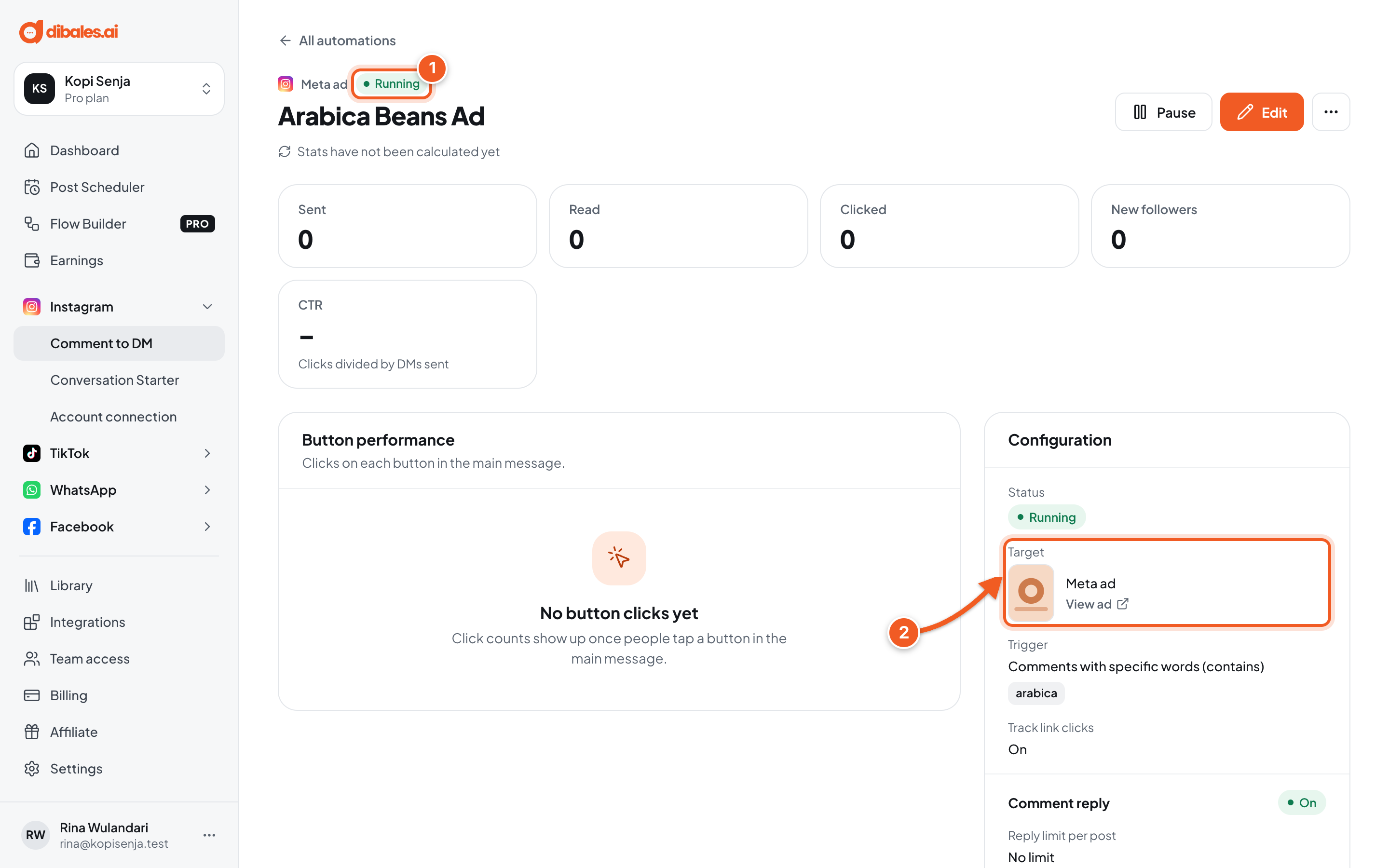
- Status Running.
- Target shows the linked ad.
Done. Comment the keyword on the ad from another account, then check the Comment log.
Troubleshooting
| Problem | Fix |
|---|---|
| Still Awaiting code | Check that the code matches exactly, it was posted as a new comment (not a reply), and the ad belongs to the connected Instagram account. |
| Linked to the wrong post, or you want it on another ad | A linked ad can't be changed. Duplicate the automation: the copy gets a new code. |
| Comments on Facebook don't get a reply | This automation only handles comments on Instagram. |